

MCP is an open protocol that standardizes how applications provide context to LLMs. Among other benefits, it provides LLMs tools to act on your behalf. Dub offers both a remote MCP server and a local MCP server.
Looking for the Dub Links MCP server? Check out the Dub Links MCP server docs.
Remote MCP Server (recommended)#
Dub's MCP server is hosted at:
Connect any MCP client that supports remote servers (Streamable HTTP). There's nothing to install and no local process to run, which makes it the best option for web-based clients like Claude and hosted agent platforms.
When you connect, your client opens a browser window to log in to Dub and approve access using OAuth.
You can install the Dub MCP server as a custom connector in Claude:
To install only the MCP server, add it manually in Claude (web or desktop) from Settings > Connectors > Add custom connector:
You can install the Dub MCP server as a ChatGPT plugin:
Make sure to enable Developer Mode in ChatGPT first before installing the plugin.
Open the command palette and choose Cursor Settings → MCP → Add new global MCP server.
To use GitHub Copilot in VS Code, add the following to your settings.json:
In Windsurf's Settings, navigate to Agents > MCP servers, and click + Add to add a new server.
In Warp's Settings, navigate to Agents > MCP servers, and click + Add to add a new server.
If your client runs somewhere a browser login isn't possible (a server, CI, or a headless agent), pass a Dub API key in the Mcp-Dub-Token header instead of using OAuth.
For clients configured with JSON (Cursor, Windsurf, and others), add a Mcp-Dub-Token header:
Local MCP Server#
If your MCP client doesn't support connecting directly to a remote HTTP endpoint, use mcp-remote to run a local process that proxies requests to Dub's hosted server. You can integrate it into any supported MCP client using npx. You'll need a Dub API key.
Choose your client below to get started. Remember to replace dub_xxxxxx with your actual API key.
Stdio Transport (Default)#
Open Claude Desktop settings → Developer tab → Edit Config and add the following:
To use GitHub Copilot in VS Code, add the following to your settings.json:
Add to your opencode.json config:
In Warp's Settings, navigate to Agents > MCP servers, and click + Add to add a new server.
Environment variables#
MCP_DUB_TOKEN: Your Dub API key (used bymcp-remoteand referenced in client configs as${MCP_DUB_TOKEN})
Store your API key in the env block or an environment variable rather than
hardcoding it in shared config files when possible.
MCP Server tools#
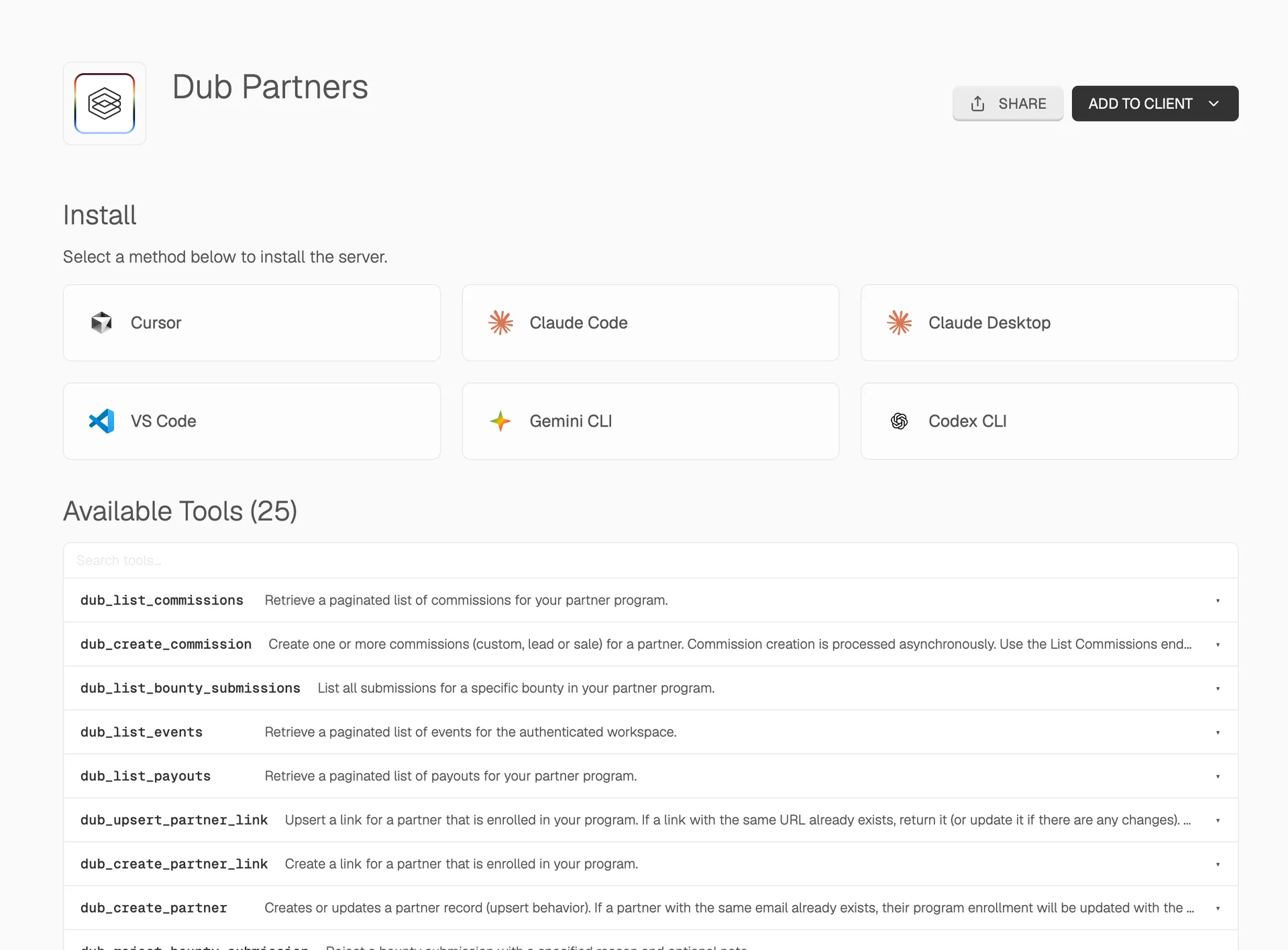
The Dub MCP server gives your AI agent native access to the full Dub platform through a single integration. You can manage your partner program, review applications, update commissions, and track attribution using natural language.
- Partners — Create or update partners, list all partners, deactivate, or ban partners from your program
- Partner links — Create and upsert links for enrolled partners
- Applications — List, approve, and reject pending partner applications
- Analytics — Retrieve analytics and list events for any partner, partner groups, or their specific links
- Customers — List, retrieve, update, and delete customers
- Tracking — Track lead, sale, and deep link open events
- Bounties — List, approve, and reject bounty submissions
- Commissions — List and update commissions (e.g. for refunds or fraud)
- Payouts — List payouts for your partner program
Here are some real examples of what your agent can do with these tools:
- Triage pending partner applications and approve or reject them in bulk
- Adjust commissions after a refund or flag suspicious activity
- Pull attribution analytics for a top partner or partner group
- Create partner links and track lead or sale conversion events