

This feature is only available on Advanced plans and above.
With Dub's Partner Referral feature, you can reward existing partners for referring other influencers, affiliates, and publishers to join your partner program.
This is exceptionally useful when your best partners already know other high quality partners who would be a good fit for your program.
How partner referrals work#
Partner referrals lets you reward partners when another partner they refer to your program meets a certain condition.
When a prospective partner visits your program application page, Dub automatically tracks where they came from (e.g. via your footer link, Google search, etc.) and displays these stats in your Application Analytics dashboard.
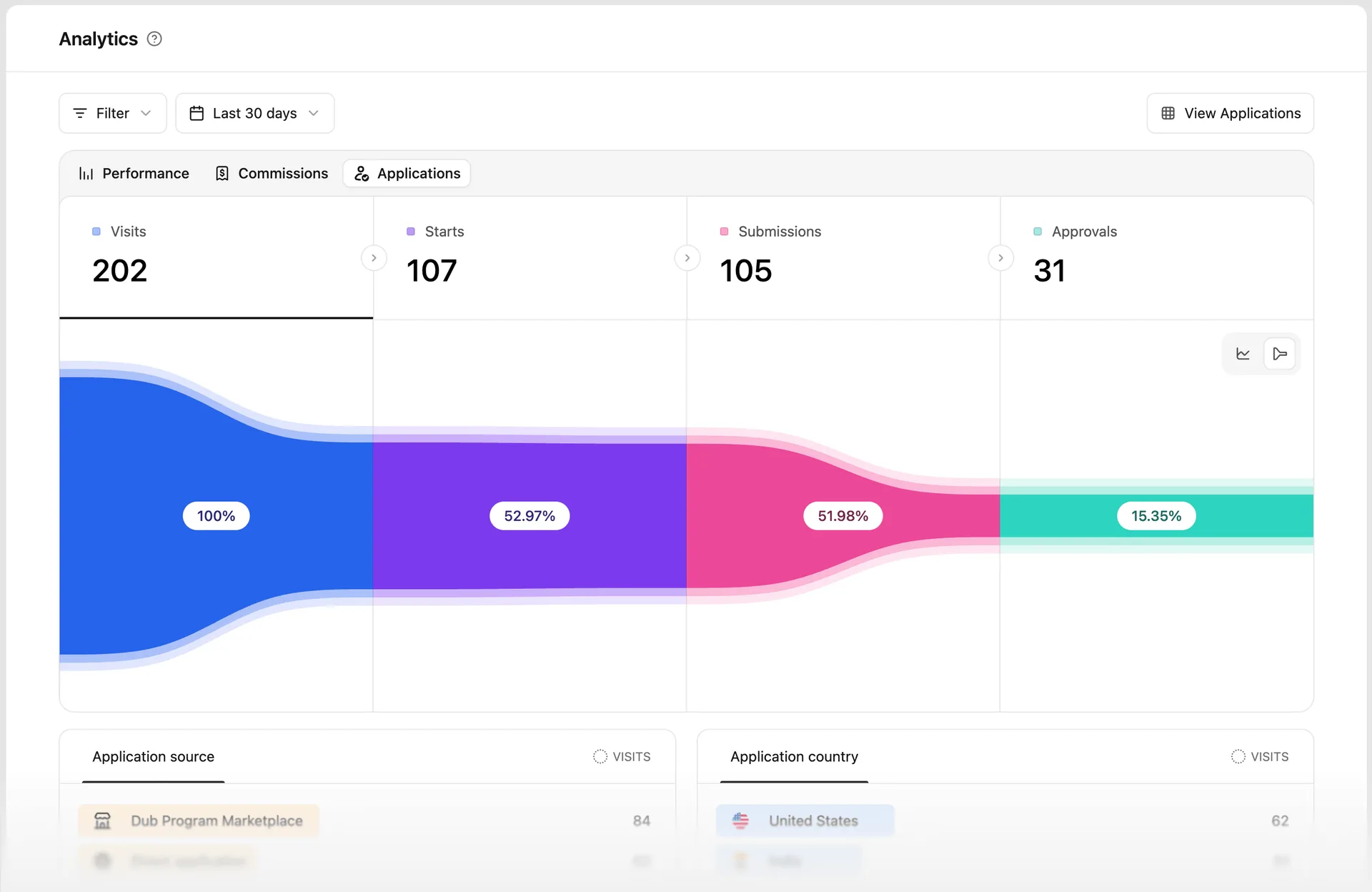
Similarly, if the referred partner visits your program application page through an existing partner's referral link, Dub tracks and attributes the application to the referring partner.
Creating a partner referral reward#
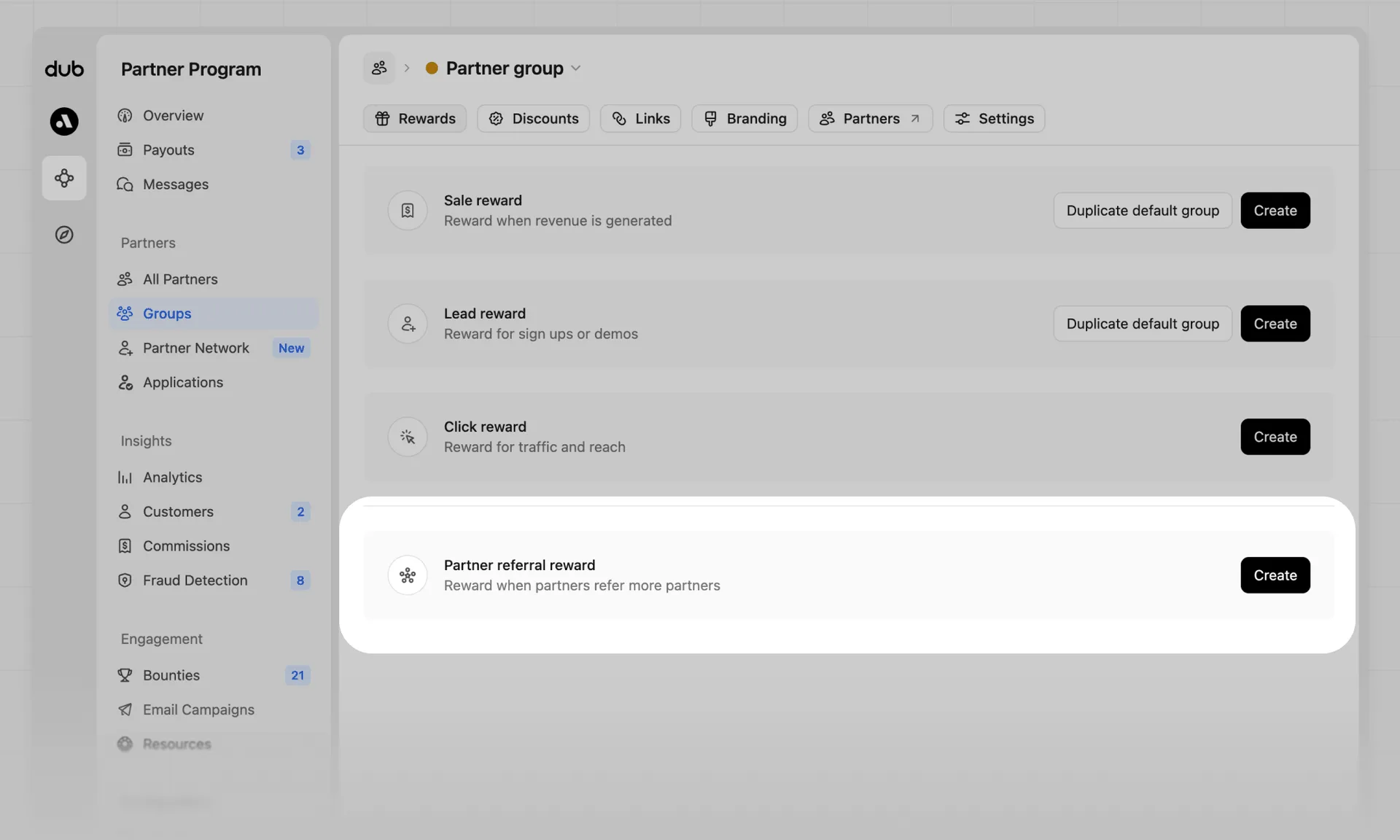
In your group rewards tab, you'll see the "Partner Referral" reward type. Click Create to set up a partner referral reward for that partner group.
From the referral reward creation view, you can select the reward type between percentage-based or flat-fee – the differences between the two are explained below.
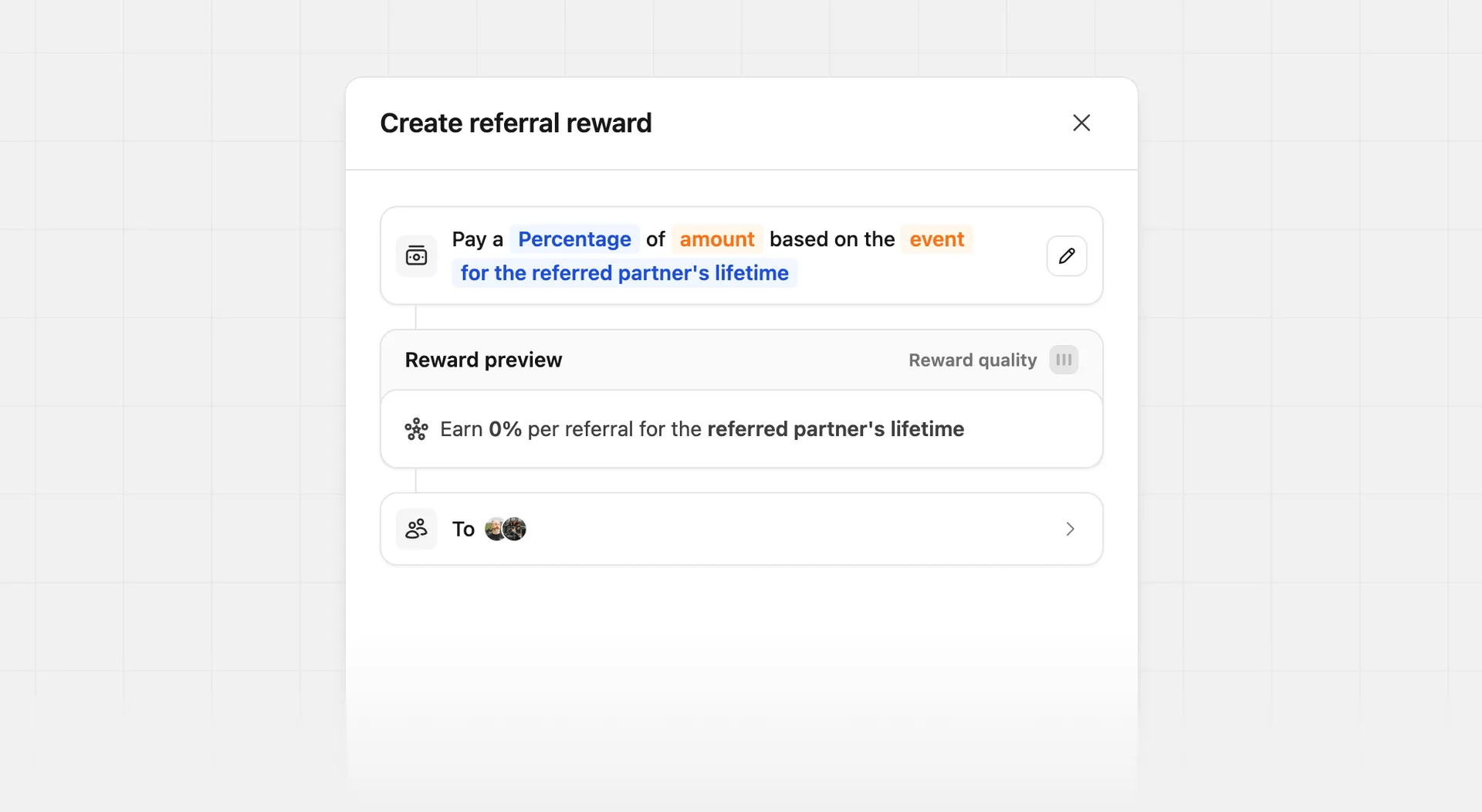
Flat fee rewards#
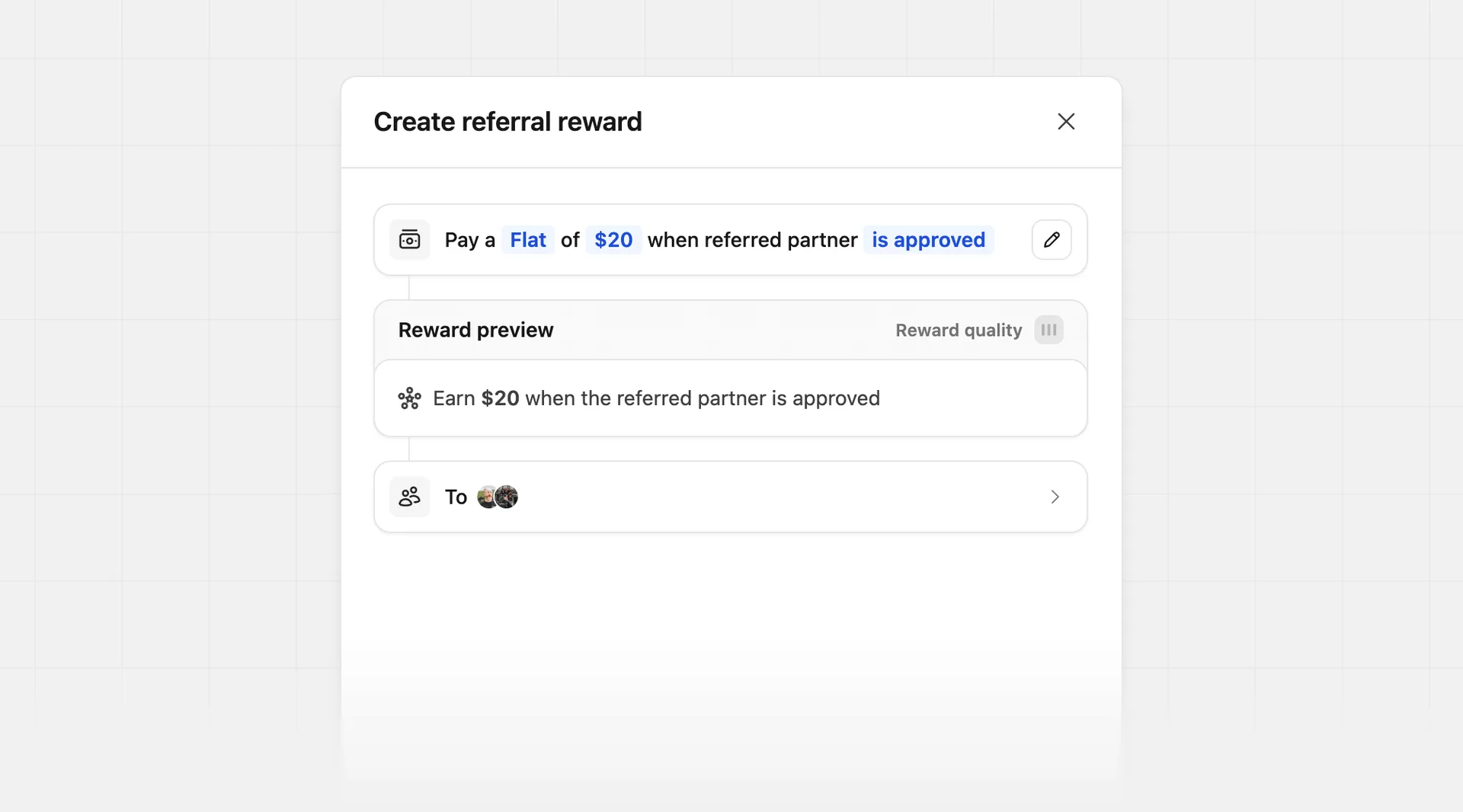
For flat fee rewards, you can set a fixed one-time amount that the referring partner will earn when the referred partner meets a condition, such as:
| Condition | Description |
|---|---|
| Is approved | The referring partner earns a reward when their referred partner is approved to your program. |
| Earns at least | The referring partner earns a reward when their referred partner earns at least a certain amount in commissions. |
When the referred partner is approved to your program#
When you select the is approved option, the referring partner will earn a fixed reward amount when the referred partner is approved to your program.
When the referred partner earns at least a certain amount in commissions#
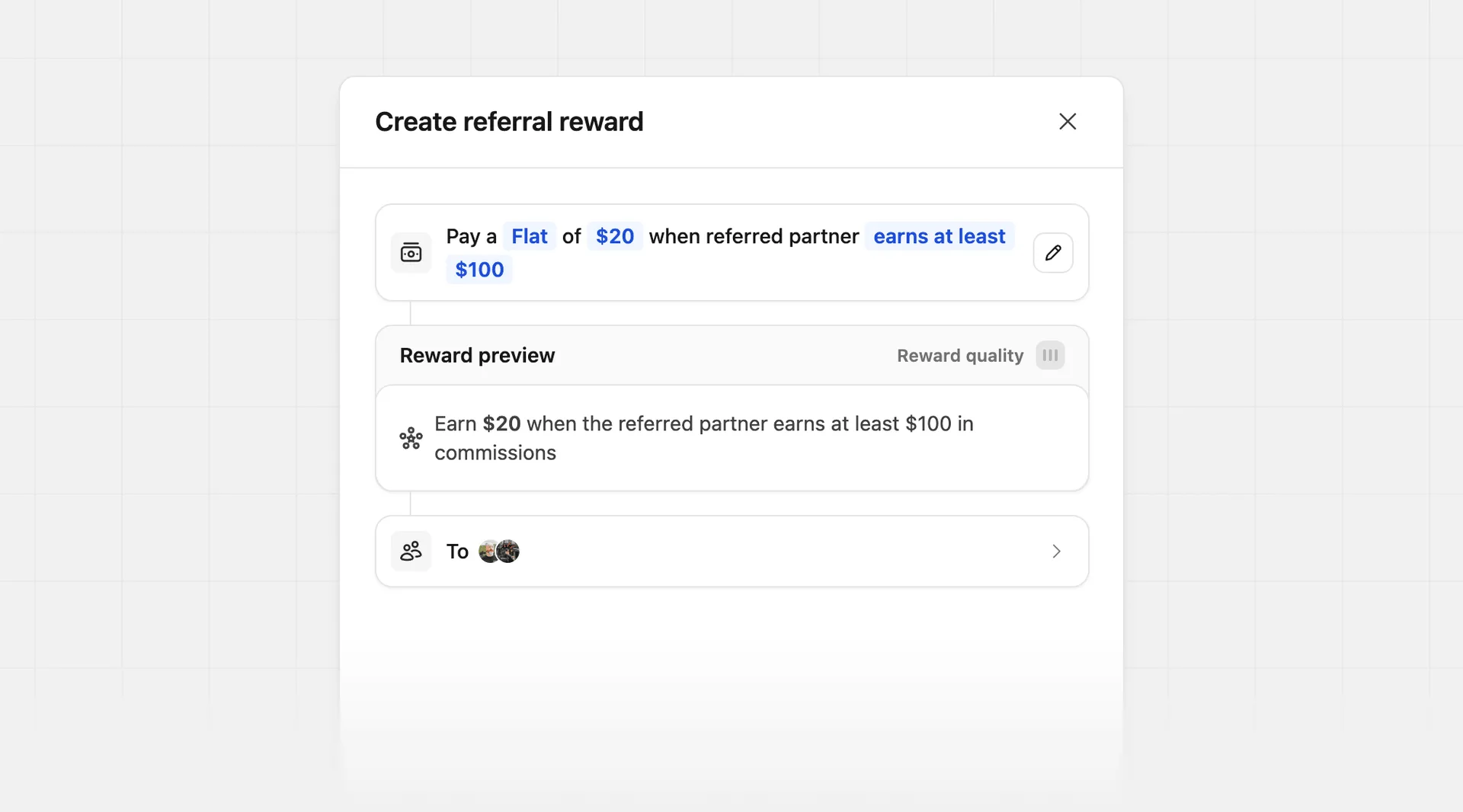
When you select the earns at least option, the referring partner will earn a fixed reward amount when the referred partner earns at least a certain amount in commissions.
For example, if you set the condition to earns at least $100 and the reward amount to $20, the referring partner will earn a $20 referral reward when the referred partner earns at least $100 in commissions.
Percentage-based rewards#
For percentage-based rewards, you can select between two options:
| Condition | Description |
|---|---|
| Original sale amount | The referring partner earns a percentage of the referred partner's original sale amount. |
| Referred partner's commission | The referring partner earns a percentage of the referred partner's commission. |
Original sale amount#
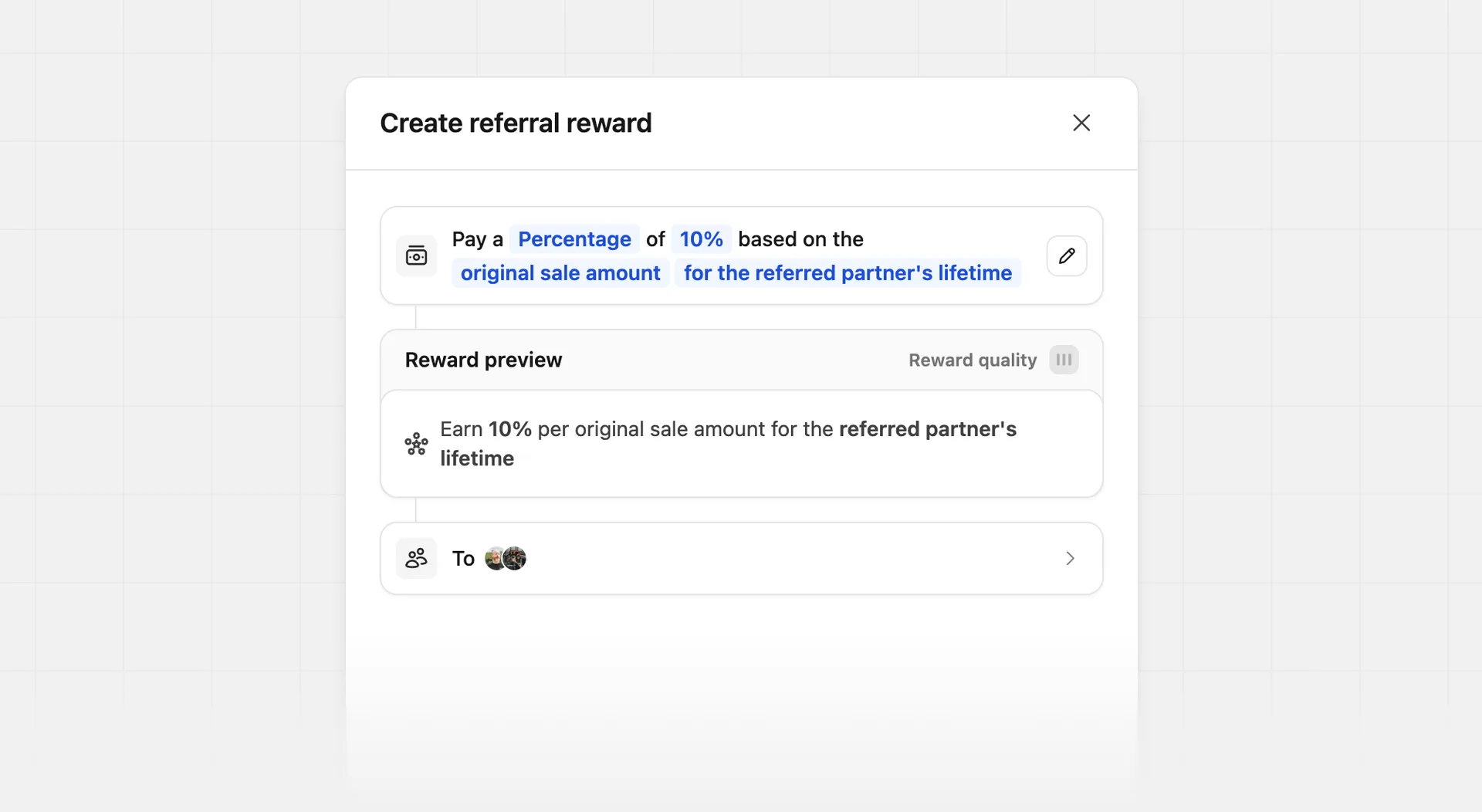
When you select the original sale amount option, the referring partner will earn a percentage of the total sale amount that the referred partner generates.
For example, if a partner group has a 20% sale reward + 10% partner referral reward (based on the original sale amount), and the referred partner generates a $100 sale:
- The referred partner will earn a $20 commission (20% sale reward * $100 = $20).
- The referring partner will earn a $10 referral reward (10% partner referral reward * $100 = $10).
Referred partner's commission#
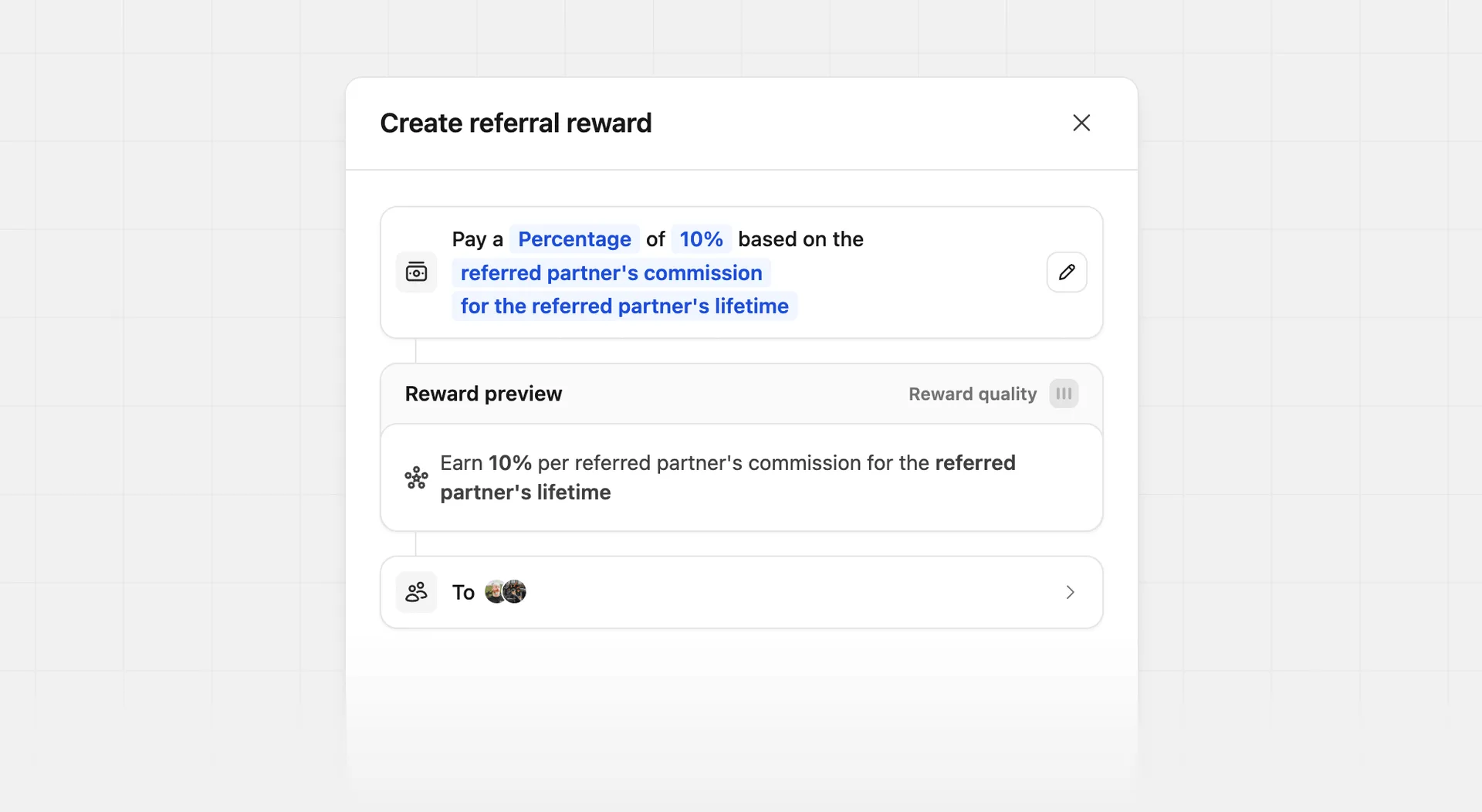
When you select the referred partner's commission option, the referring partner will earn a percentage of the commission that the referred partner earns.
For example, if a partner group has a 20% sale reward + a 10% partner referral reward (based on the referred partner's commission), and the referred partner generates a $100 sale:
- The referred partner will earn a $20 commission (20% sale reward * $100 = $20).
- The referring partner will earn a $2 referral reward (10% partner referral reward * $20 commission = $2).
Partner view#
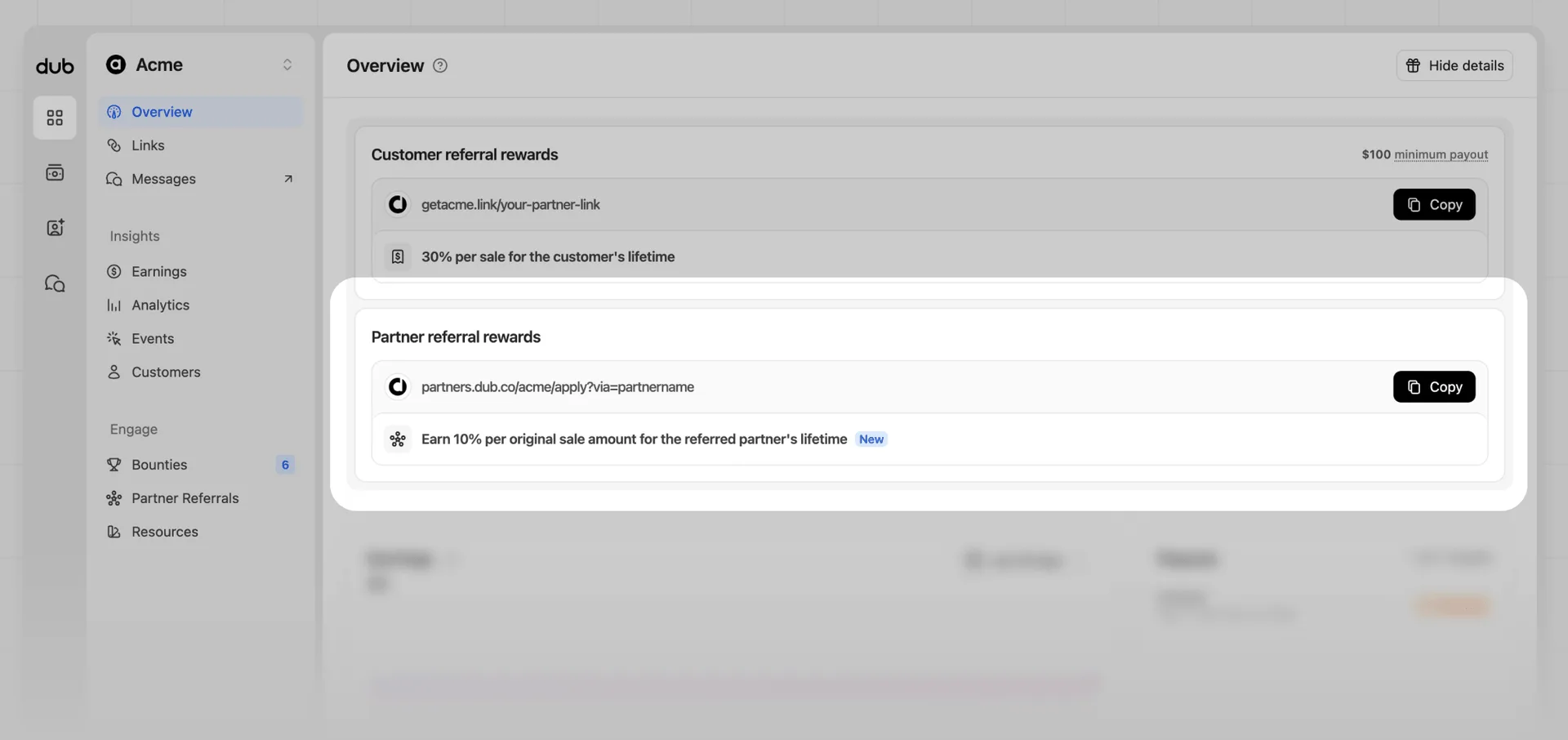
When your program has a partner referral reward set up, partners will see a Partner referral rewards section in the program overview page.
Here they'll find their reward details, and a link to your program's application form with their referral tracking parameter automatically added.
Viewing referred partners#
To view the partners referred by a specific partner, you can view these in one of two ways:
Partner profile
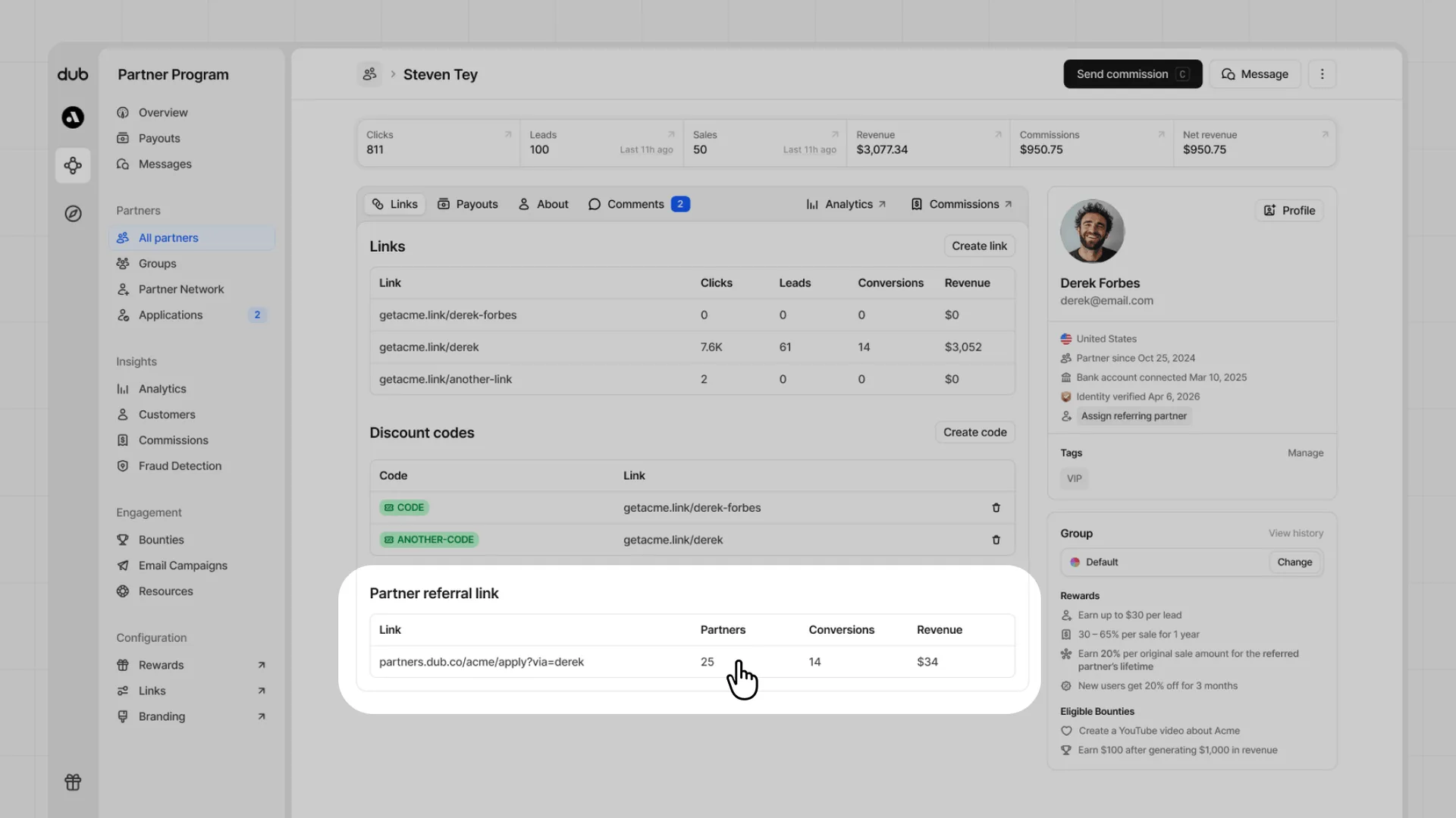
From a partner's profile page, click the link row from their partner referral link. This will open your All partners view filtered to the partners they have referred.
All partners page
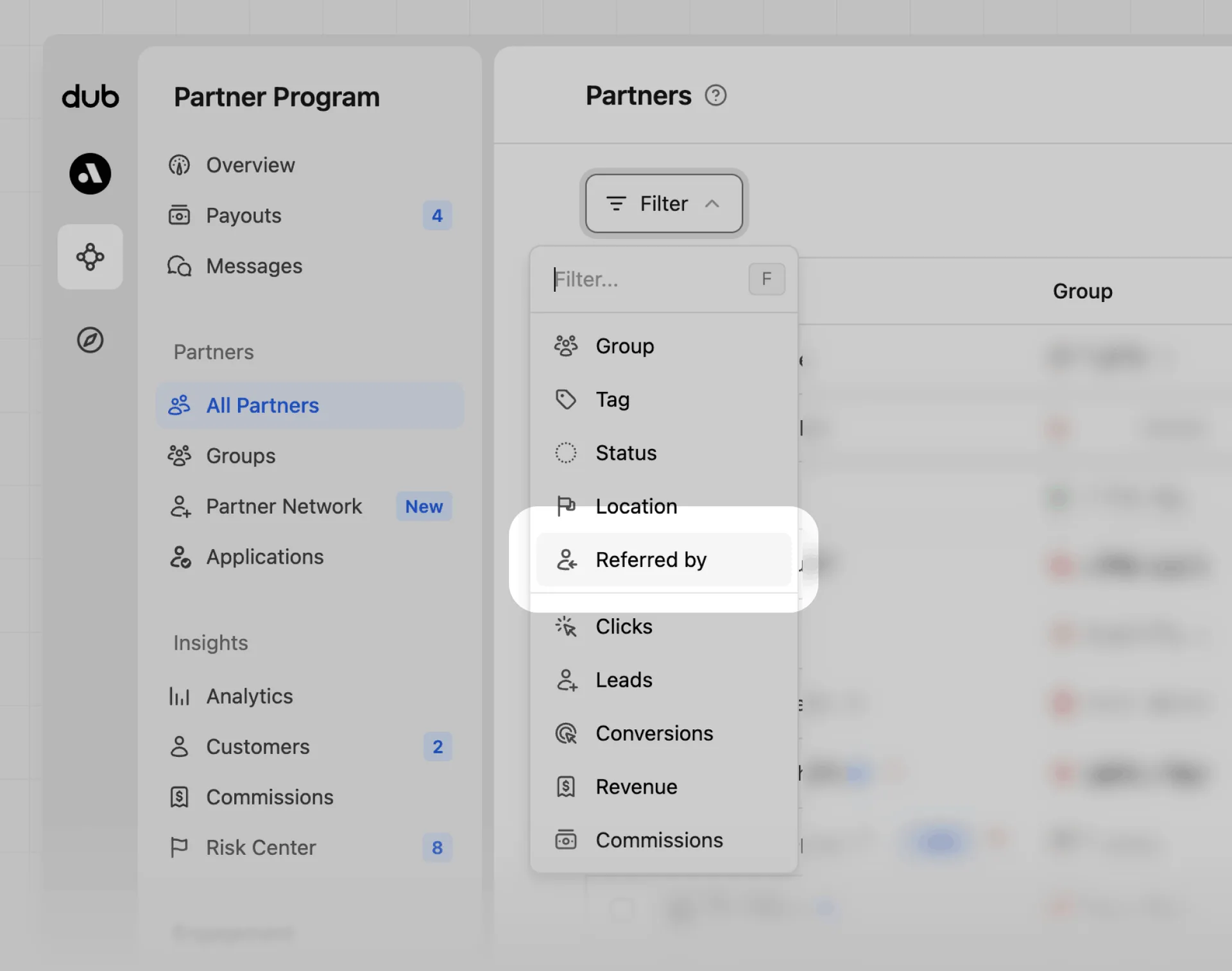
Select the Referred by filter from your All partners page.
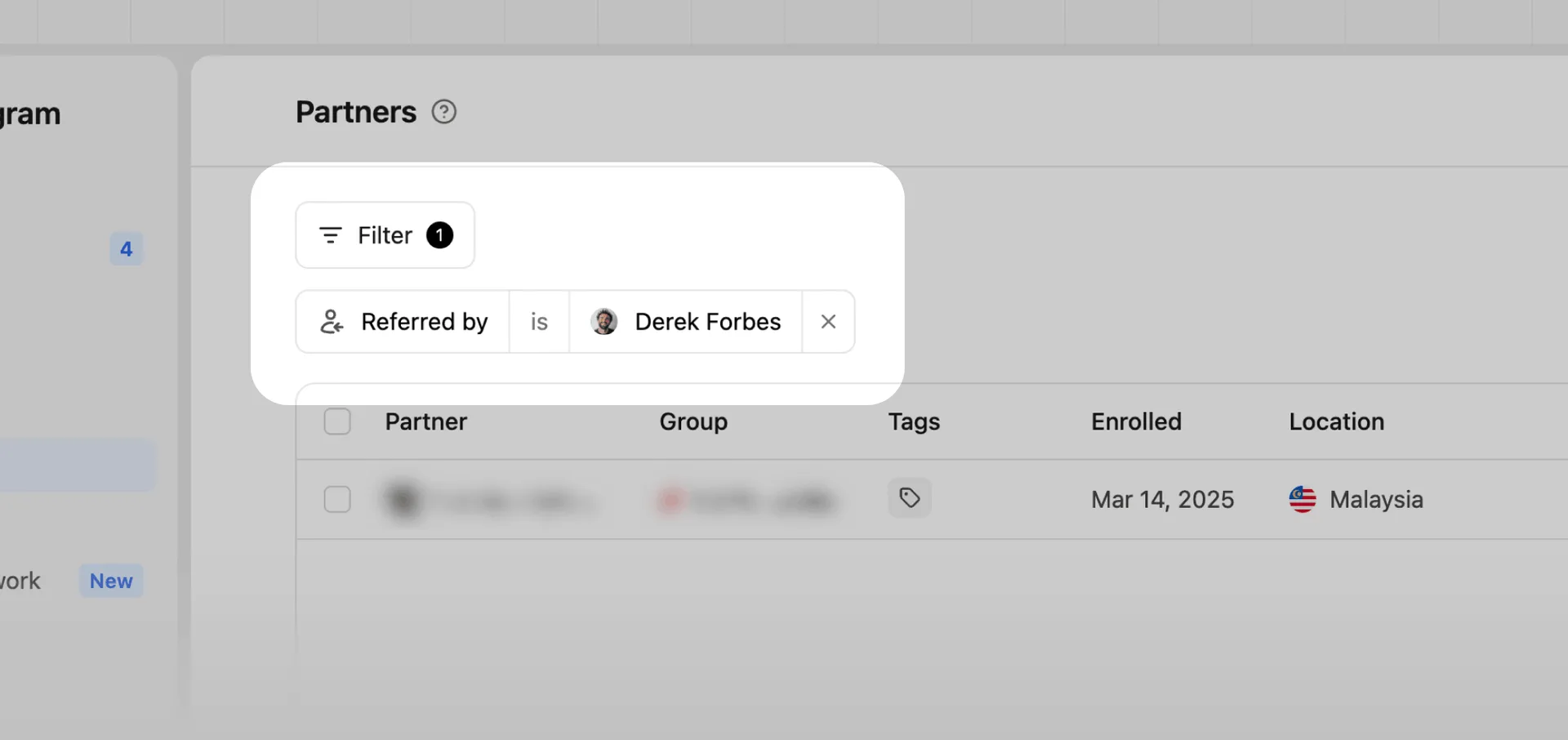
Then select the referring partner to filter the table to partners they have referred.
Manually attribute referring partner#
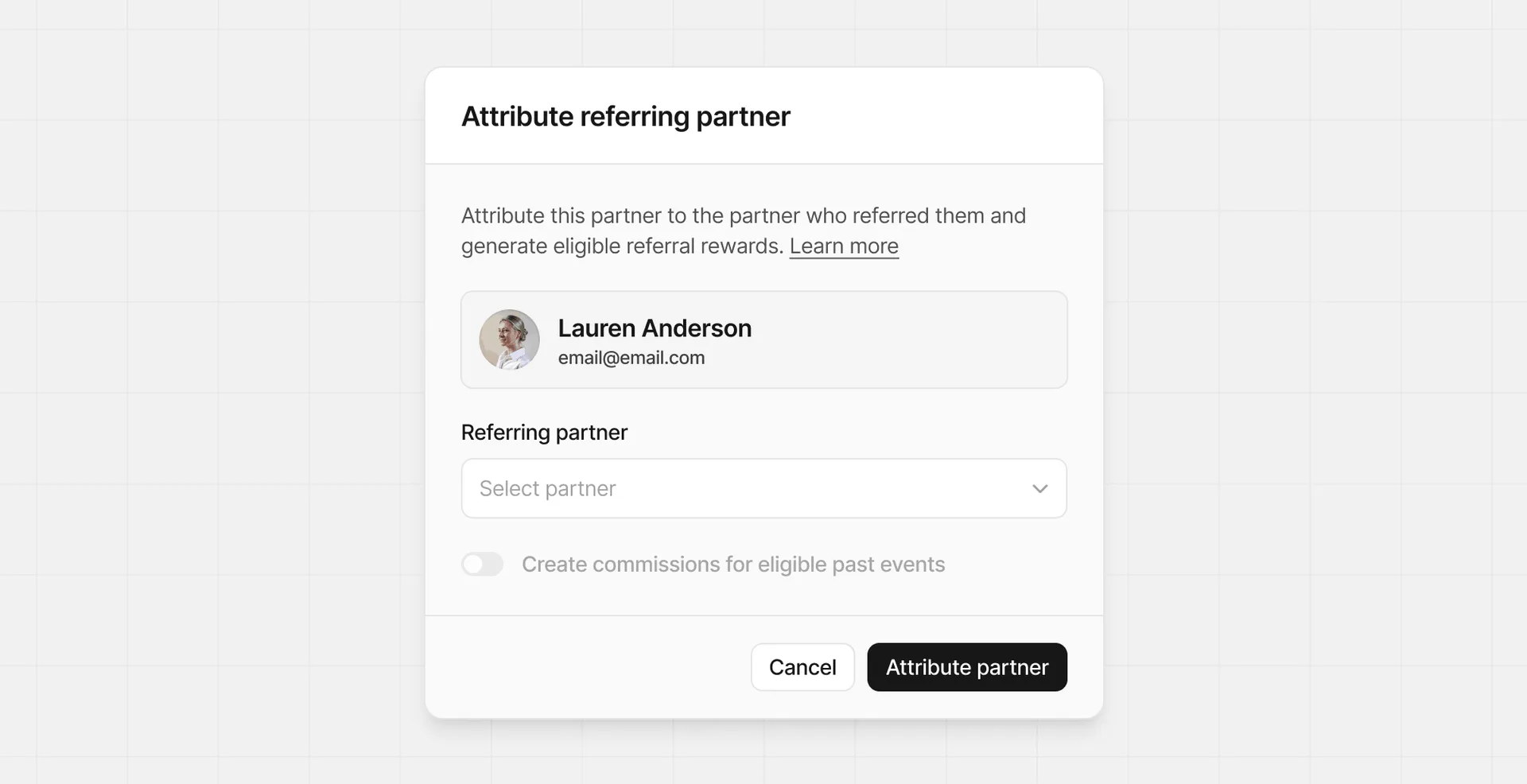
If a partner is not attributed to a referring partner, you can assign them manually through the partner's profile page. To assign a referring partner, click Attribute referring partner from their profile details section.
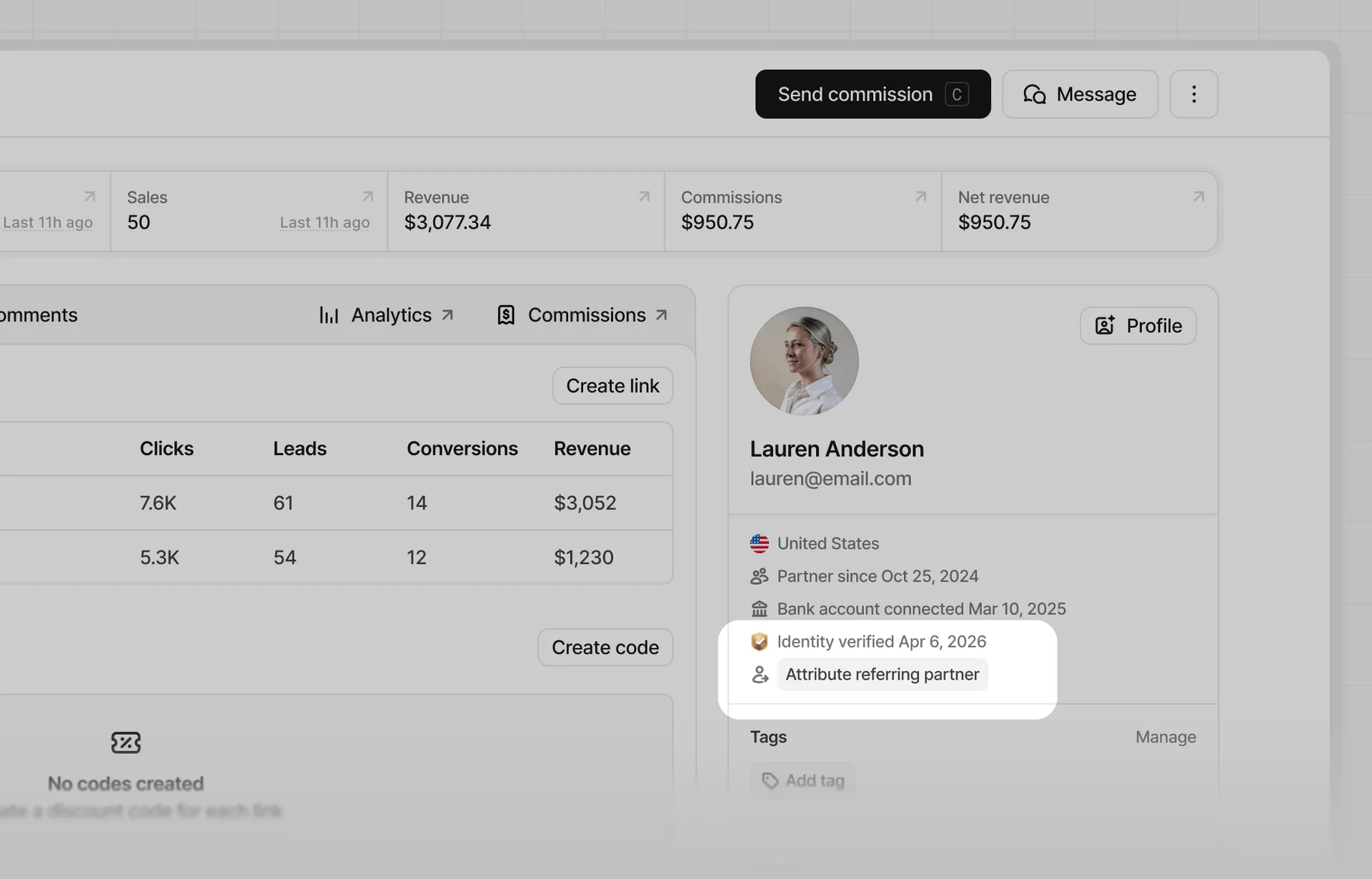
From the Attribute referring partner modal, select the partner you want to attribute as the referring partner.
After selecting the referring partner, you can also select to create commissions for eligible past events. This will generate partner referral commissions for the referring partner based on the referred partner's historical commissions.
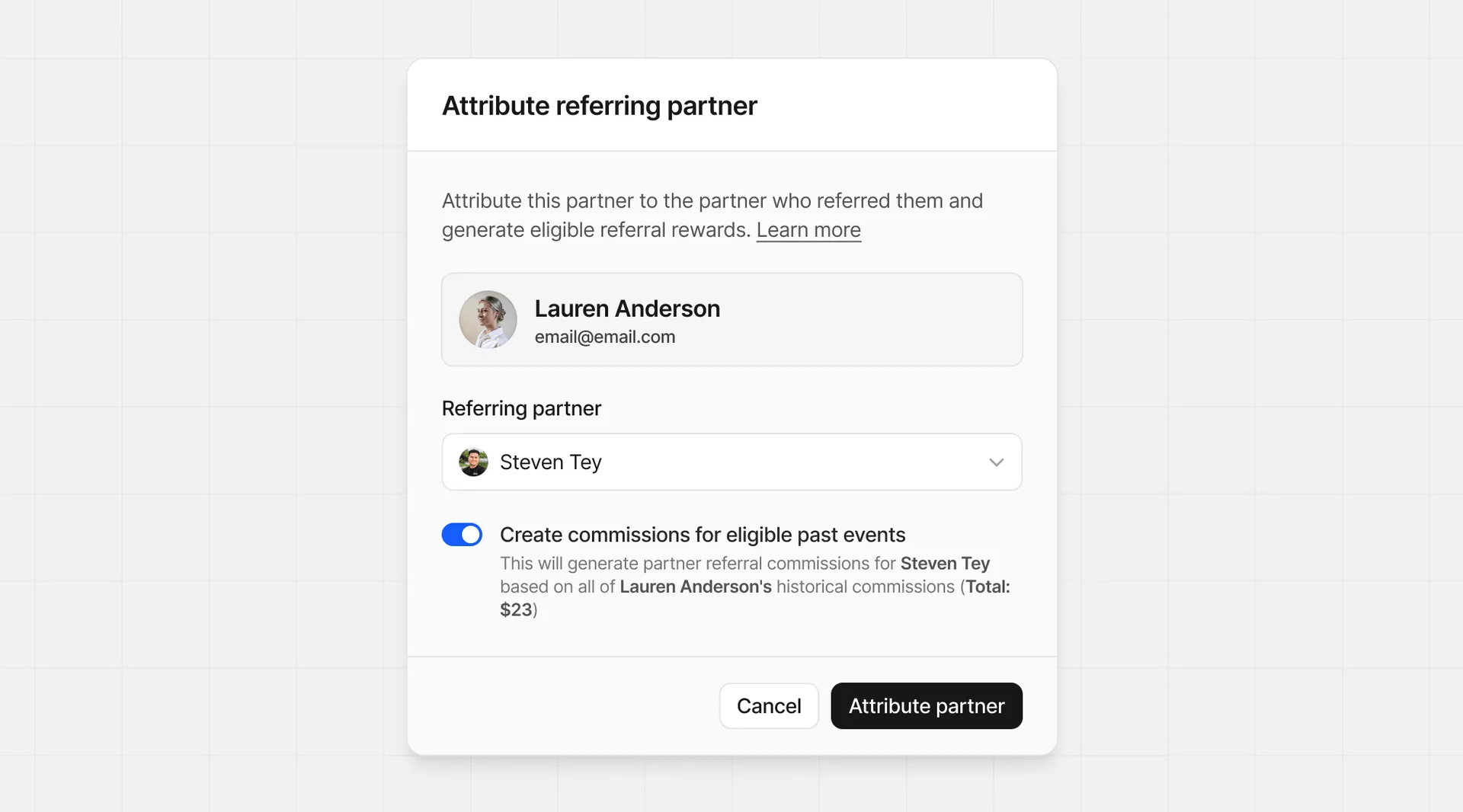
Be sure to confirm your changes, as this action cannot be undone. Click Attribute partner to save your changes.