

This feature is only available on Business plans and above.
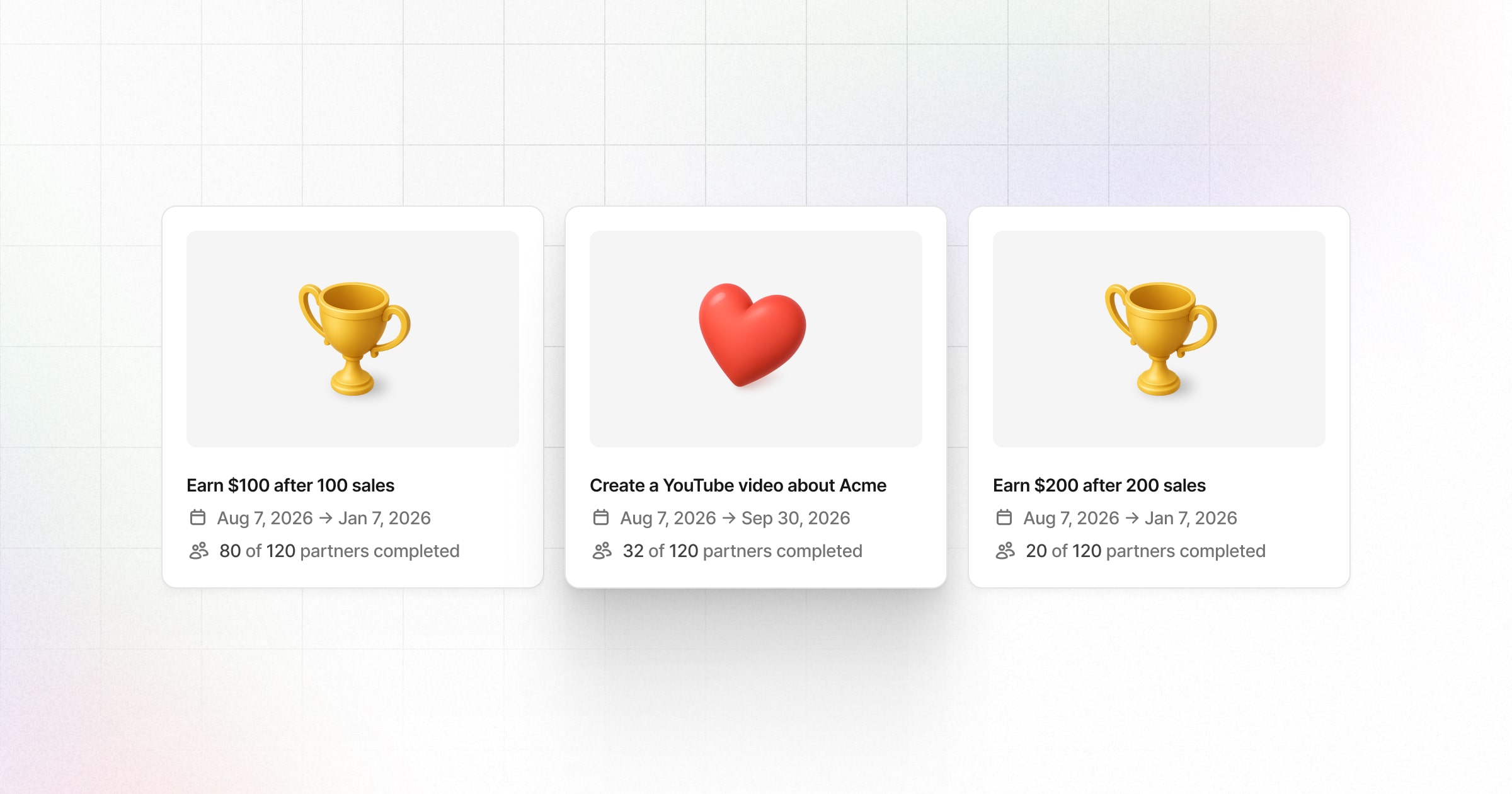
Bounties on Dub Partners let you reward partners for achieving goals or creating content about your product. This guide walks you through creating bounties, setting requirements, and managing submissions.
To view and manage your bounties, go to your Partner Program menu and click on Bounties under the Engagement section:
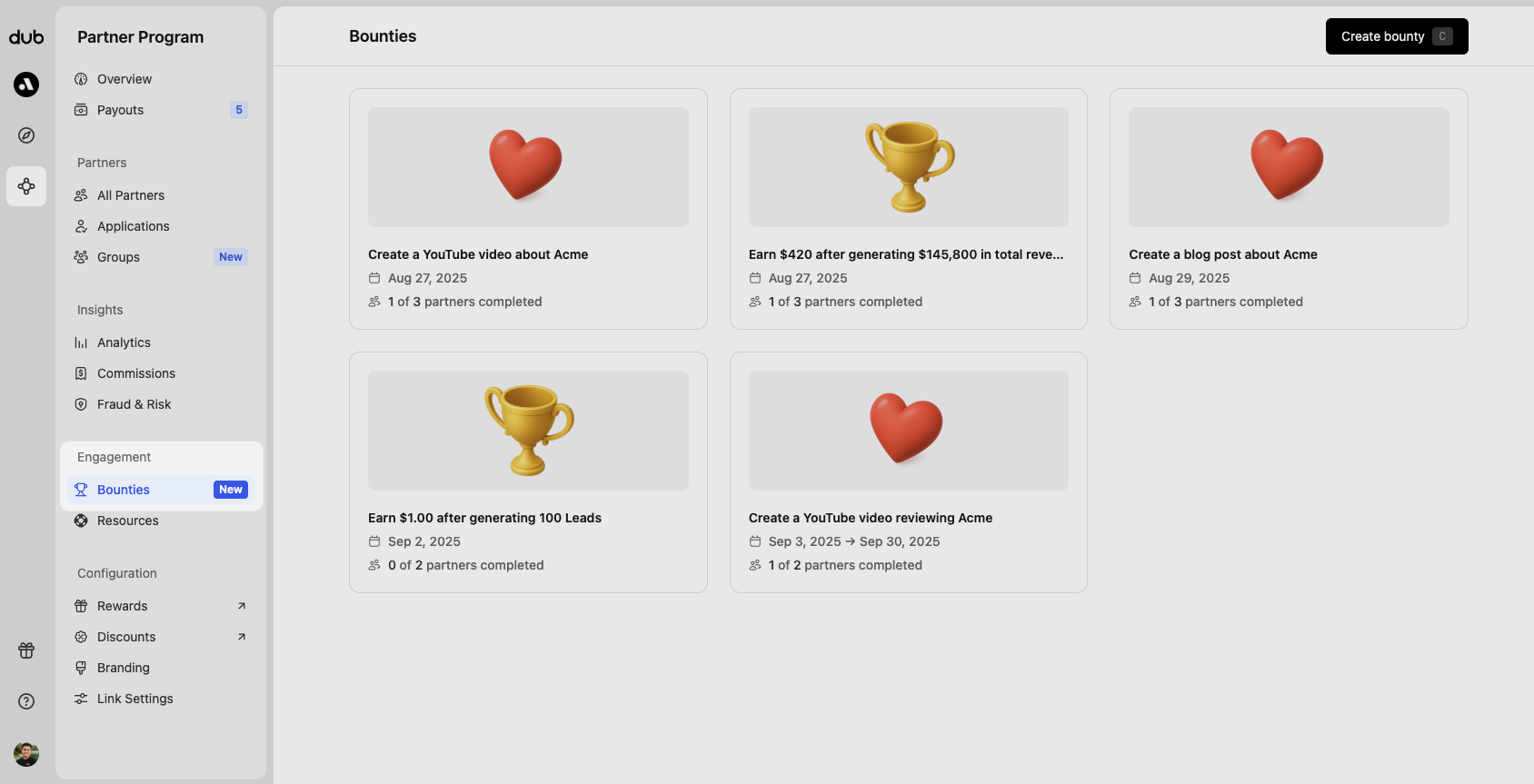
Creating a bounty#
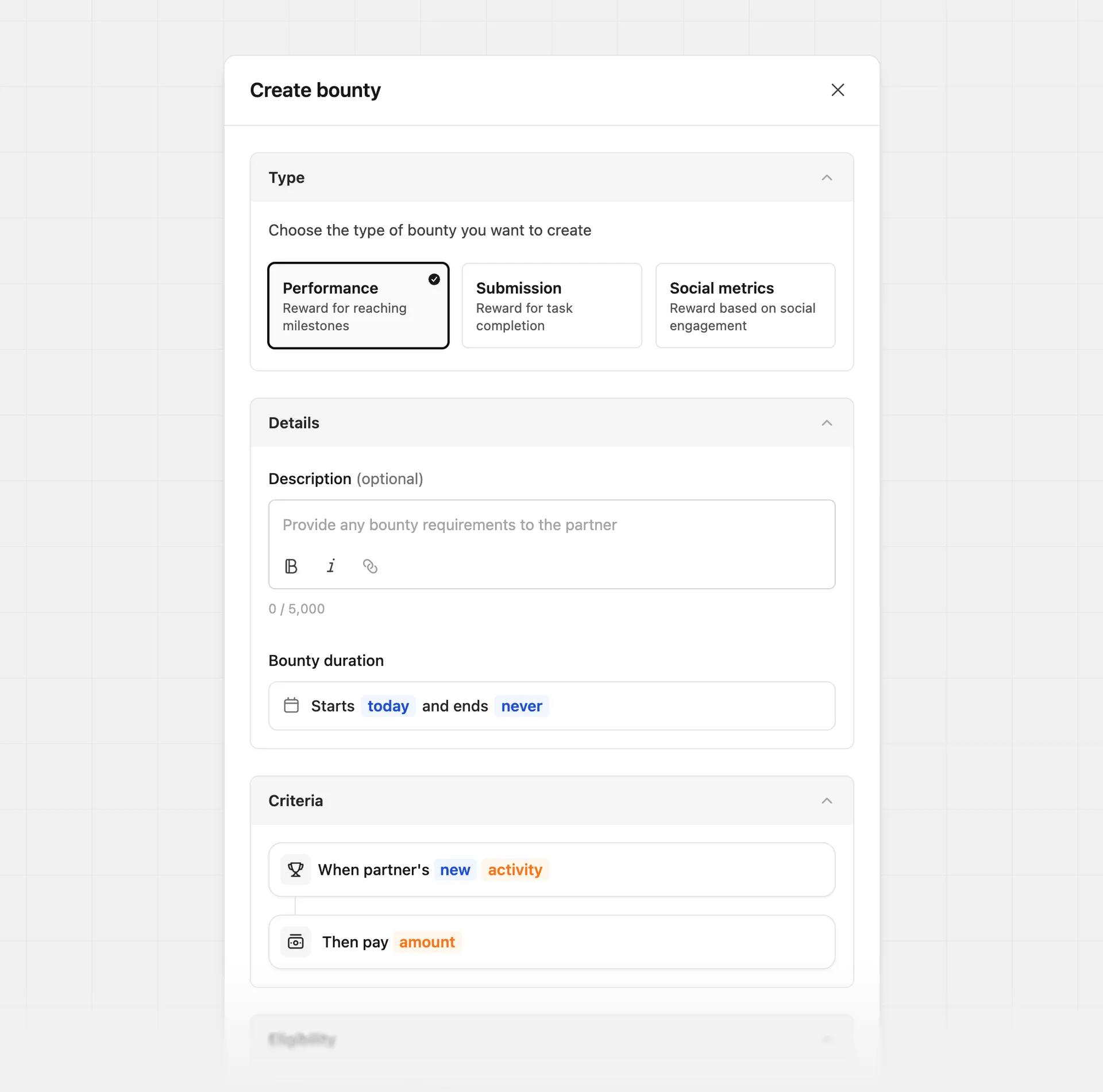
Click Create bounty (or use the C keyboard shortcut) to open the bounty creation panel. From here, select the type of bounty you want to create:
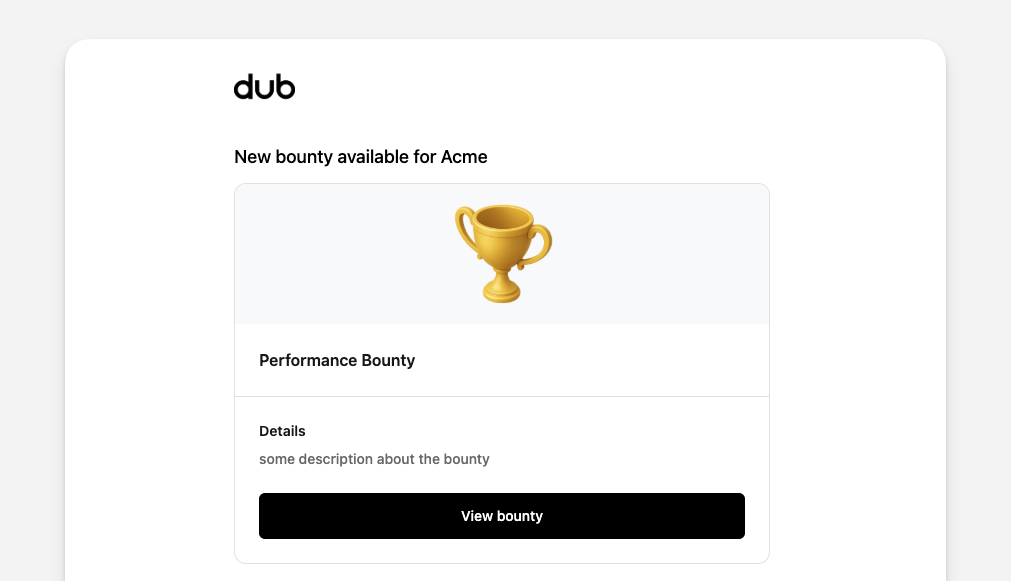
Whenever you create a new bounty, an email notification will be sent to all eligible partners at the scheduled start date of the bounty. Make sure to finalize your bounty before creating it.
Performance bounties#
Performance bounties reward partners for achieving measurable milestones, such as a specific number of leads, conversions, revenue, or commissions. They’re tracked automatically and paid out once completed, with no approval needed.
Examples:
- Drive 500 leads and earn an additional $1,000 bonus
- Generate $1,000 in revenue and earn an additional $250 bonus
- Earn $5,000 in commissions and receive an additional $500 bonus
| Input | Description |
|---|---|
| Description (optional) | Provide additional bounty details. E.g. "This is a one-time promotional period for you to earn additional commissions on top of what you're already earning with our program" |
| Start date (optional) | Bounty start date. Partners will receive an email notification on this date about the bounty. If one is not selected, the bounty will start on the creation date. Learn more |
| End date (optional) | Bounty end date. If set, bounty will "expire" after the end date and will no longer be eligible for commission. Learn more |
| Criteria | The success criteria are based on: total leads, total conversions, total revenue, or total commissions. Learn more. |
| Reward | The reward amount the partner will receive upon completing the bounty. |
| Eligibility | Partner group and partner tag eligibility. The same bounty can be applied to multiple partner groups, tags – or all partners in your program. |
Performance logic#
When setting the logic for a performance bounty, you can choose from several options depending on how you want performance to be measured.
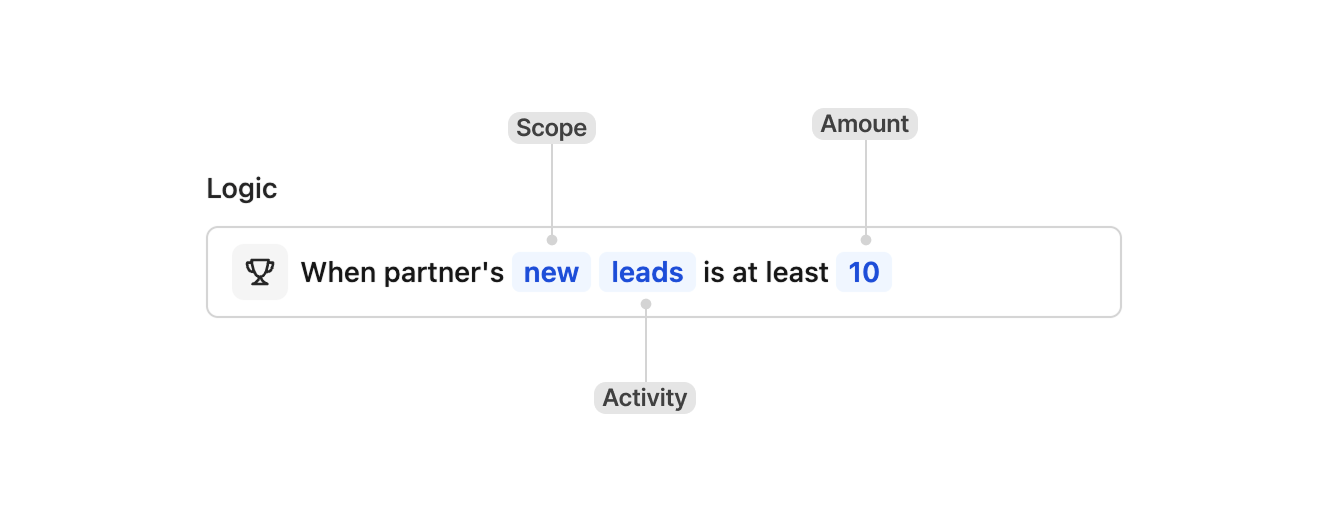
Scope determines how performance is tracked over a specific period.
- New - Tracks only performance generated after the bounty starts. For example, if you set a bounty that rewards partners after 10 leads, each partner must generate 10 new leads after the bounty goes live, regardless of how many leads they had before. For revenue-based bounties, only revenue from customers whose first sale happens after the bounty starts is counted.
- Lifetime - Counts performance across the partner’s entire lifetime. For example, if you set a bounty that rewards after 10 leads, any partner who already has at least 10 leads will immediately qualify for the reward.
Activity determines which metric is tracked for the bounty. Revenue and commissions require a dollar amount to be set.
- Leads
- Conversions
- Revenue
- Commissions
Submission bounties#
Submission bounties reward partners for completing activities that require review, such as creating social media content, publishing a blog post, or hosting an event. Partners submit proof, and rewards are approved once requirements are met.
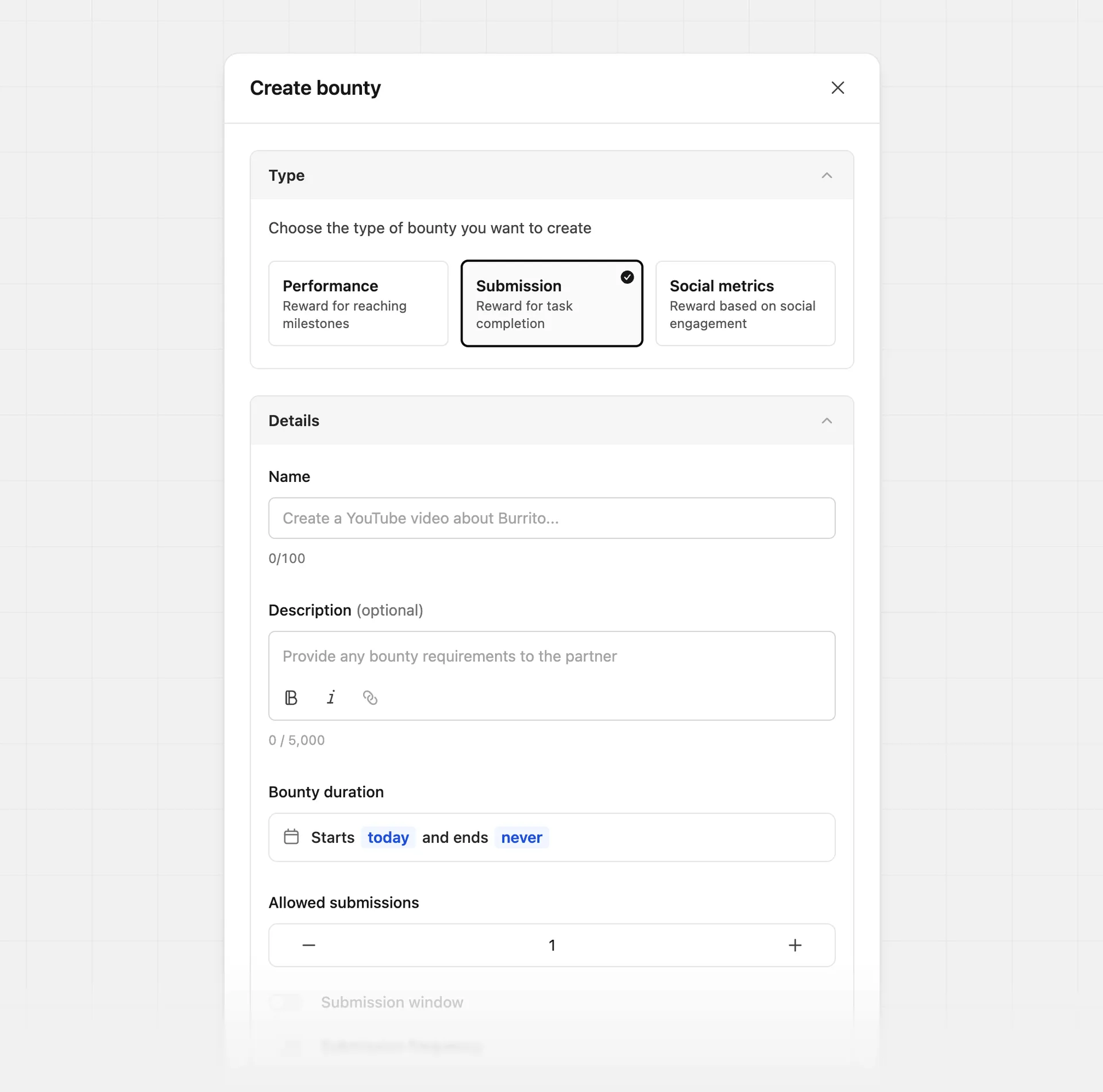
Examples:
- Release a YouTube video to drive awareness
- Publish a blog post highlighting your product
- Host an event (in-person or online) promoting your brand
| Input | Description |
|---|---|
| Name | The name that will be shown to your partners and internally. |
| Description (optional) | Provide additional bounty details. E.g. "Make sure to attach up to 3 photos of your event as proof for bounty completion." |
| Start date (optional) | Bounty start date. Partners will receive an email notification on this date about the bounty. If one is not selected, the bounty will start on the creation date. Learn more |
| End date (optional) | Bounty end date. If set, bounty will "expire" after the end date and will no longer be eligible for commission. Learn more |
| Allowed submissions | The number of submissions required for a partner to complete the bounty. Partners must submit this many entries to complete it. |
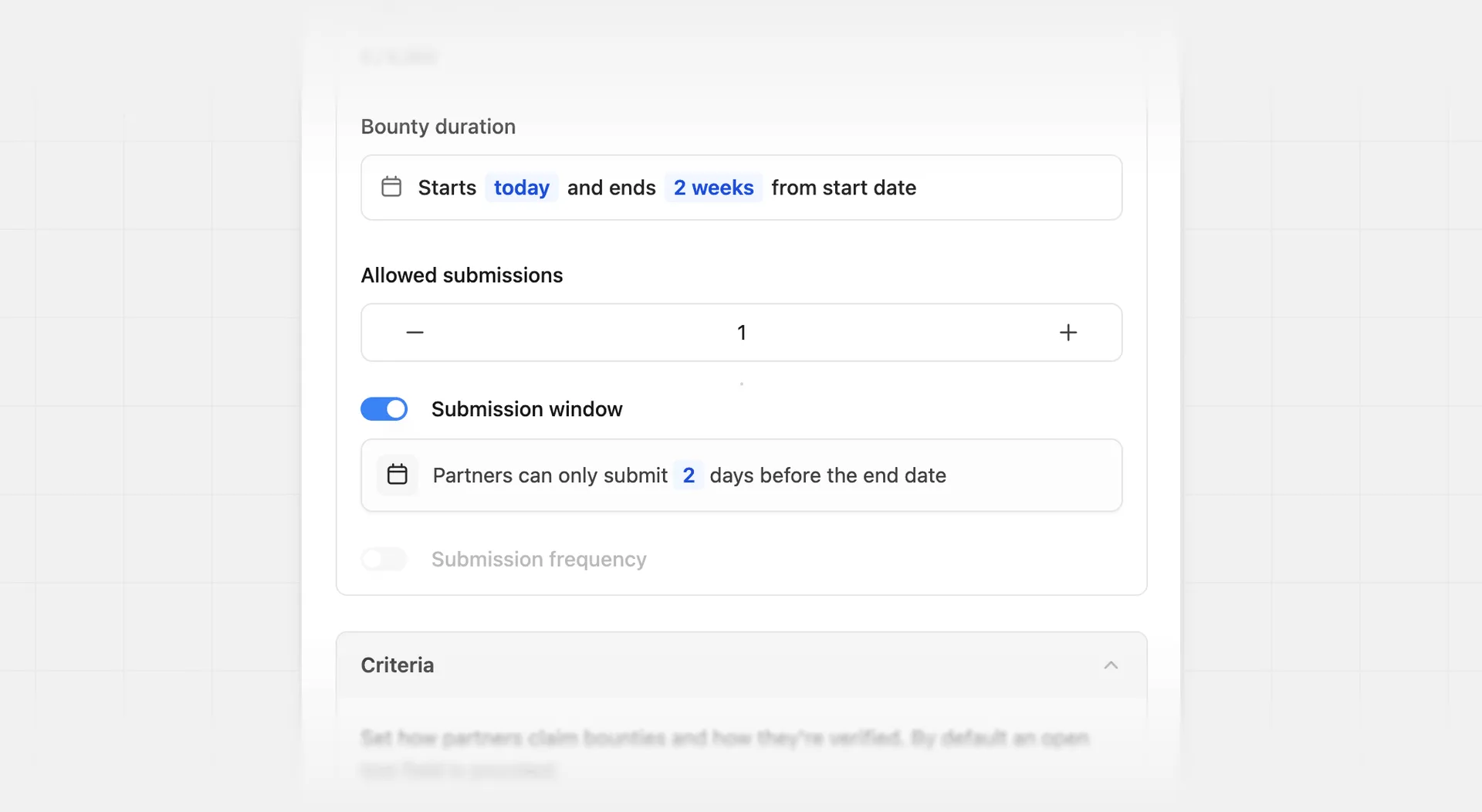
| Submission window (optional) | Set how many days before the end date partners can start submitting entries. An end date is required to enter a submission window. |
| Submission frequency (optional) | Set the time between submissions partners can make. Learn more |
| Criteria | Set the partner submission requirements. |
| Reward | The reward amount the partner will receive upon completing the bounty. |
| Eligibility | Partner group and partner tag eligibility. The same bounty can be applied to multiple partner groups, tags – or all partners in your program. |
Submission window#
This is the number of days before the end date that partners can start submitting entries. An end date is required to enter a submission window.
Submission frequency#
Set the time between submissions partners can make when Allowed submissions is greater than one. Partners must submit the full number of allowed submissions to complete the bounty. You can select from:
- Once a day
- Once a week
- Once a month
Set Allowed submissions to greater than one to set a submission frequency.
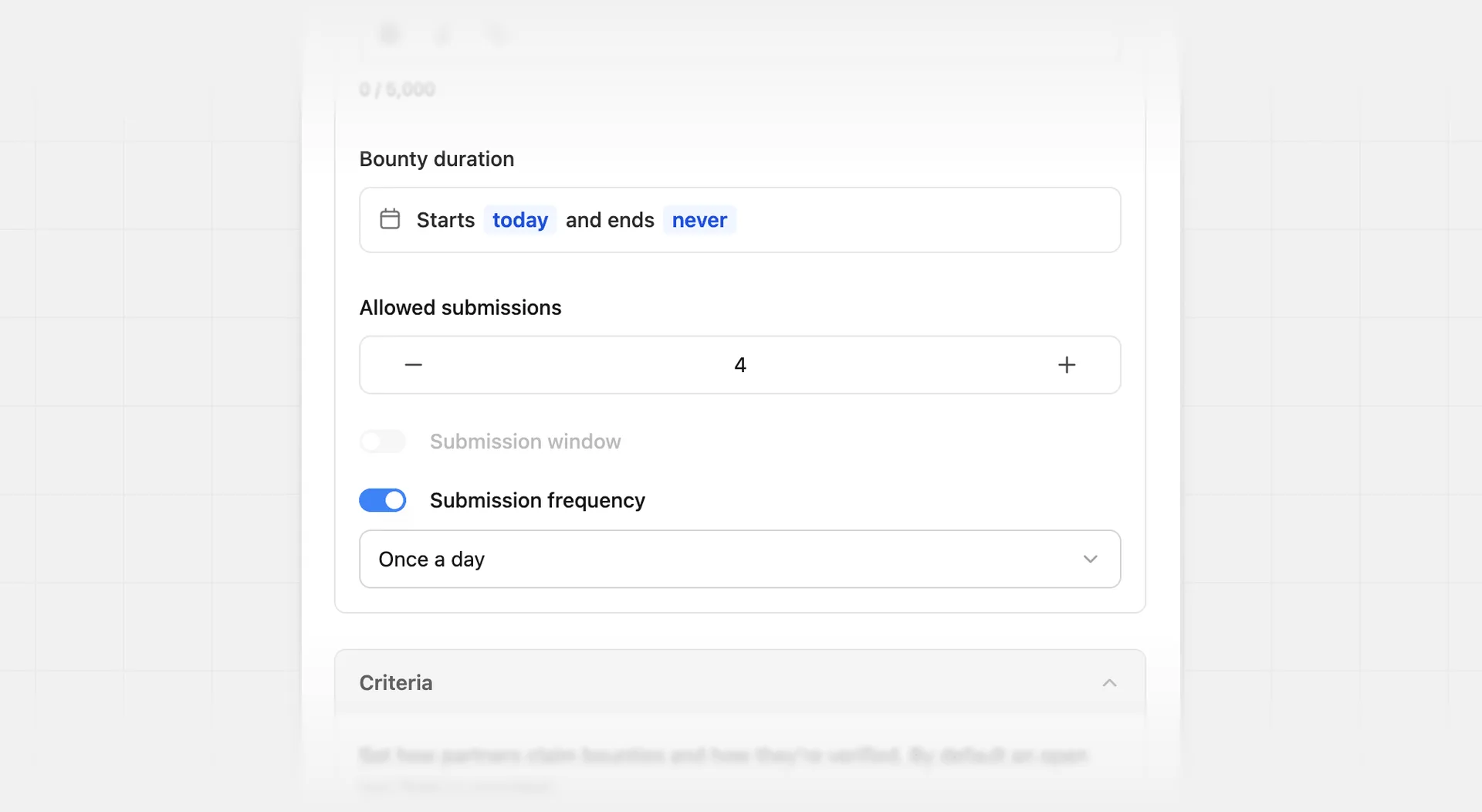
If no submission frequency is set, partners can submit all required entries any time the bounty is open for submissions.
Submission criteria#
Add additional requirements to be able to submit a bounty. This includes:
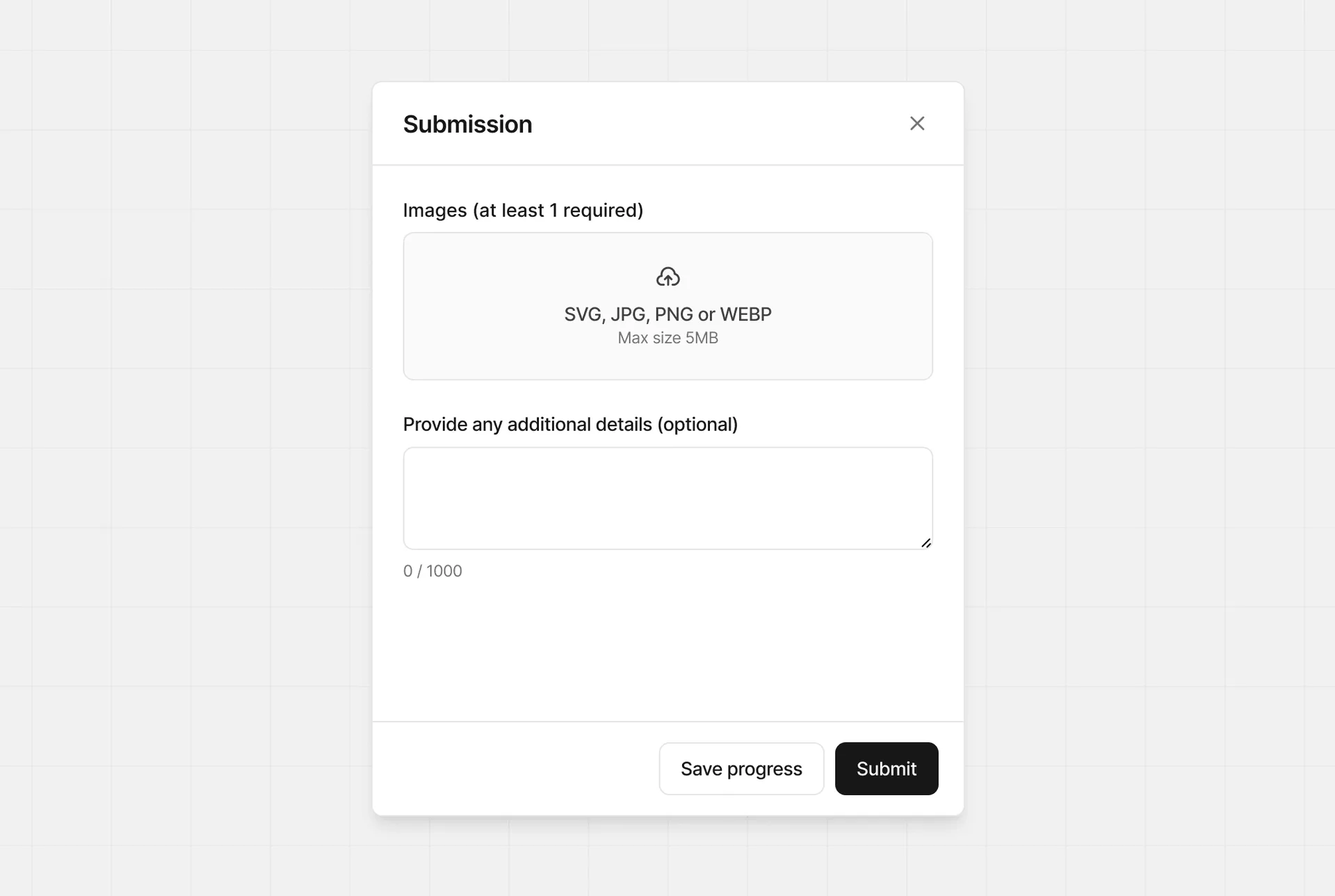
- Requiring at least one image: Helpful when a partner needs to provide proof of completion. Up to four images can be included.
- Requiring at least one URL: Helpful when a partner needs to provide a URL as proof of completion. Up to 100 URLs can be provided, and the allowed domains can be configured.
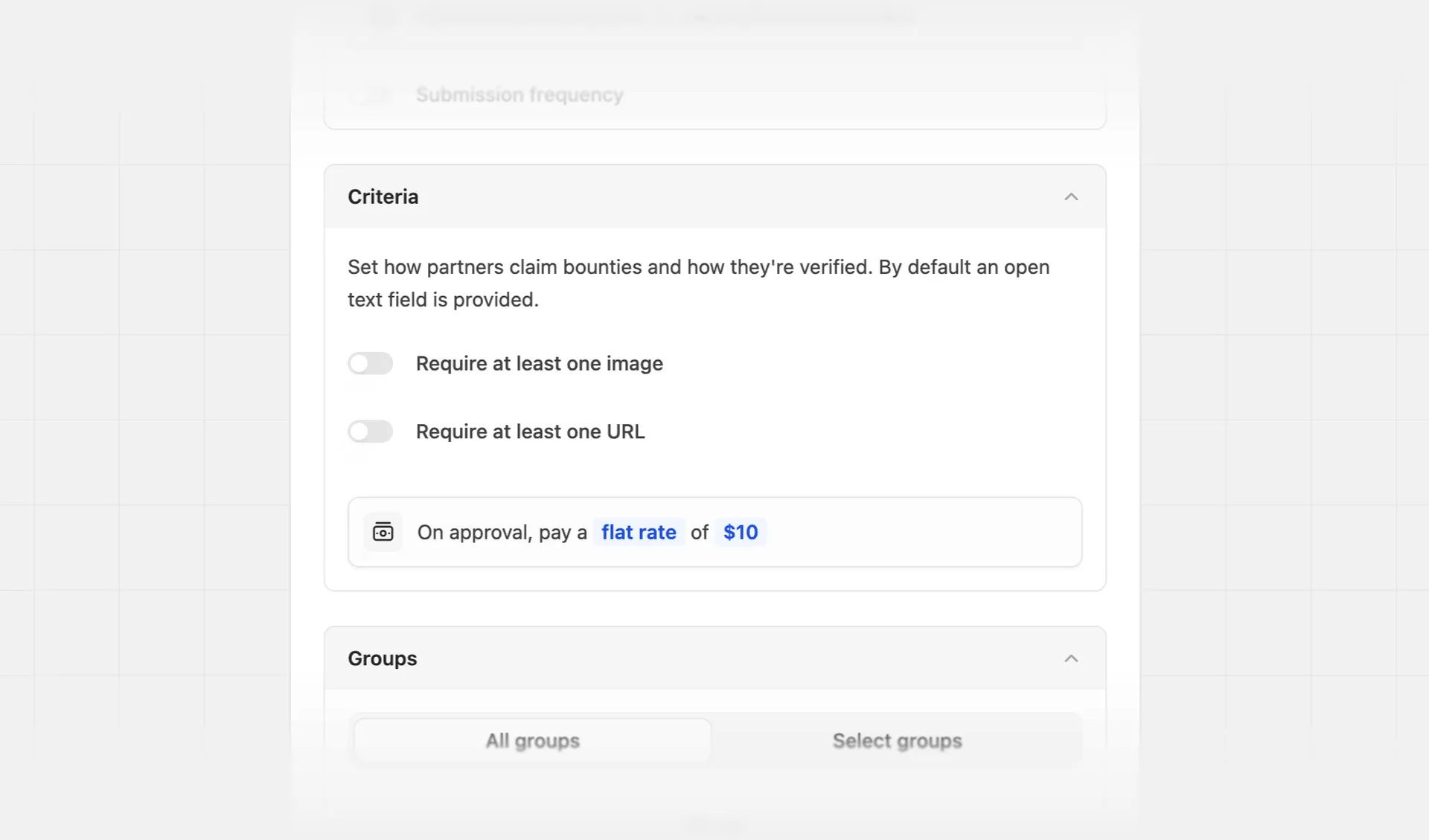
By default, partners claiming a submission bounty are asked to describe how they completed the bounty using a text field.
Allowed domains#
You can restrict submissions to specific domains by defining an allowed domain list.
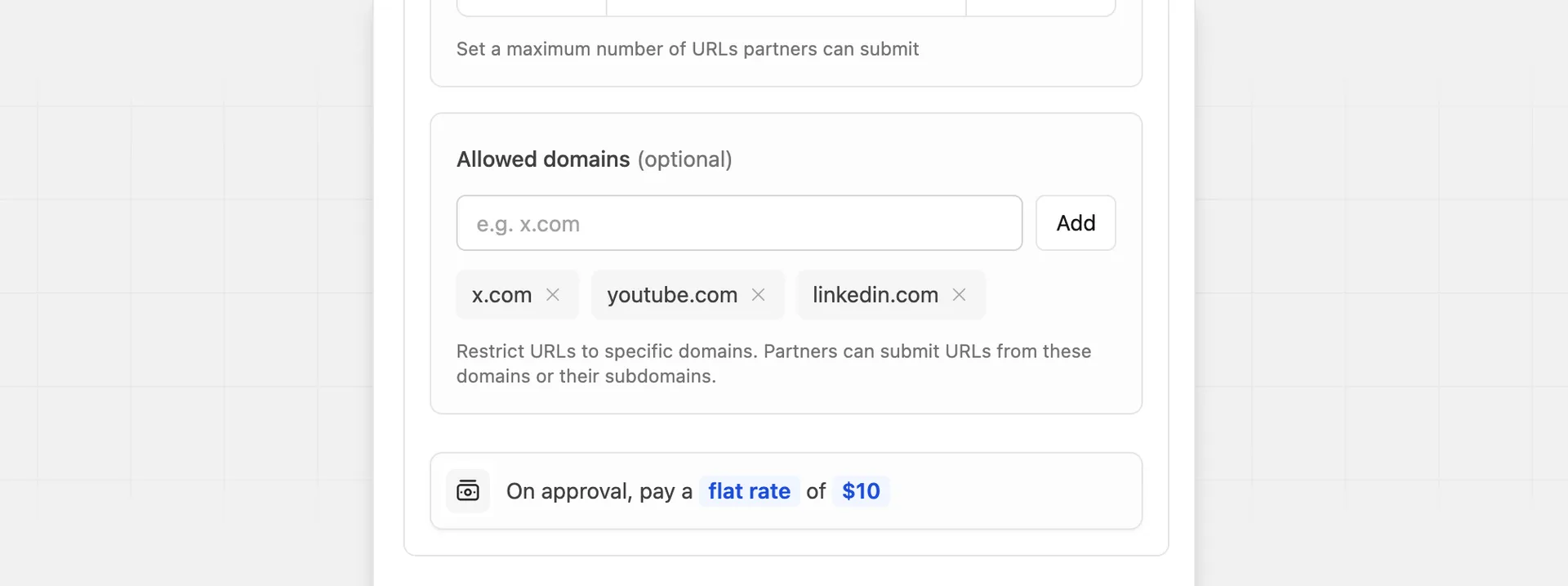
This is helpful when submissions must come from specific platforms or websites, such as approved social networks or owned domains.
Looking to run bounties for social posts with outcome-based rewards? Check out the social metrics submission type instead.
Custom reward#
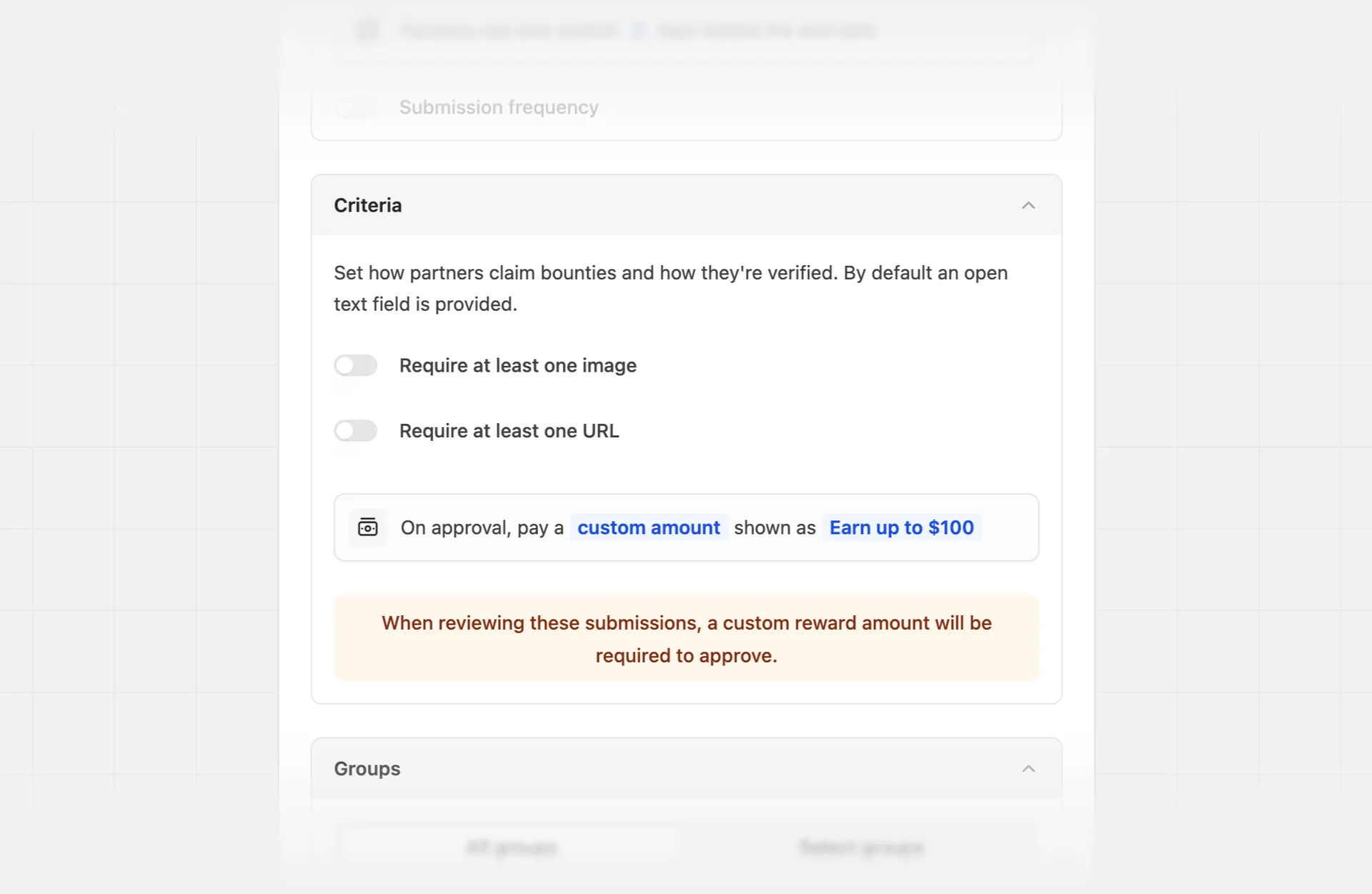
For certain submission bounties, you may want to have a custom reward for each submission. Here are some examples:
- Pay a custom reward amount for an arbitrary task (e.g. organizing a meetup/webinar)
- Reward 10% if the partner reaches a goal they set by a specific date (e.g. #FramerChallenge)
Social metrics#
Social metrics bounties are only available on Advanced plan and above.
Social metrics bounties are a type of submission bounty that is best used to reward partners based on the performance of their social posts.
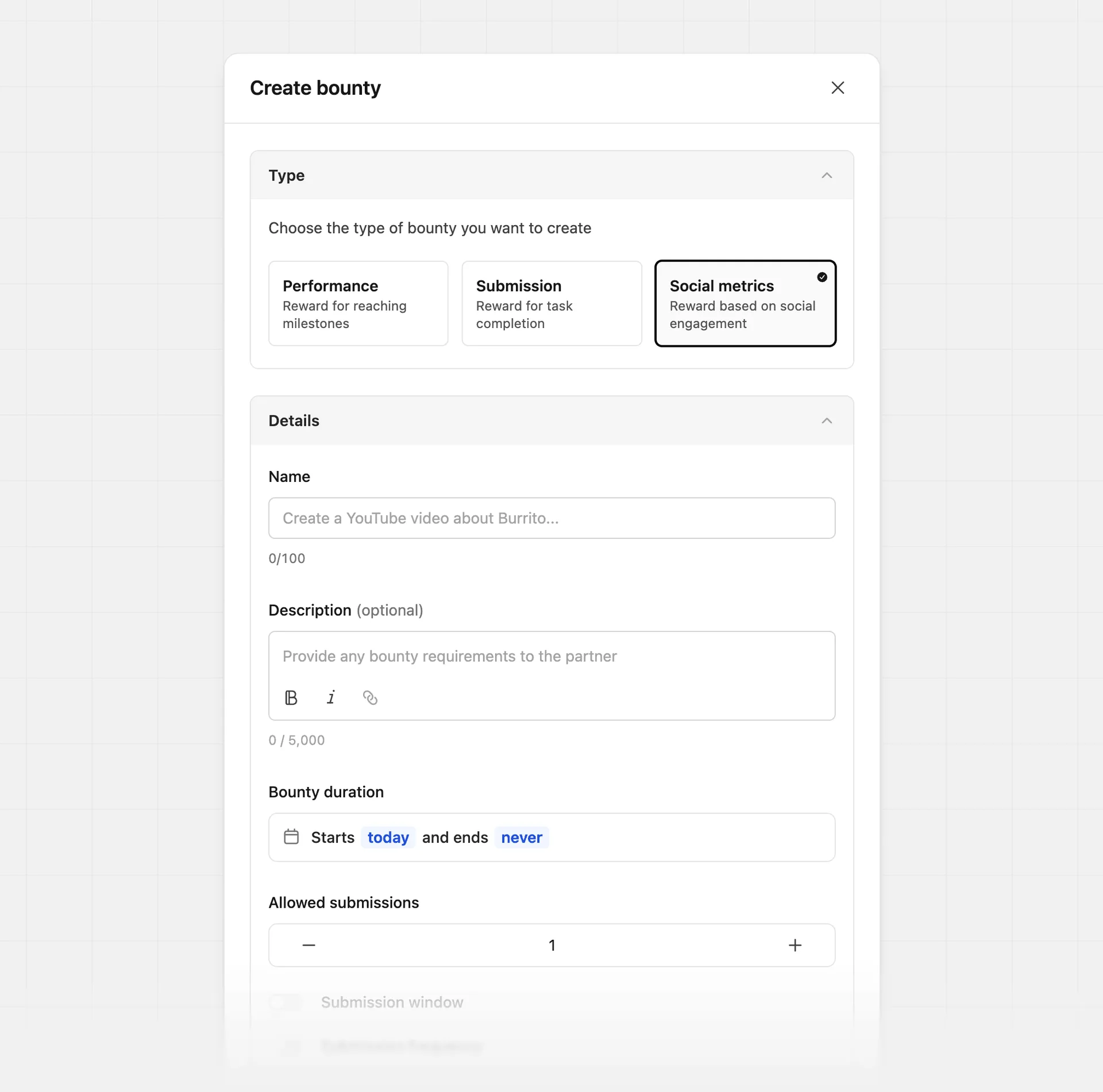
When submitting these bounties, partners can only provide one link, and it's required to be from a verified social account on their partner profile.
The post they submit must also be created after the bounty has started. This is to avoid partners submitting older content that already has activity.
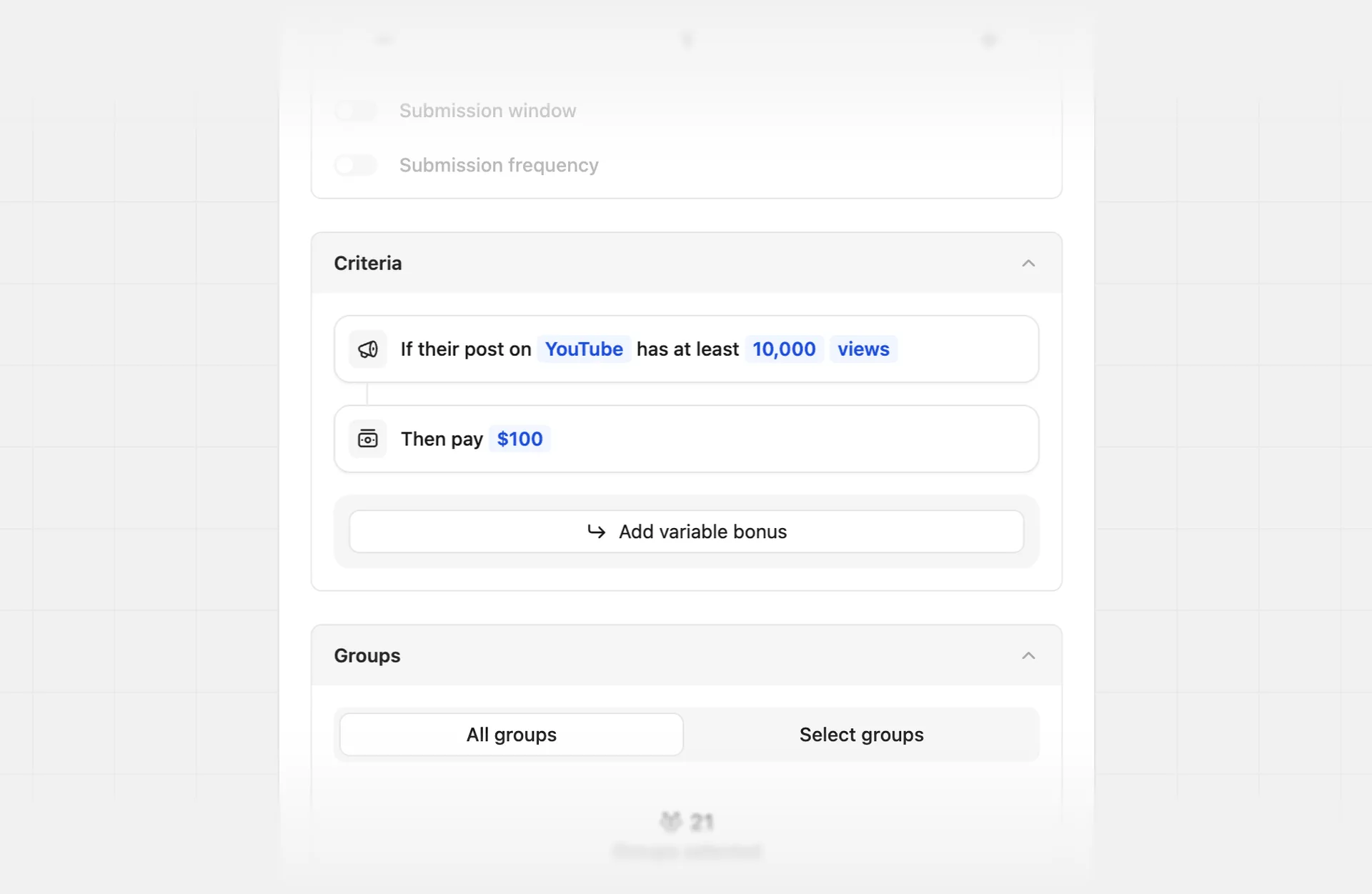
Similar to submission bounties, you can also set a submission window and submission frequency for social metrics bounties.
Select a social platform and target metric#
You can track performance on one social platform per bounty, and can select from:
| YouTube | |
|---|---|
| Likes | Total video likes |
| Views | Total video views |
| Likes | Total post or reel likes |
| Views | Total post or reel views |
| TikTok | |
|---|---|
| Likes | Total post likes |
| Views | Total post views |
| X/Twitter | |
|---|---|
| Likes | Total post likes |
| Views | Total post views |
| Reactions | Total post reactions |
Add a variable bonus#
You can also optionally reward for additional performance beyond the base criteria.
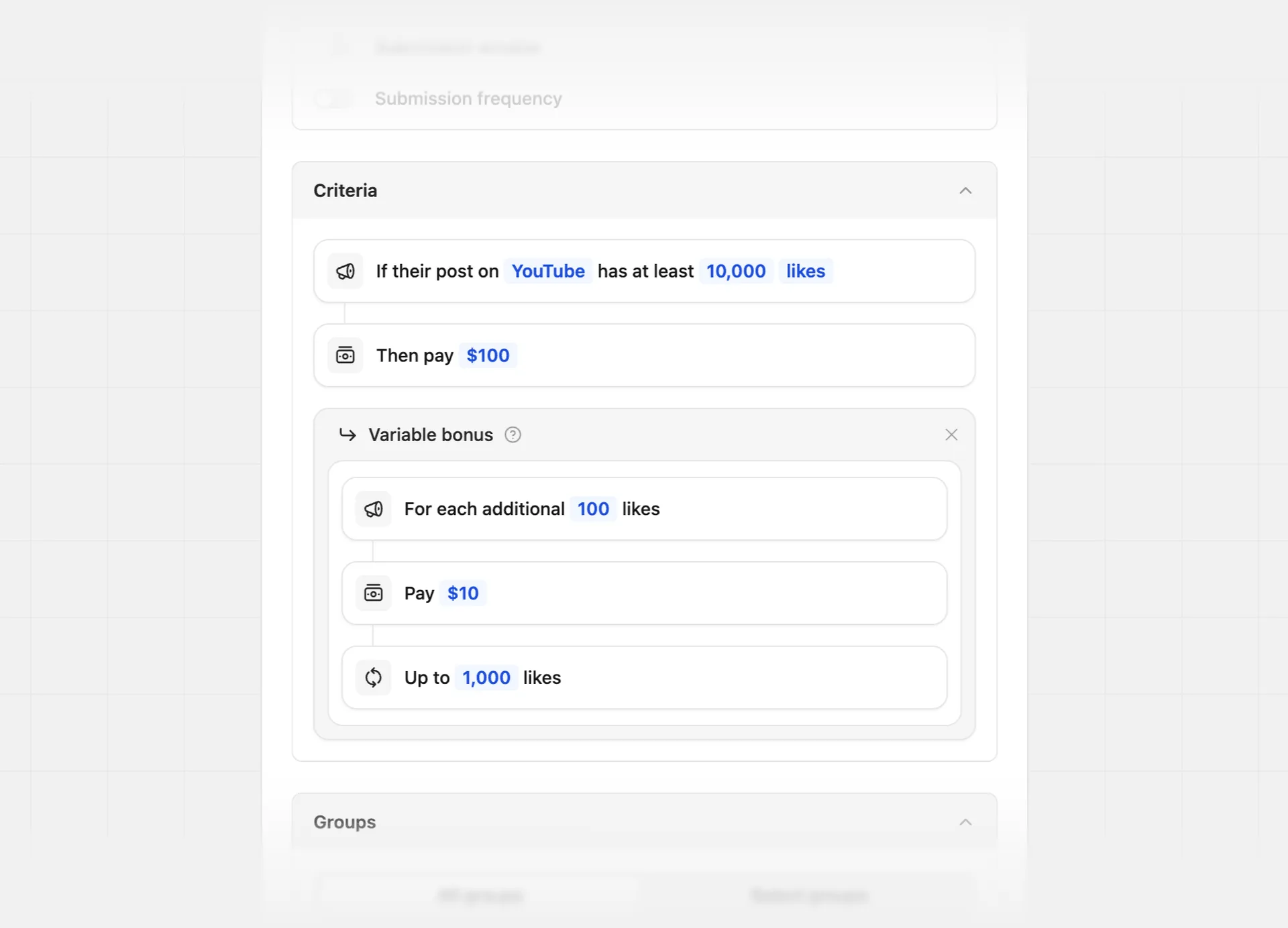
In this example, the program is rewarding an additional $10 per 100 likes on the submitted post, up to 1,000 likes.
Bounty Duration#
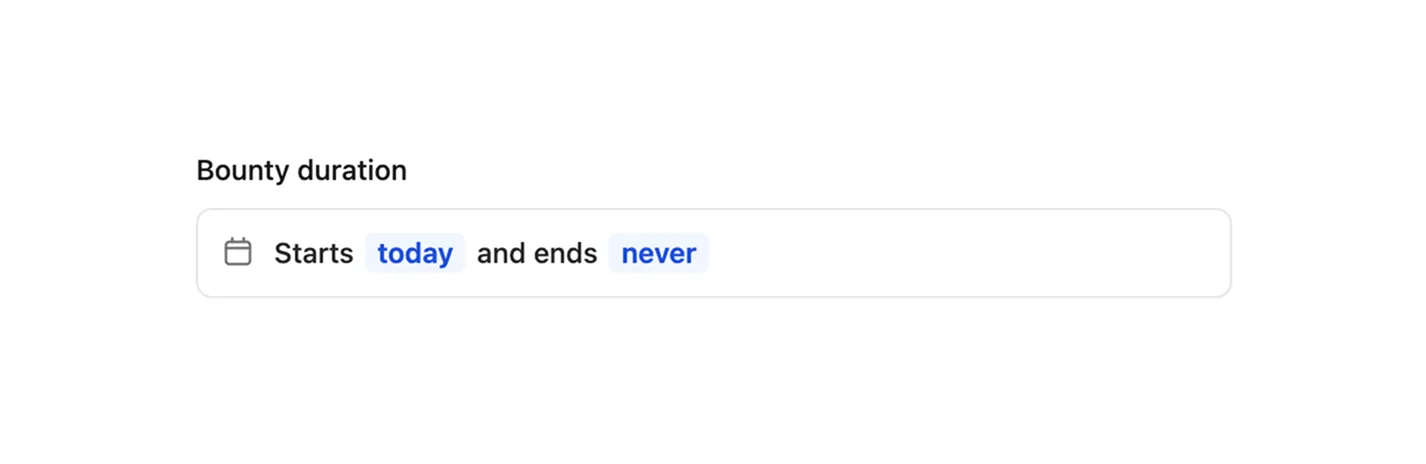
For all bounty types, you can set a start and end date for the bounty. By default, all bounties start on the creation date, and have no end date.
Bounty start date#
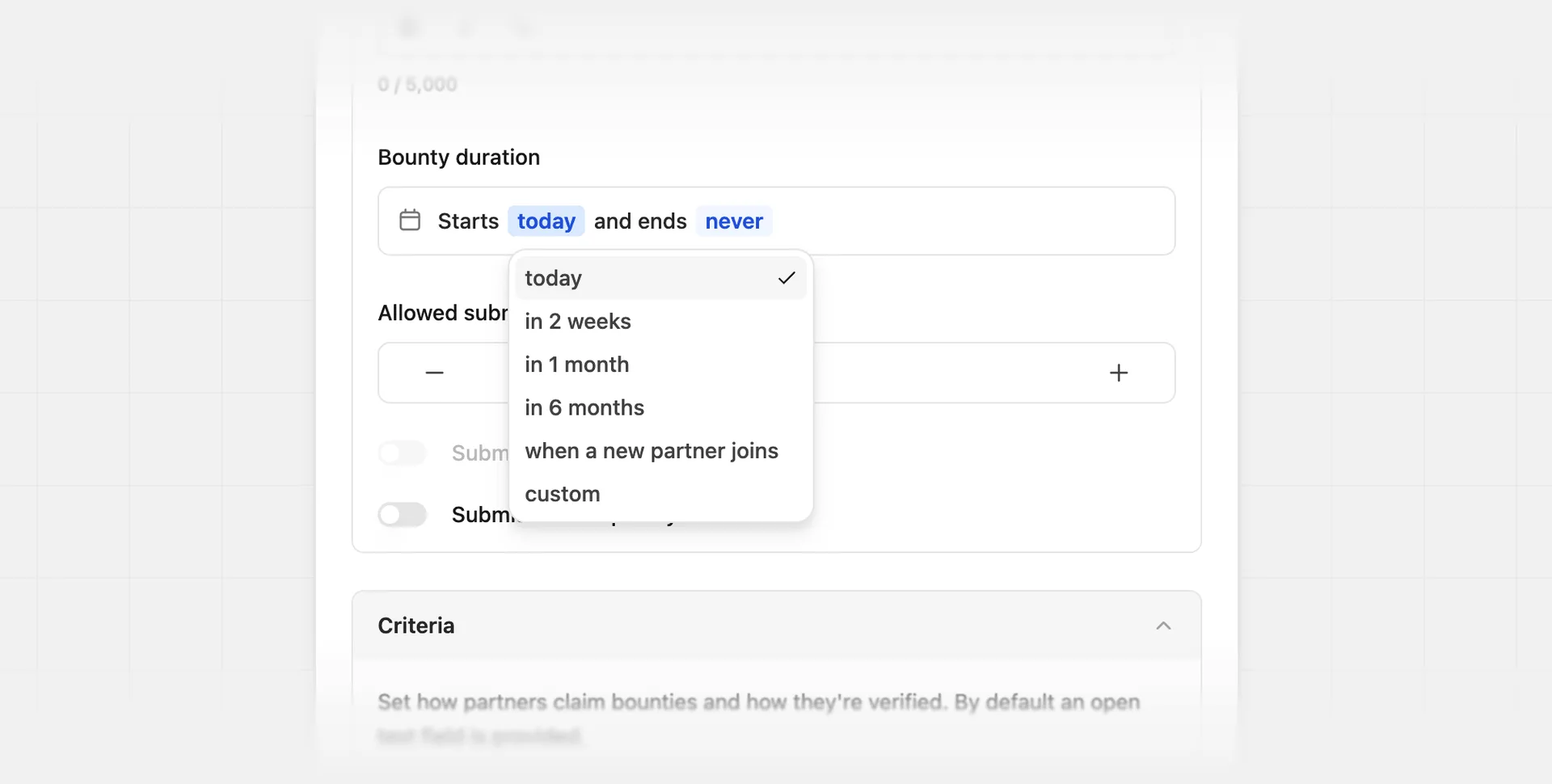
For the bounty start date, you can select from the following options:
| Start date | |
|---|---|
| Today | The default selection. Starts when the bounty is created. |
| In 2 weeks | Starts 2 weeks after the bounty is created. |
| In 1 month | Starts 1 month after the bounty is created. |
| In 6 months | Starts 6 months after the bounty is created. |
| When a new partner joins | Starts when a new partner joins your program. The bounty will not be visible to existing partners that have joined before the bounty creation date. |
| Custom | Select a specific date for the bounty to start using a date picker. |
Bounty end date#
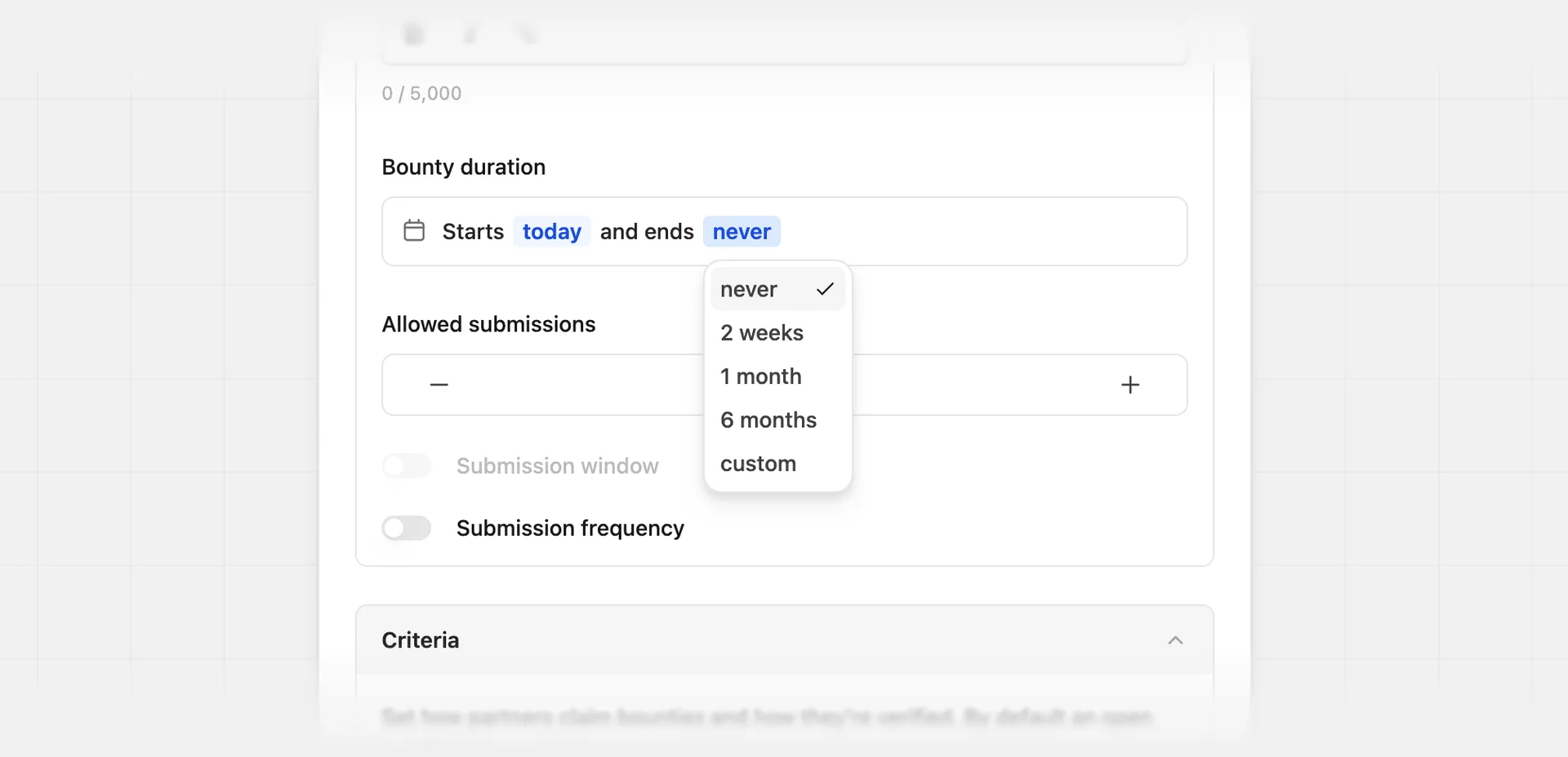
For the bounty end date, you can select from the following options:
| End date | |
|---|---|
| Never | The default selection. The bounty eligibility never ends. |
| 2 weeks | Ends 2 weeks after the bounty start date. |
| 1 month | Ends 1 month after the bounty start date. |
| 6 months | Ends 6 months after the bounty start date. |
| Custom | Select a specific date for the bounty to end using a date picker. |
Reviewing bounties#
For submission bounties, you must review partner submission entries before approving or rejecting them. To view a submission, click its row in the submissions table.
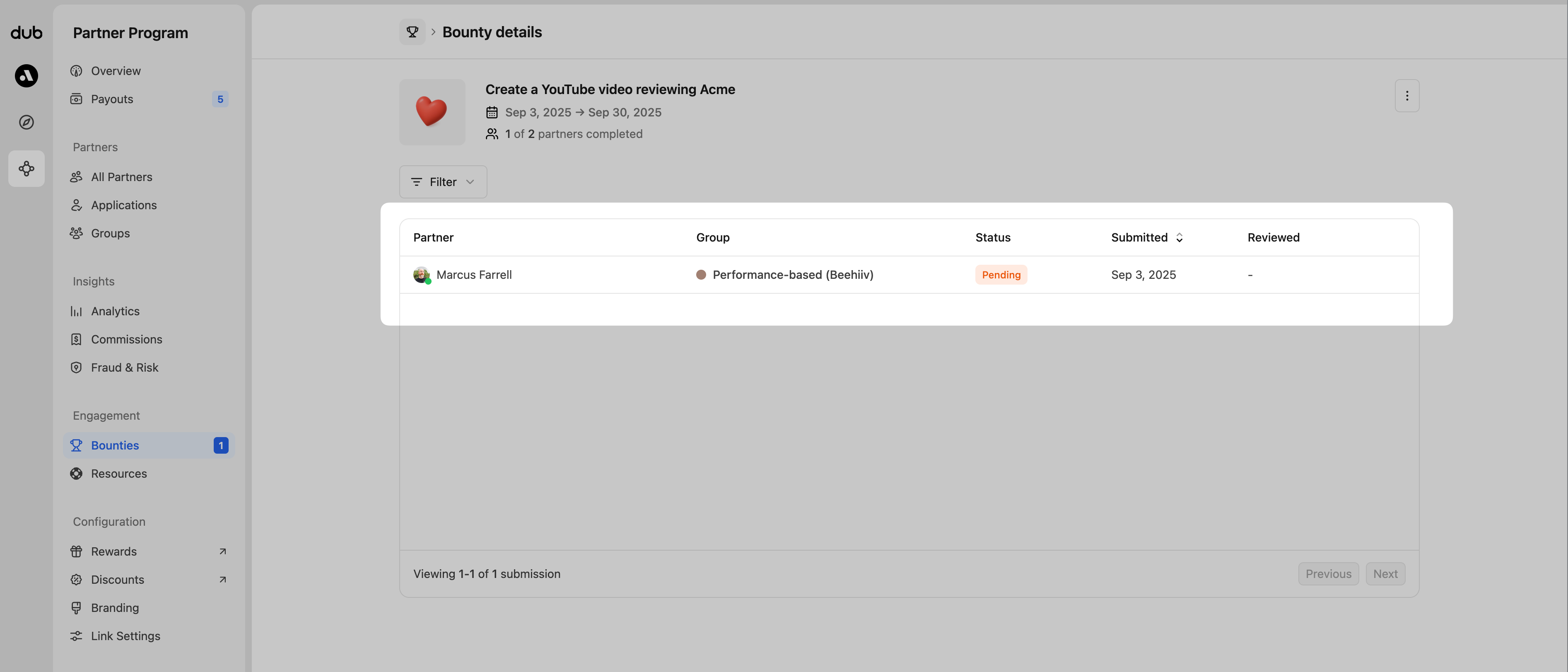
In the submission review, you'll see something similar to the examples below, but your view may differ based on the requirements and criteria you've set for the bounty. Each review includes partner information, submission details, and the proof or social content provided to fulfill the criteria.
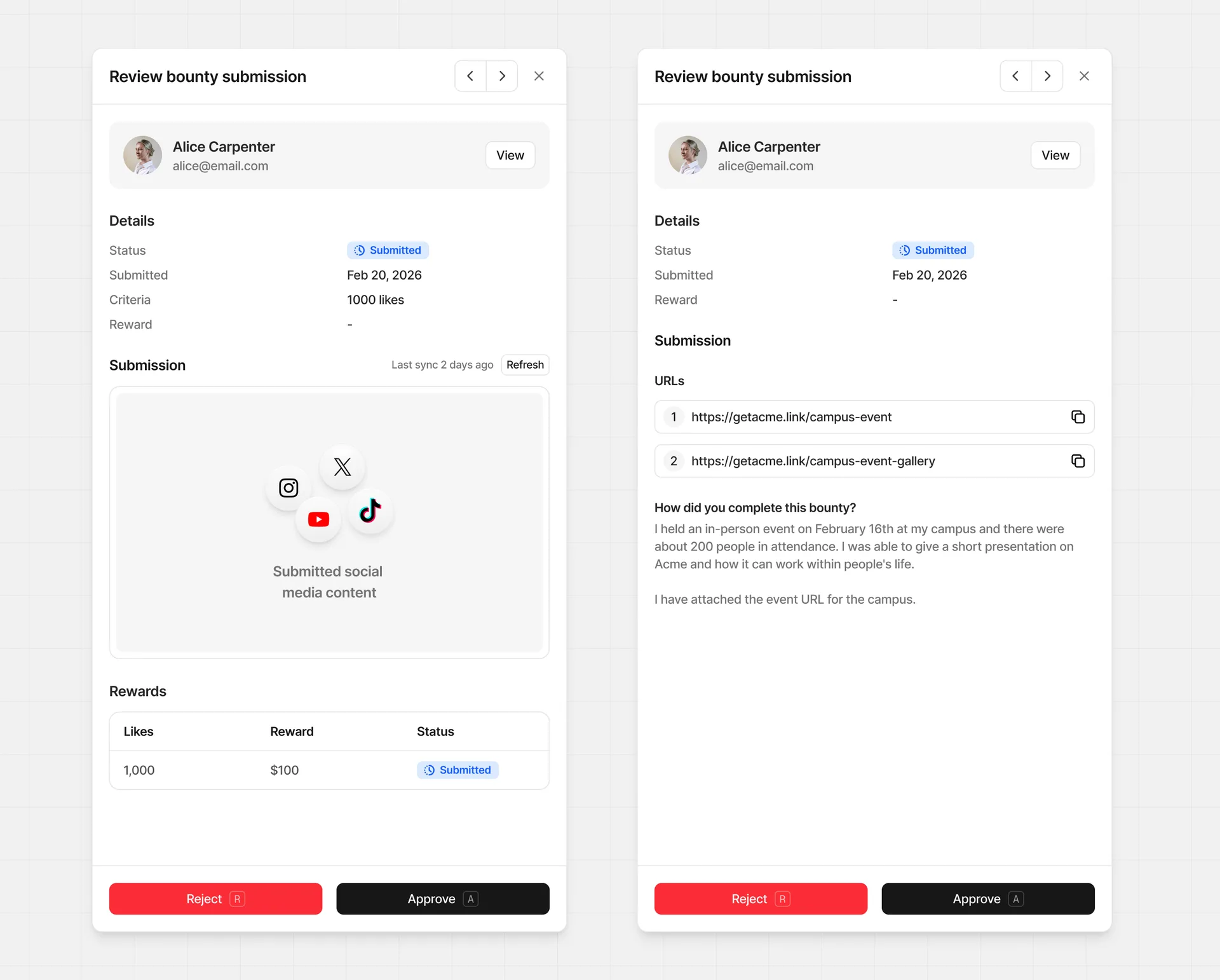
From this view, you can either approve or reject the submission.
Approving submissions#
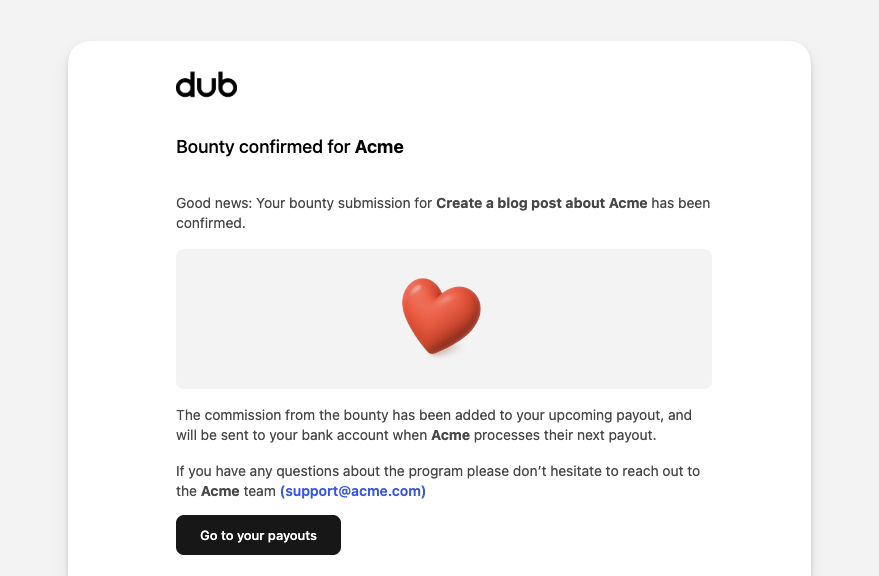
Once you approve a bounty submission, a commission will be automatically created and due at your next payout. The partner will also receive a notification email:
Bounty commissions are recorded as custom commissions, which are not
subject to your program's payout holding
period. They become
eligible for payout immediately at the next payout cycle – whether the
submission is approved via the dashboard or the
API.
If you set your reward to custom during the approval process, you'll be asked to enter the flat rate amount to reward this partner.
Rejecting submissions#
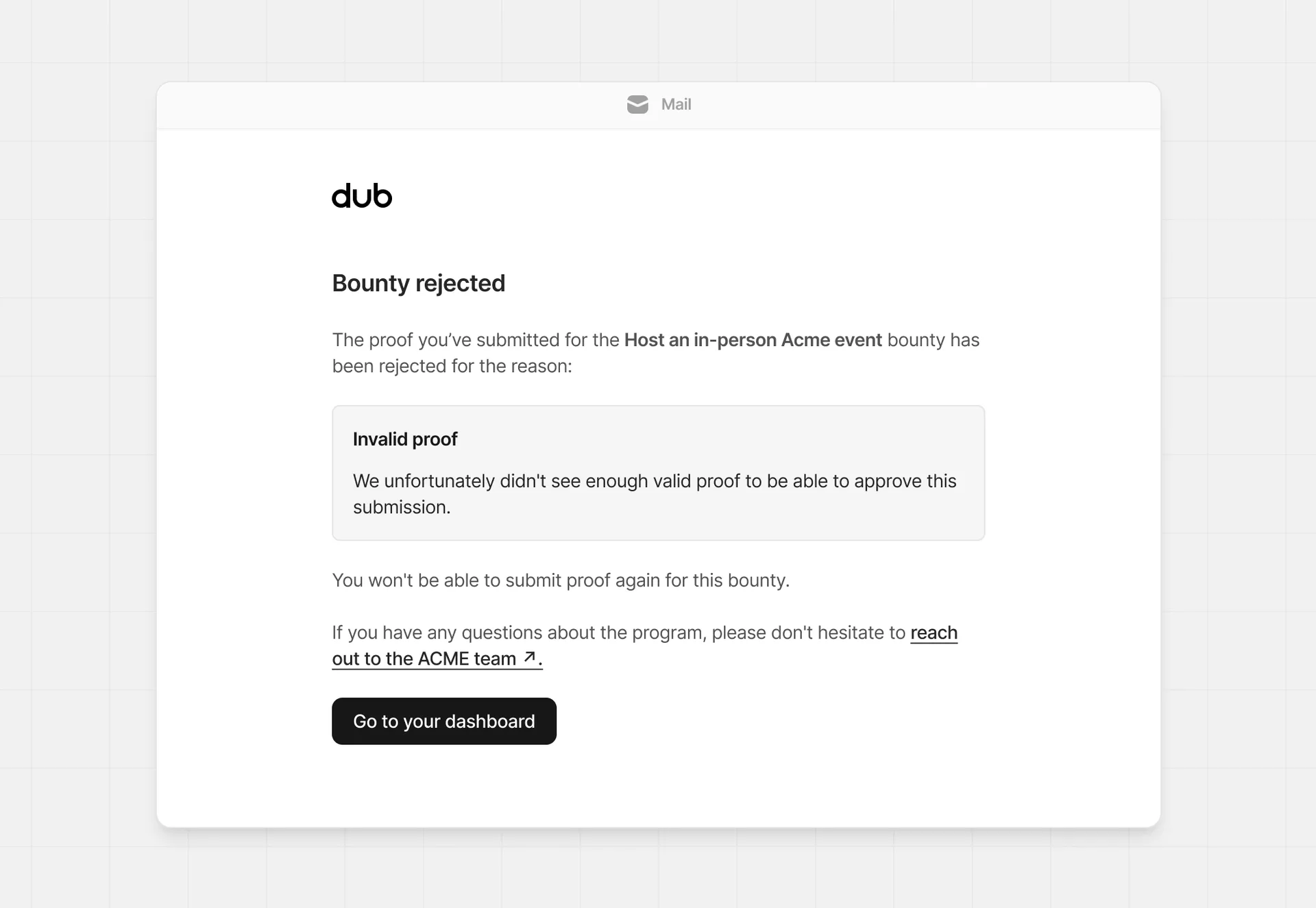
When rejecting a bounty submission, you can also select a reason and provide more details for the rejection. This information will be added to the submission record, and will also be sent in an email to the partner.
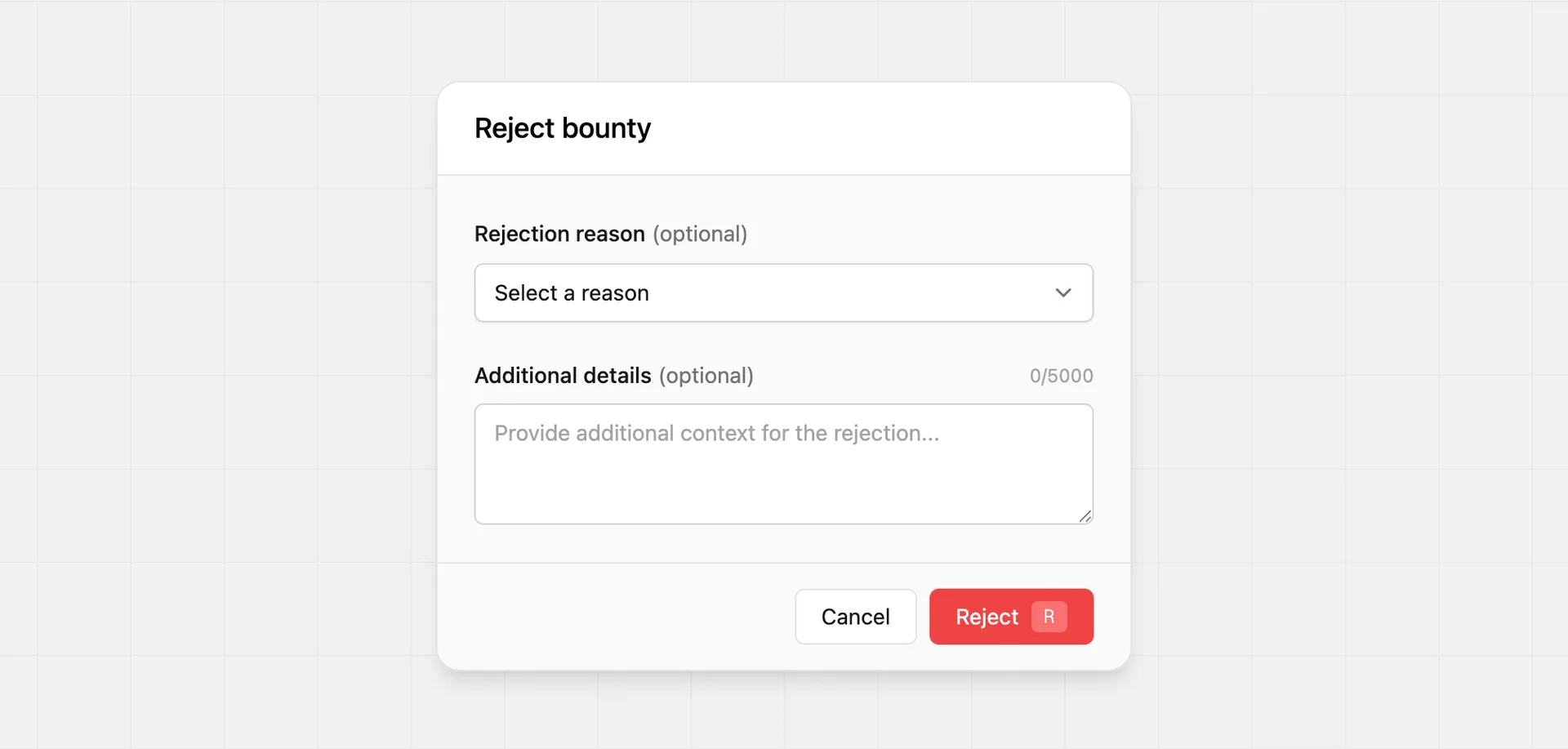
For the rejection reason, you can select from:
- Invalid proof
- Duplicate submission
- Out of time window
- Did not meet criteria
- Other
When rejected, no commission will be created, and the partner email will look similar to the example below.
Reopening submissions#
If you rejected a submission by mistake, or a partner asks to revise a submission you've already reviewed, you can reopen it from the submission review view. Reopening returns the submission to a draft state so the partner can edit and resubmit it.
When you reopen a submission:
- Its status is reset to
draft. - Any rejection reason and note you previously set are cleared.
- The completion and review timestamps are cleared, so the submission behaves as if it had not yet been submitted.
- No commission is created until the partner resubmits and you approve it.
Approved submissions can't be reopened, since a commission has already been created for them. If you need to reverse an approved submission, contact support.