

This feature is only available on Business plans and above.
On Dub Partners, you can offer different incentives for your partners to incentivize them to create high-quality content to spread the word about your product:
| Reward type | Description |
|---|---|
| Click-based (pay-per-click) | Rewarding partners for driving clicks to your product – similar to how Google Ads' pay-per-click works. |
| Lead-based (pay-per-lead) | A more effective alternative to pay-per-click, where you reward partners for leads generated (e.g. demo requests, free trial signups, etc.) |
| Sale-based (pay-per-sale) | This is the most common reward type, where you reward partners for driving sales to your product either via a rev-share or fixed-price commission. |
During the program onboarding flow, you'll be asked to create a default group reward that will be automatically applied to all new partners who join your program.
This initial reward will be either a lead or a sale-based reward by default, but you can customize the reward terms accordingly.
Default group rewards#
After initial onboarding, you can create additional rewards for clicks, leads, or sales, depending on how you initially set up the group. These rewards will be made available to all partners who join your program.
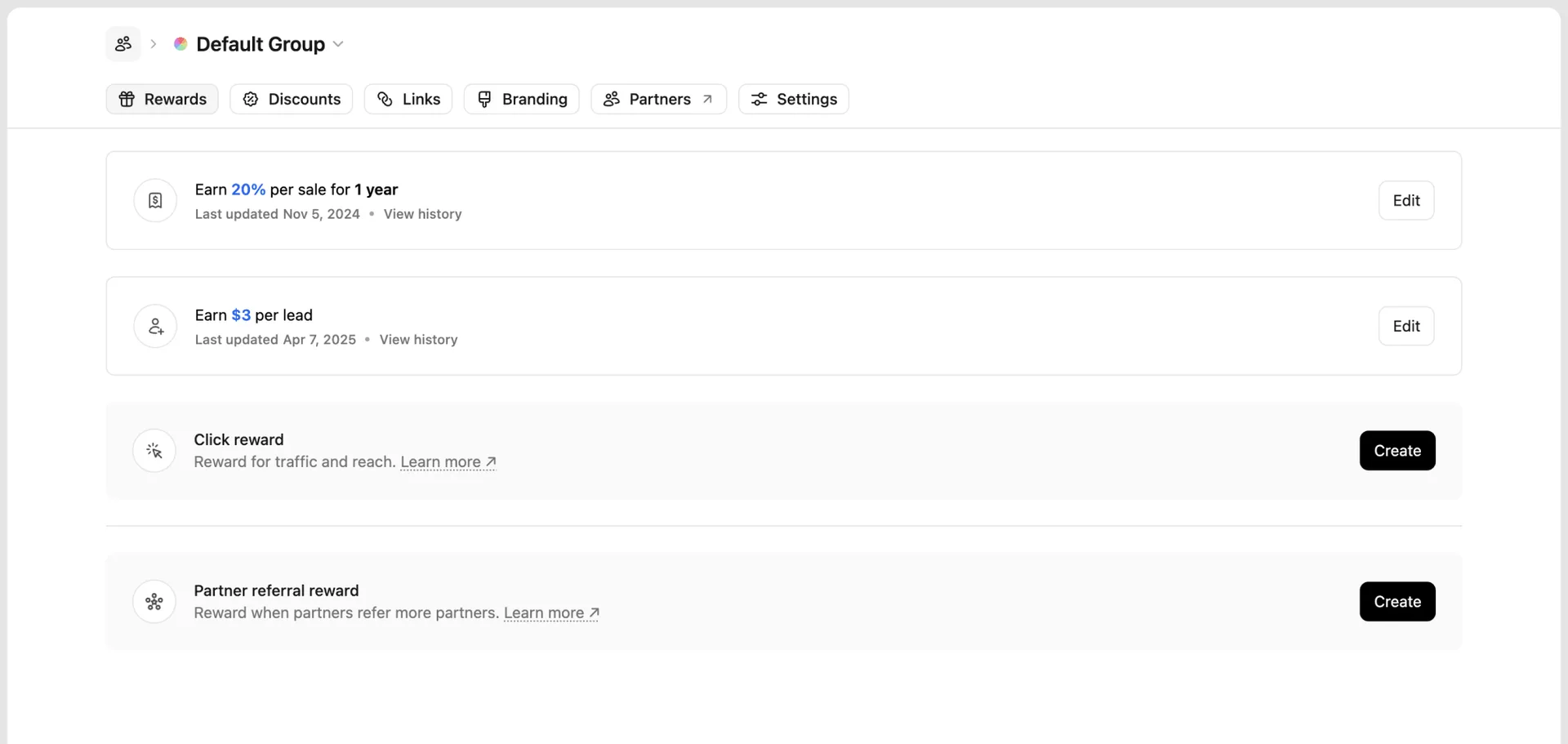
You can create additional rewards for partner referrals, which allow partners to earn from bringing on new partners to your program.
Creating a reward#
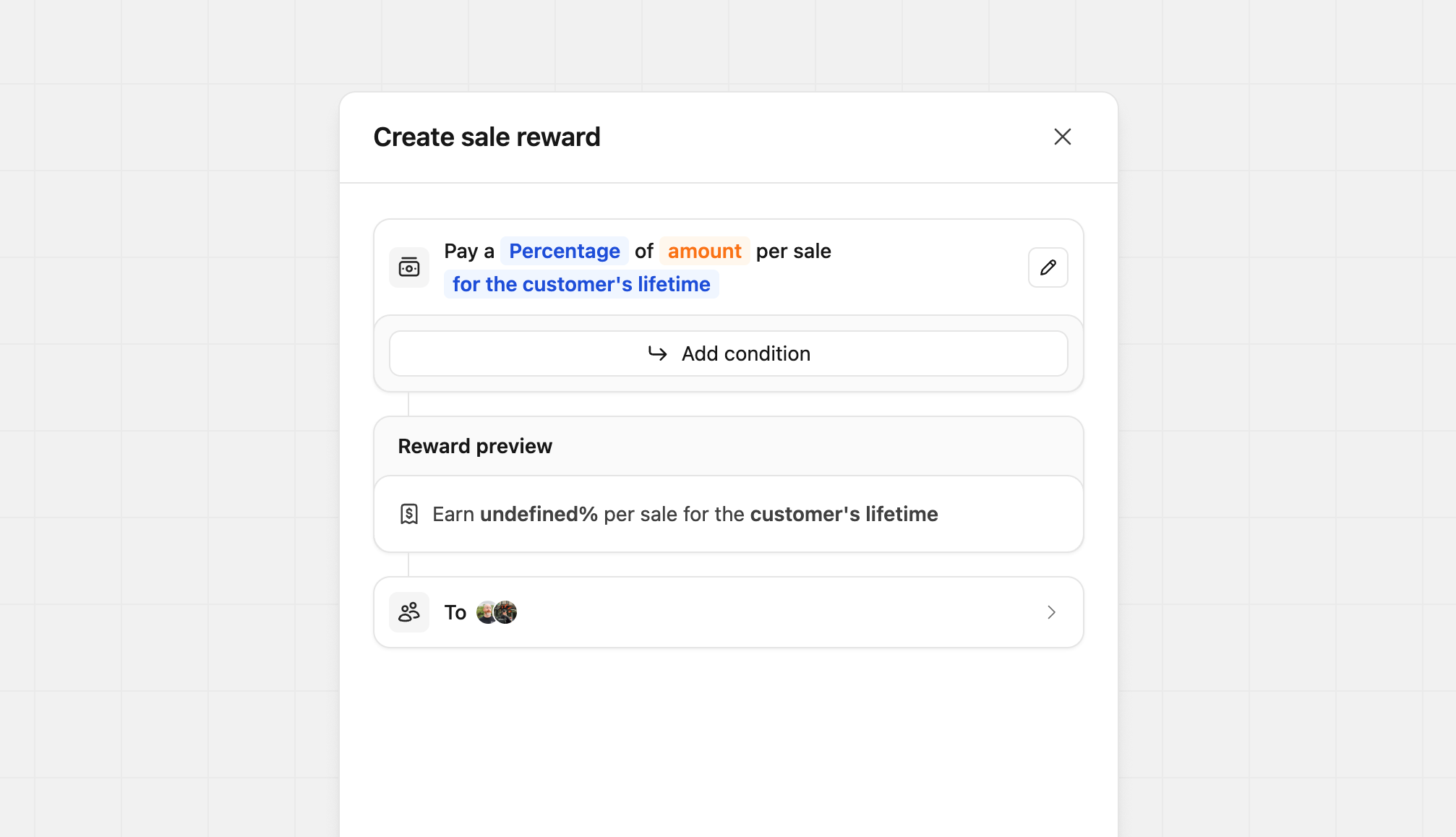
Our reward builder lets you create simple and complex rewards quickly and easily. When the reward builder initially opens, you'll see the basics required to create a reward. Clicking on the different Blue and Orange input prompts allow you to change the structure of the reward.
Configuring reward types#
Depending on the type of reward you're creating, you can choose between a flat fee or a percentage-based commission:
| Reward Type | Model | Description | Example |
|---|---|---|---|
| Click | Flat | Partners receive a fixed fee for each click generated | $2 per click |
| Lead | Flat | Partners receive a fixed fee for each qualified lead | $50 per lead |
| Sale | Percentage | Partners receive a percentage of sales (revenue share) | 30% of sale value |
| Sale | Flat | Partners receive a fixed fee for each completed sale | $50 per sale |
For sale rewards, you can further customize the recurring nature of the commission:
- One time
- For a set period (anywhere between 3 months to 3 years)
- For the customer's lifetime
Using the AI reward builder#
Dub also has an AI reward builder that can help you create rewards quickly and easily.
All you need to do is describe the reward structure you want, and our AI agent will automatically generate the reward based on our reward schema:
Some examples include:
- "$5 cpc for US + EU countries, else $1 for RoW"
- "50% lifetime for customers who joined before Jan 2026, else $100 one time"
- "$500 if productId = 'prod_xxx' (Pro Plan), else $100 one time"
Adding reward conditions#
Customizing reward conditions is only available on the Advanced plan and above.
On Dub, you can also set specific requirements for reward completion and can even reward a different type (flat rate or percentage), amount, and duration when they are met. They are available for sale and lead rewards only, and allow you to set conditions like the following:
- Geo-specific rewards (e.g. higher rewards for sales and leads from a specific country)
- Product-specific rewards (e.g. higher rewards for sales of specific products)
- Partner performance tiers (e.g. higher rewards for partners with more than 100 conversions)
- Staggered reward durations (e.g. higher rewards for the first 12 months, then a lower reward for the rest of the customer's lifetime)
- Sale amount modifiers (e.g. higher rewards for sales over a specific amount)
- Company size tiers (e.g. higher pay-per-lead rewards for leads from larger companies)
- Billing cycle rewards (e.g. higher rewards for annual plans vs. monthly plans)
Click Add condition to set these parameters.
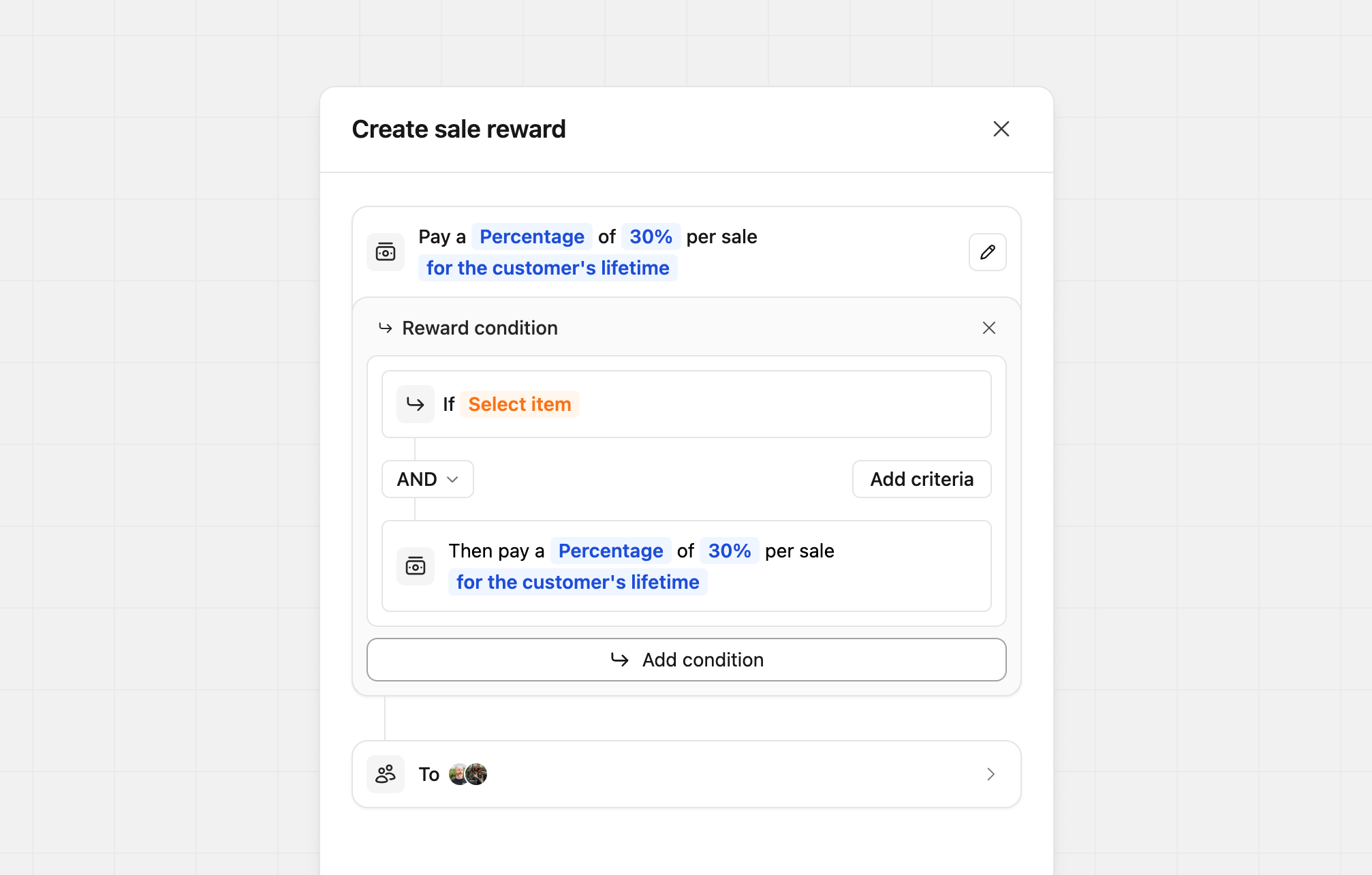
Each condition can be based on Customer, Sale, Partner, or Lead, allowing you to mix and match reward conditions to suit your program best.
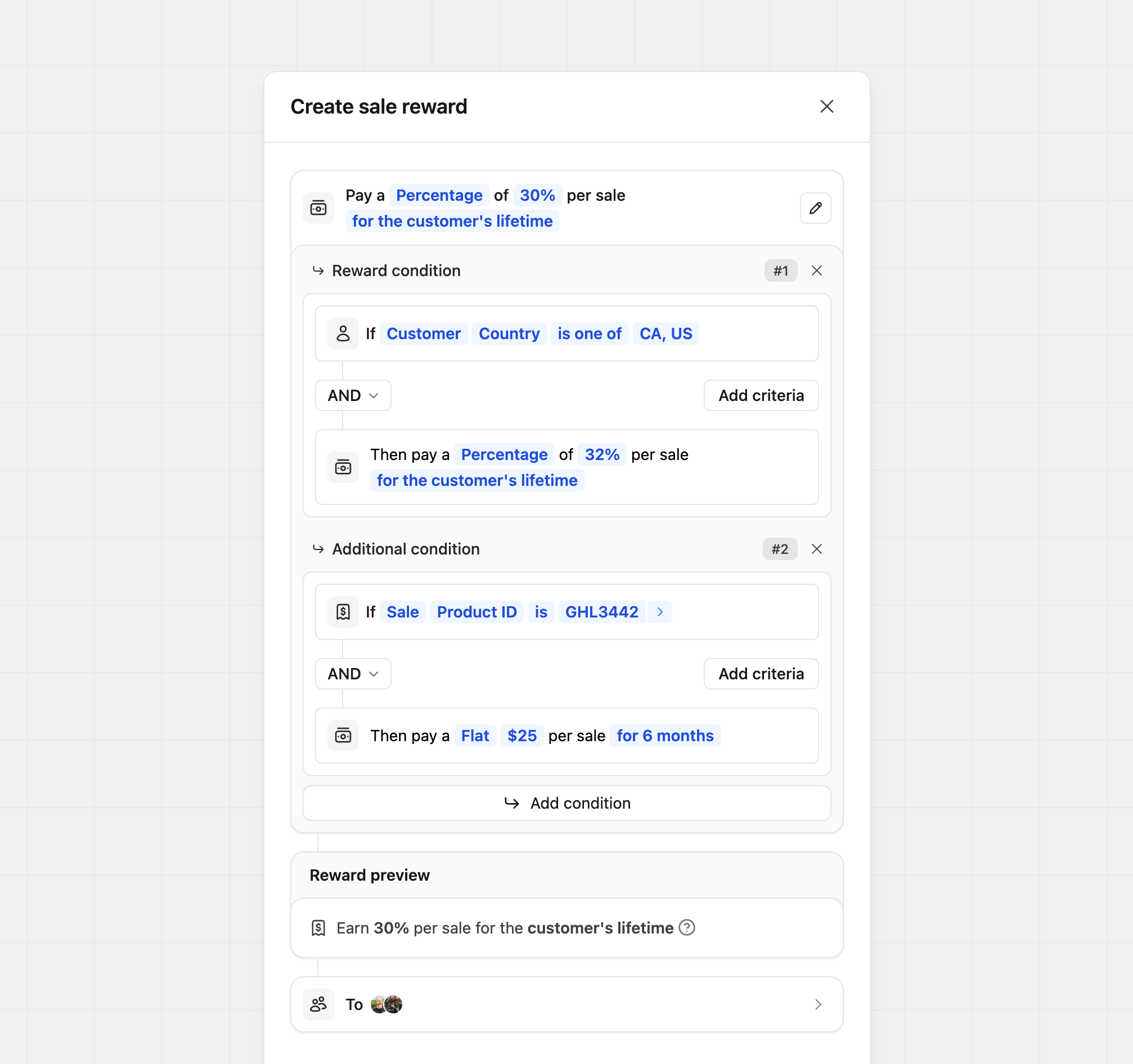
Conditions let you use AND or OR statements to control how they work. Each condition is tied only to its own reward and doesn't affect others. As shown in the example below, your conditions can be as simple or as complex as you need.
Metadata conditions#
In addition to the built-in attributes, you can create conditions based on any custom metadata you attach to your tracking events. This lets you reward partners based on data that's specific to your business (e.g. company size, billing cycle, plan tier, or seat count) that Dub doesn't track natively.
Metadata conditions are available for the Lead and Sale condition types. To create one, choose Metadata as the condition field, enter the metadata field name (the key) you want to match against, then pick an operator and value.
Each metadata condition supports two groups of operators, depending on whether you're matching a text or number value:
| Field type | Operators |
|---|---|
| Text | is, is not, starts with, ends with, contains, does not contain |
| Number | is greater than, is greater than or equal to, is less than, is less than or equal to |
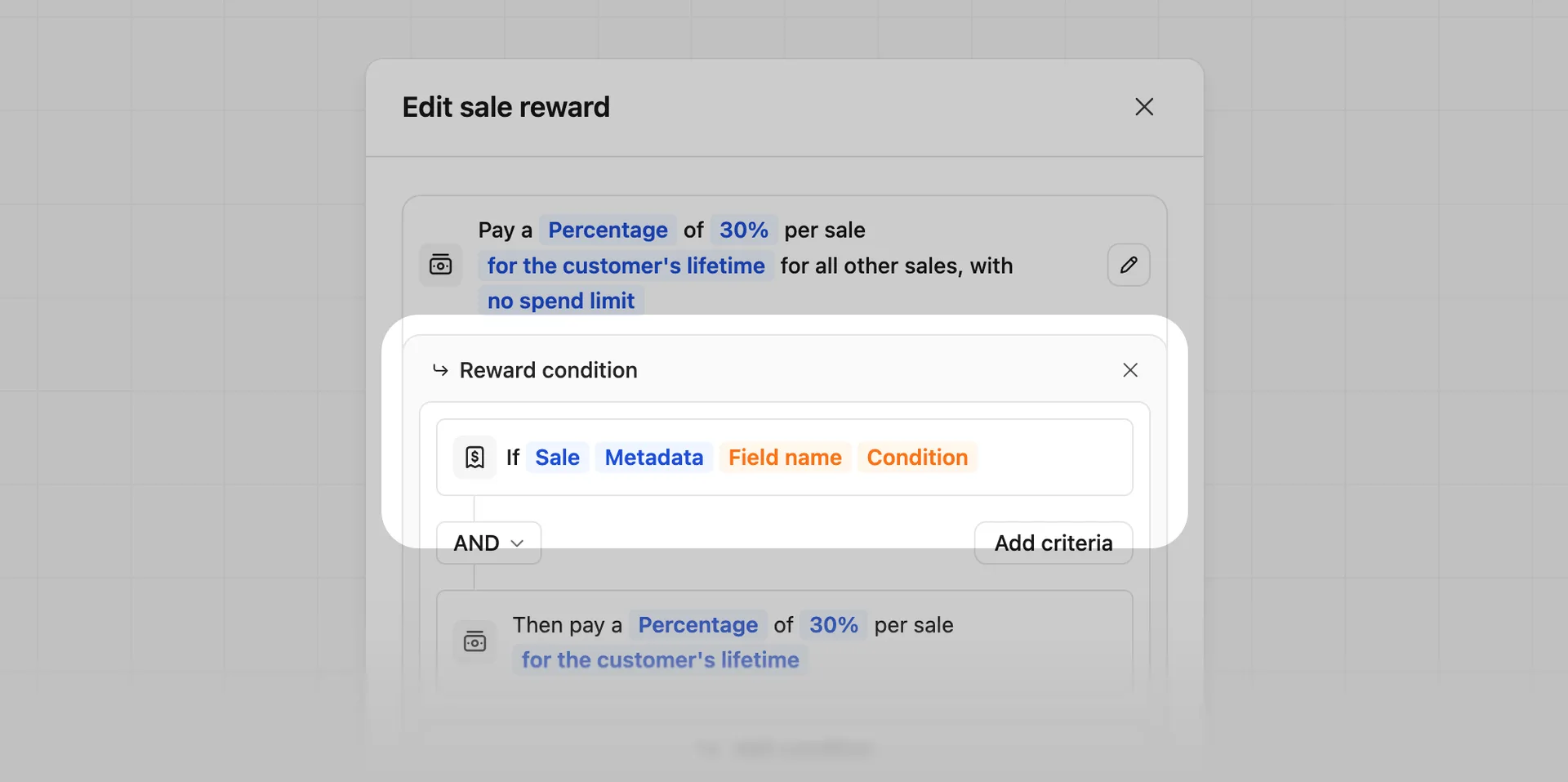
You can also attach metadata via the metadata prop on the /track/lead and /track/sale endpoints. If you're using our Stripe integration, sale metadata is automatically pulled from your Stripe checkout.session metadata for one-time/subscription checkouts and/or your Stripe invoice metadata for recurring invoice payments.
For end-to-end examples, see Company size tiers (lead) and Annual vs. monthly billing (sale).
Custom reward descriptions#
By default, Dub automatically generates reward descriptions when rewards are created. In some cases, you may want to customize how those rewards are presented to partners, whether that’s to better match your brand voice or to make a complex reward easier to understand. To edit a reward’s content, click the pencil icon next to the main reward builder. This opens the content editor, where you can update the primary reward description and optionally add more context using the reward tooltip.
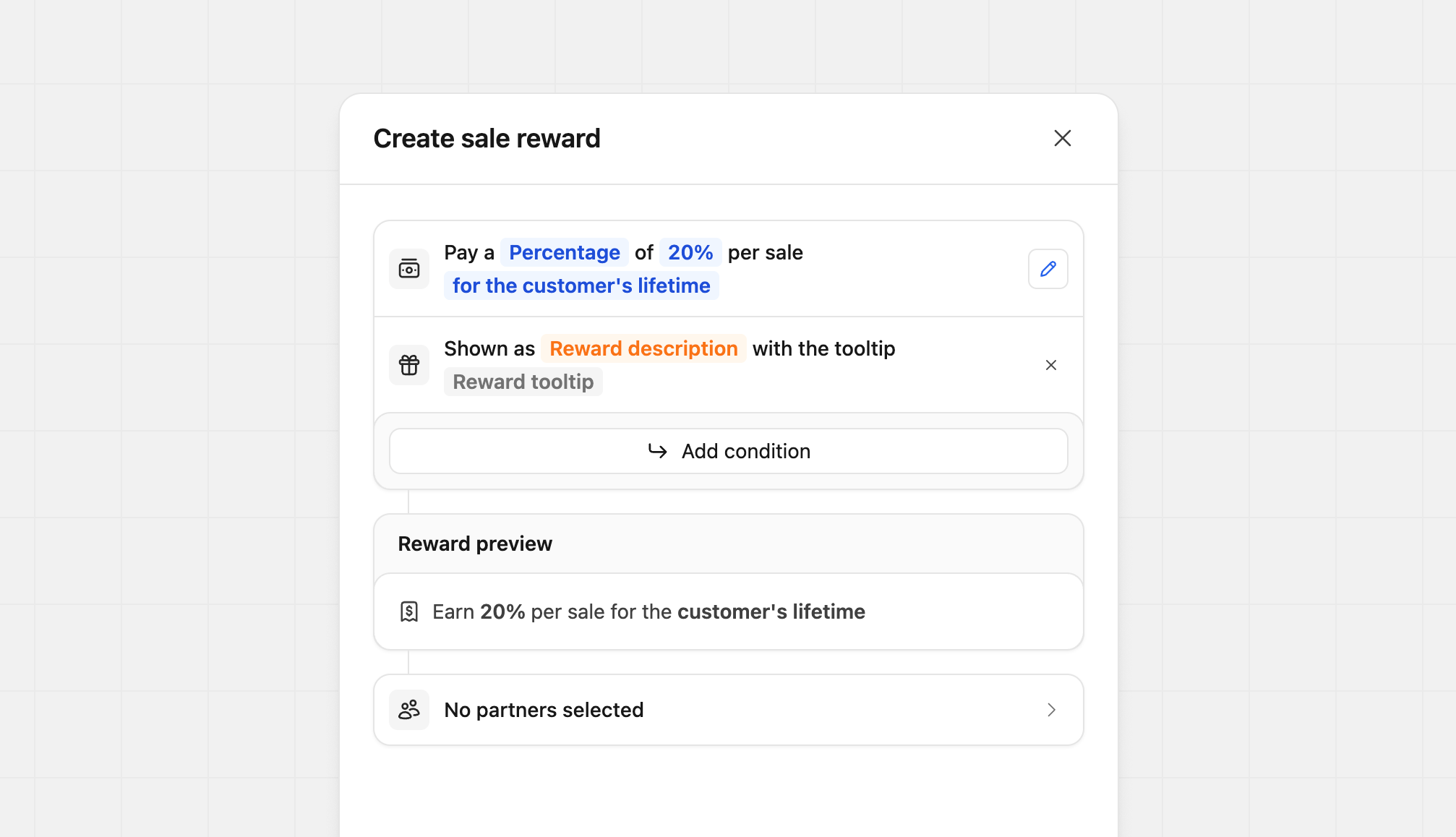
Click Reward description to update the main description. You can enter up to 100 characters to clearly explain the reward at a glance.

Click Reward tooltip to edit the tooltip content. Tooltips support basic markdown and allow up to 2,000 characters, making them ideal for adding detailed explanations or terms.
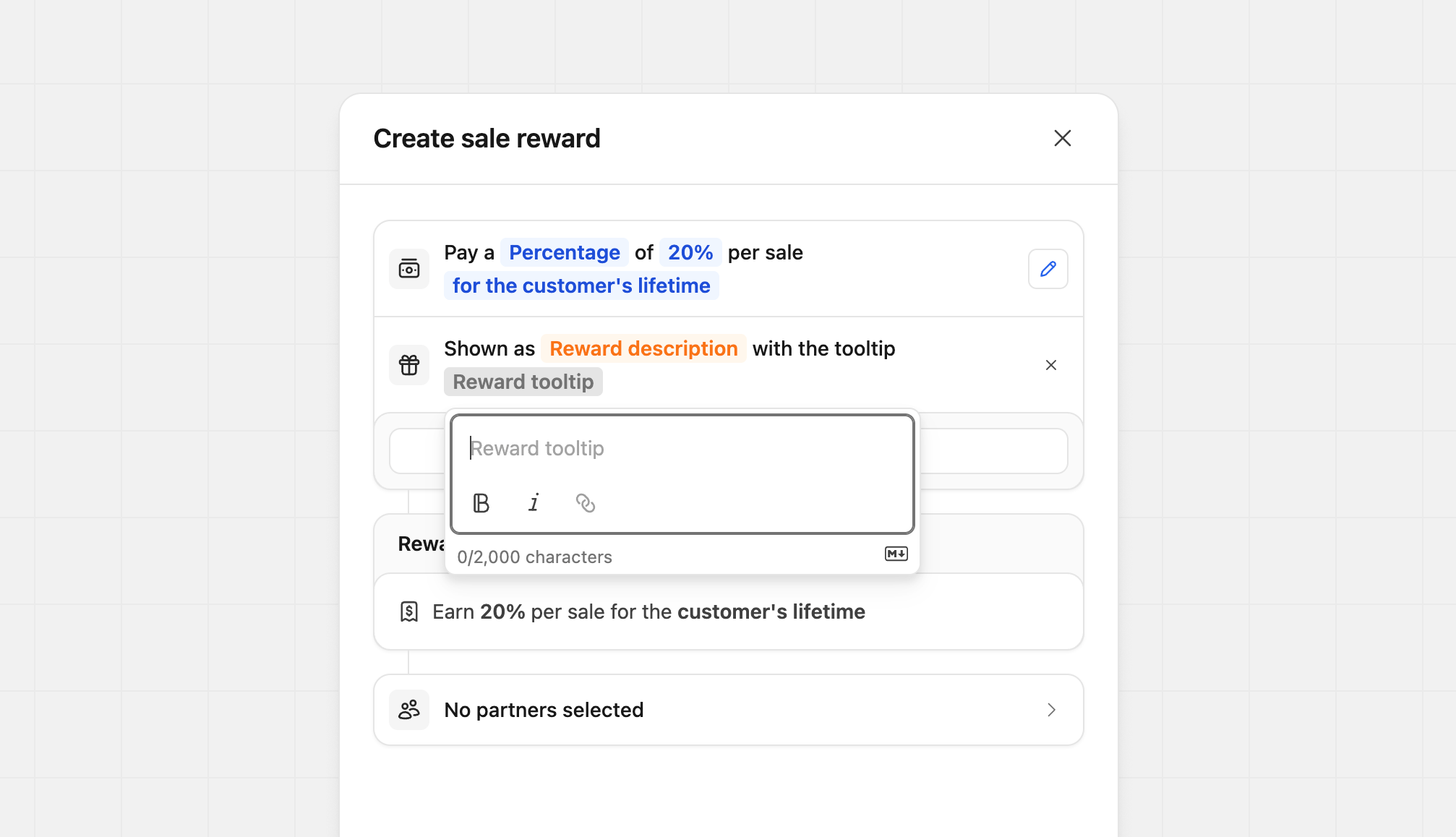
You can customize each field independently. For example, you might only update the tooltip for a more complex reward while leaving the main description unchanged. You can also do the opposite, updating the description without touching the tooltip. This flexibility lets you tailor each reward without extra work.
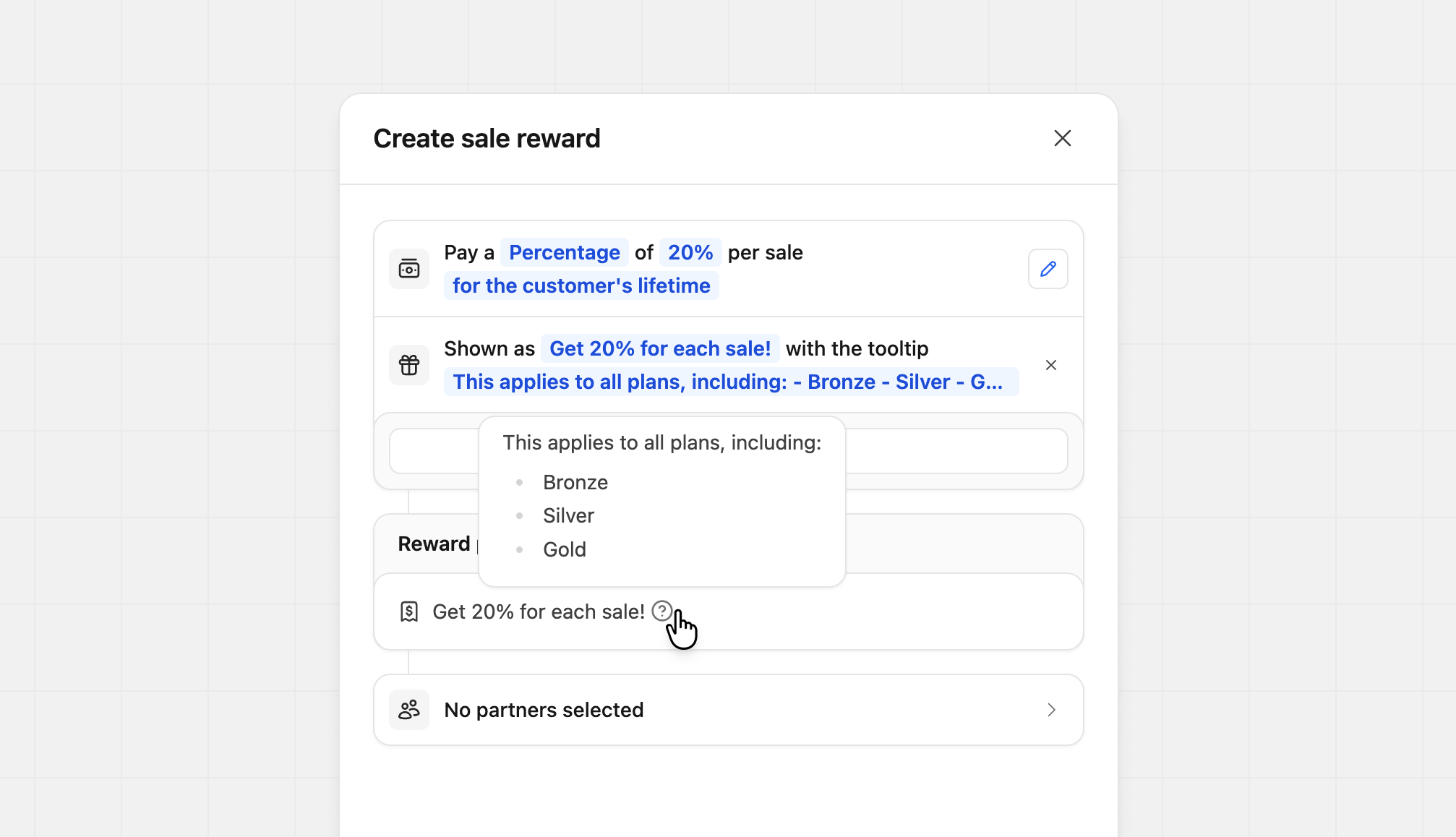
If you want to remove your custom content, click the X icon next to the custom description. The reward will revert to Dub’s default description.
Reward preview#
During the creation of your rewards, the reward preview will populate with the settings you've provided. This preview allows you to see exactly what your partner will see on your program details and within their dashboard.

Reward quality#
When you're creating or editing a reward, we'll provide you with a reward quality score based on how attractive and compelling your reward is for potential partners. This score is designed to help you optimize your rewards for maximum partner engagement.
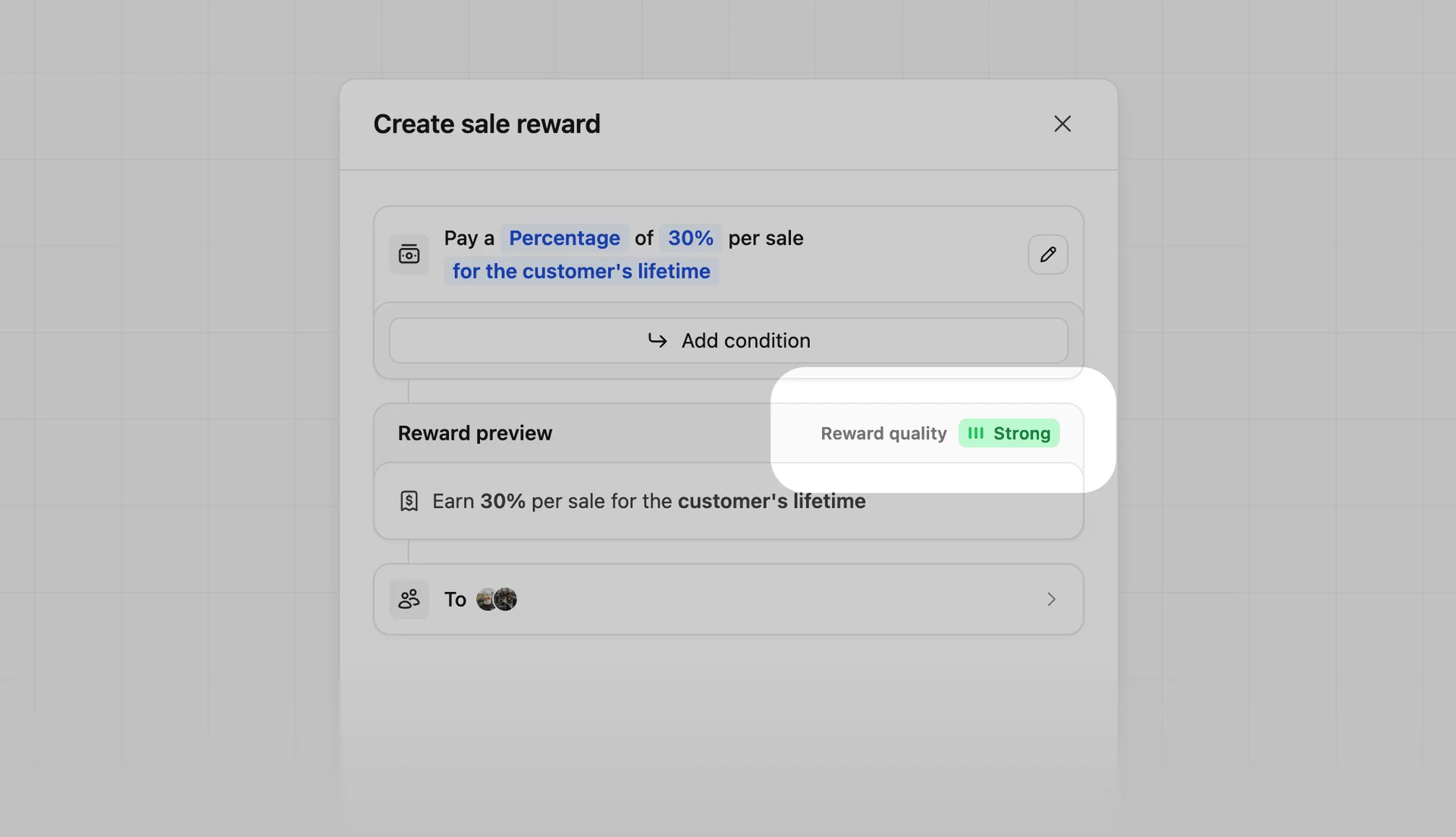
| Quality Score | Reason | Details |
|---|---|---|
| Low | May struggle to attract partners | The reward set is below typical ranges, or there is limited earning potential. |
| Limited | May struggle to attract partners | This is a one-time reward, and there's no long-term earning potential. |
| Good | Solid reward with room to grow | The reward meets minimum partner expectations, and there's opportunity to increase earning potential. |
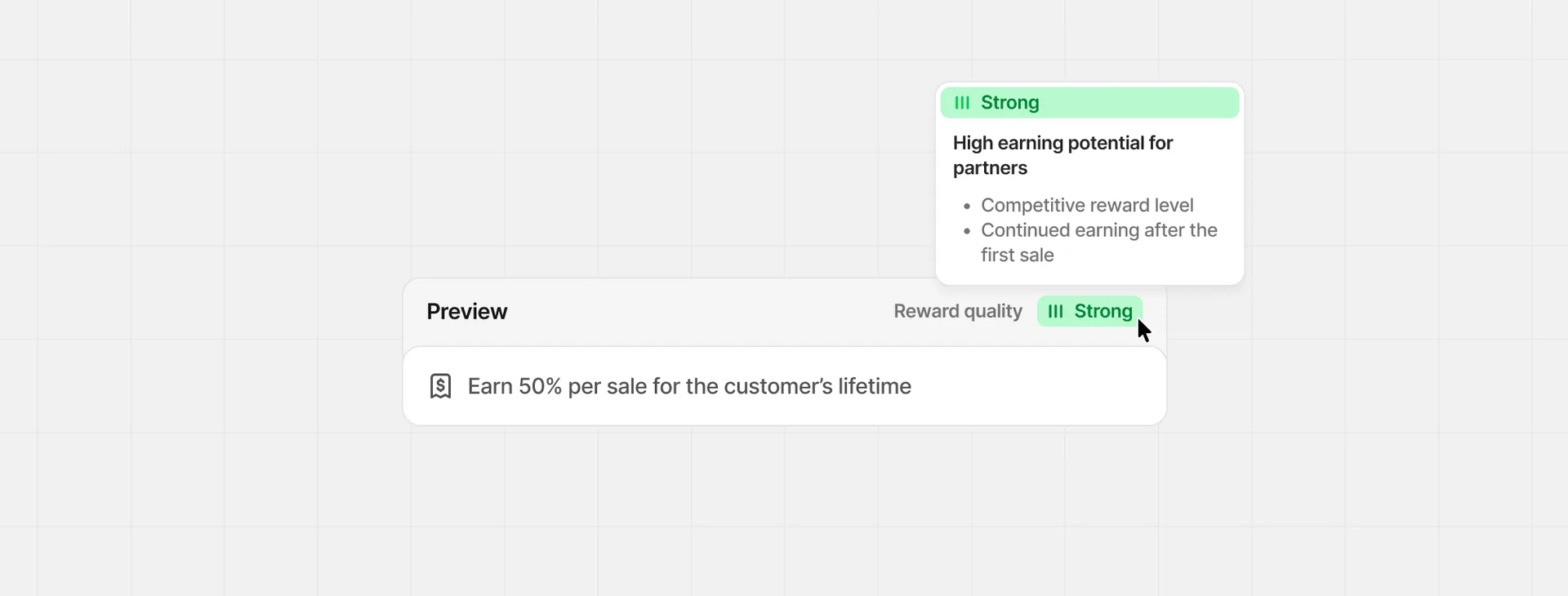
| Strong | High earning potential for partners | The reward level is competitive, and the partner continues to earn after the first sale. |
Hover over the quality score to see which specific reward factors are contributing to the score.
Confirm reward creation#
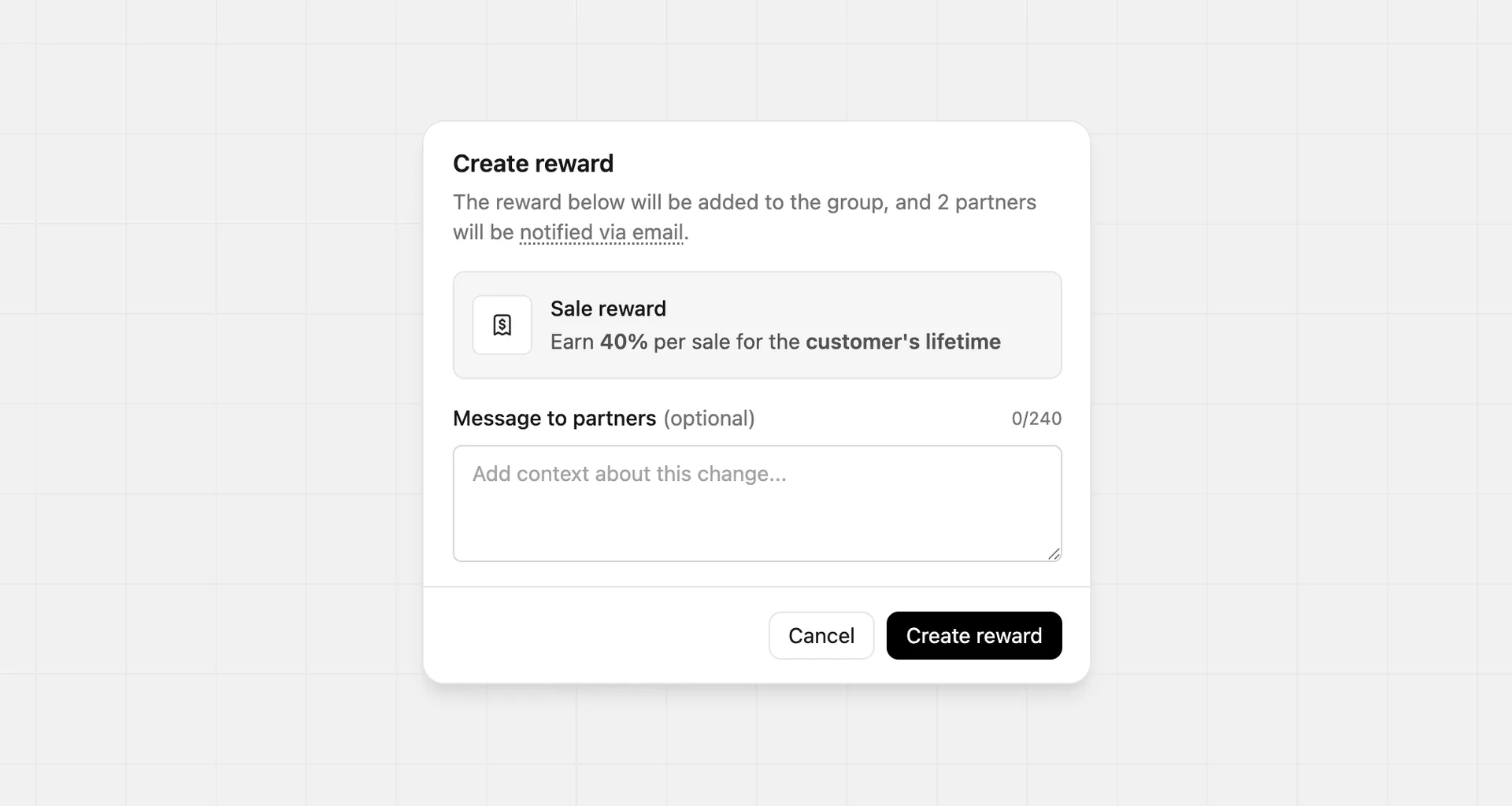
Before the reward is created, you'll be prompted to confirm the details. This is a good opportunity to review the reward and make any final adjustments. Here you can also provide optional notes to your partners that will be added to the reward notification email they'll receive upon creation.
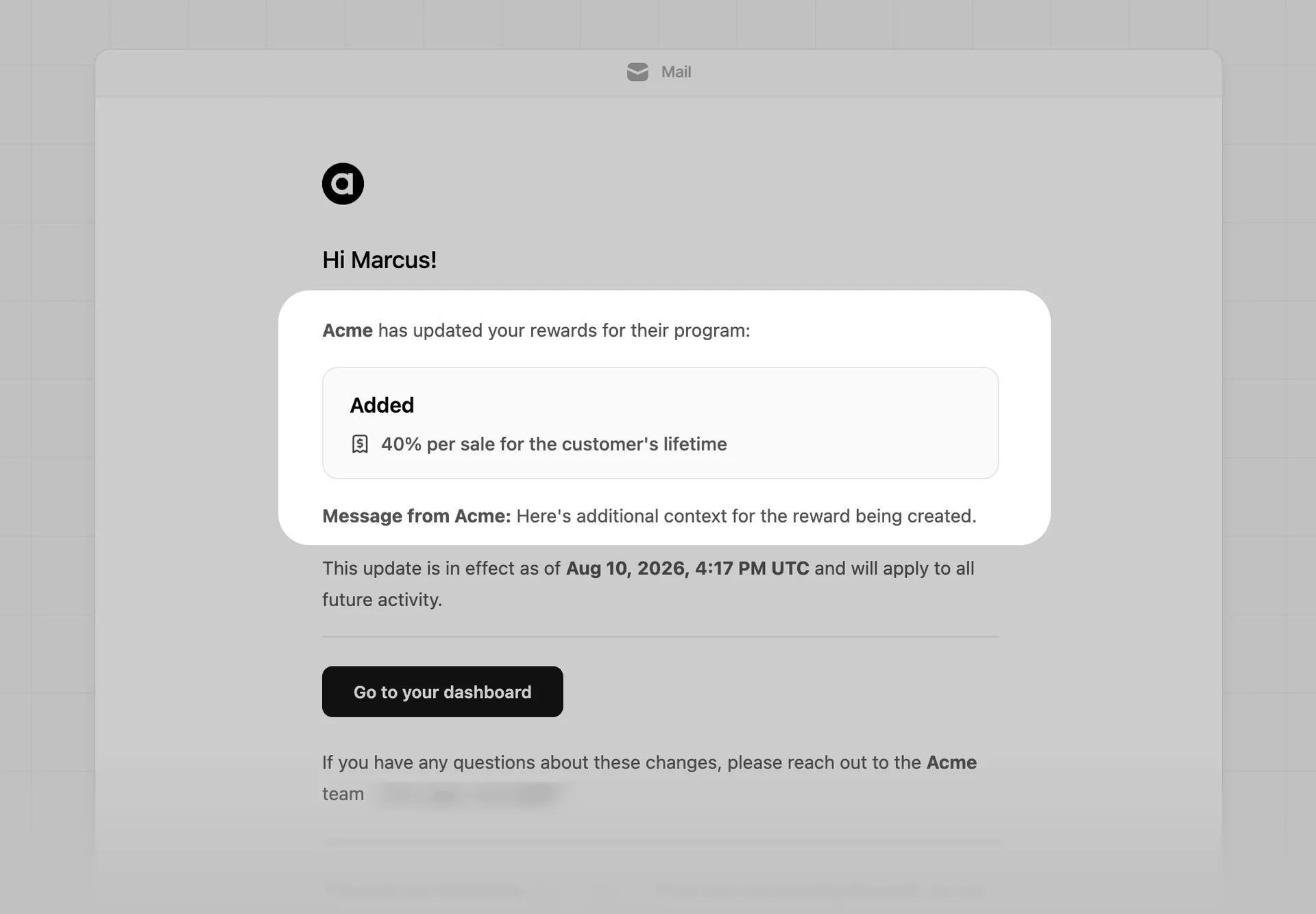
Here's an example of the reward notification email that will be sent to your partners:
Reward examples#
Here are a few reward examples with their conditions to give you some starting ideas.
Customizing reward conditions is only available on the Advanced plan and above.
Geo-specific#
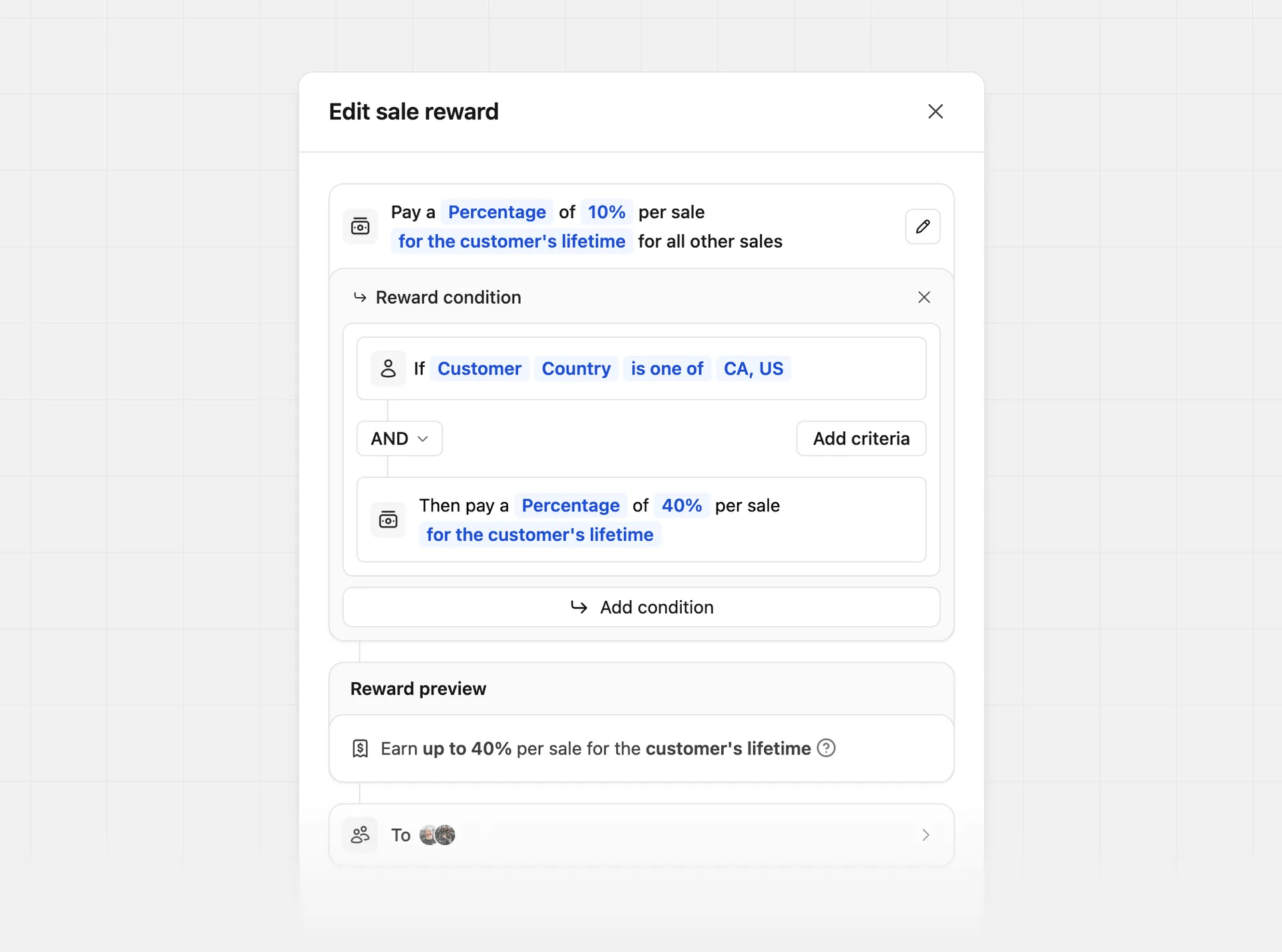
Tailor your reward amount by customer country. In this example, we're rewarding partners with a higher percentage for conversions from Canada and the United States:
| Condition | Reward | Description |
|---|---|---|
If Customer Country is one of Canada, United States | Then pay a Percentage of 40% per sale | Higher reward for US and Canadian customers |
If Customer Country is not United States | Then pay a Percentage of 10% per sale | Lower reward for non-US customers |
Staggered reward durations#
Tailor your reward amount by the customer's subscription duration, subscription start date, or signup date.
In this example, we're offering a 25% reward for the first 12 months and a 10% reward for all other sales:
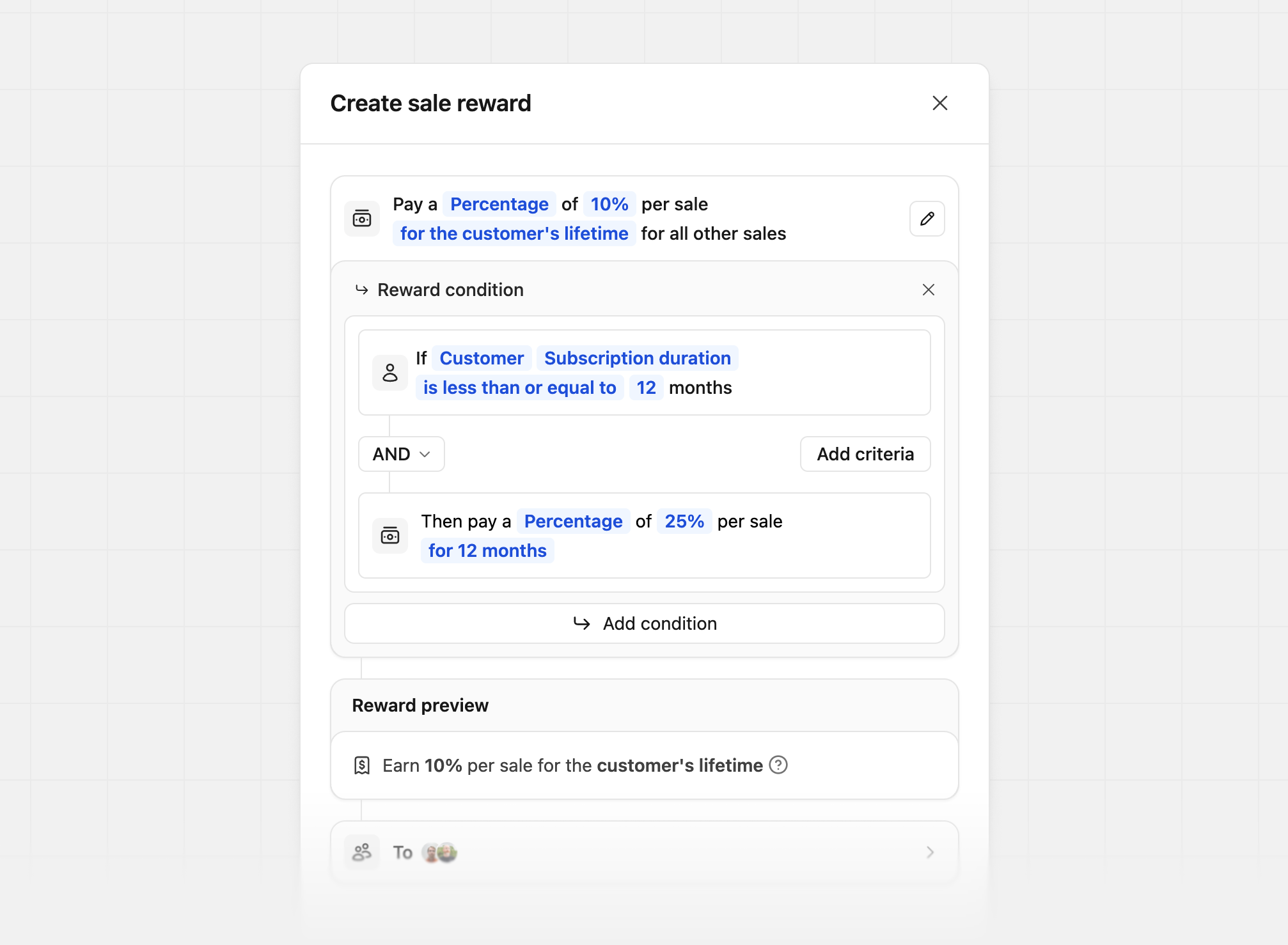
There are 3 different conditions for staggered reward durations:
| Condition type | Description | Example |
|---|---|---|
| Customer's subscription duration | How long the customer has been subscribed for | 25% for the first 12 months, 10% for the rest of the customer's lifetime |
| Customer's subscription start date | The date the customer started their subscription | 25% if subscribed before Jan 1, 2026, else 10% |
| Customer's signup date | The date the customer signed up for your product | 25% if signed up before Jan 1, 2026, else 10% |
Partner performance tiers#
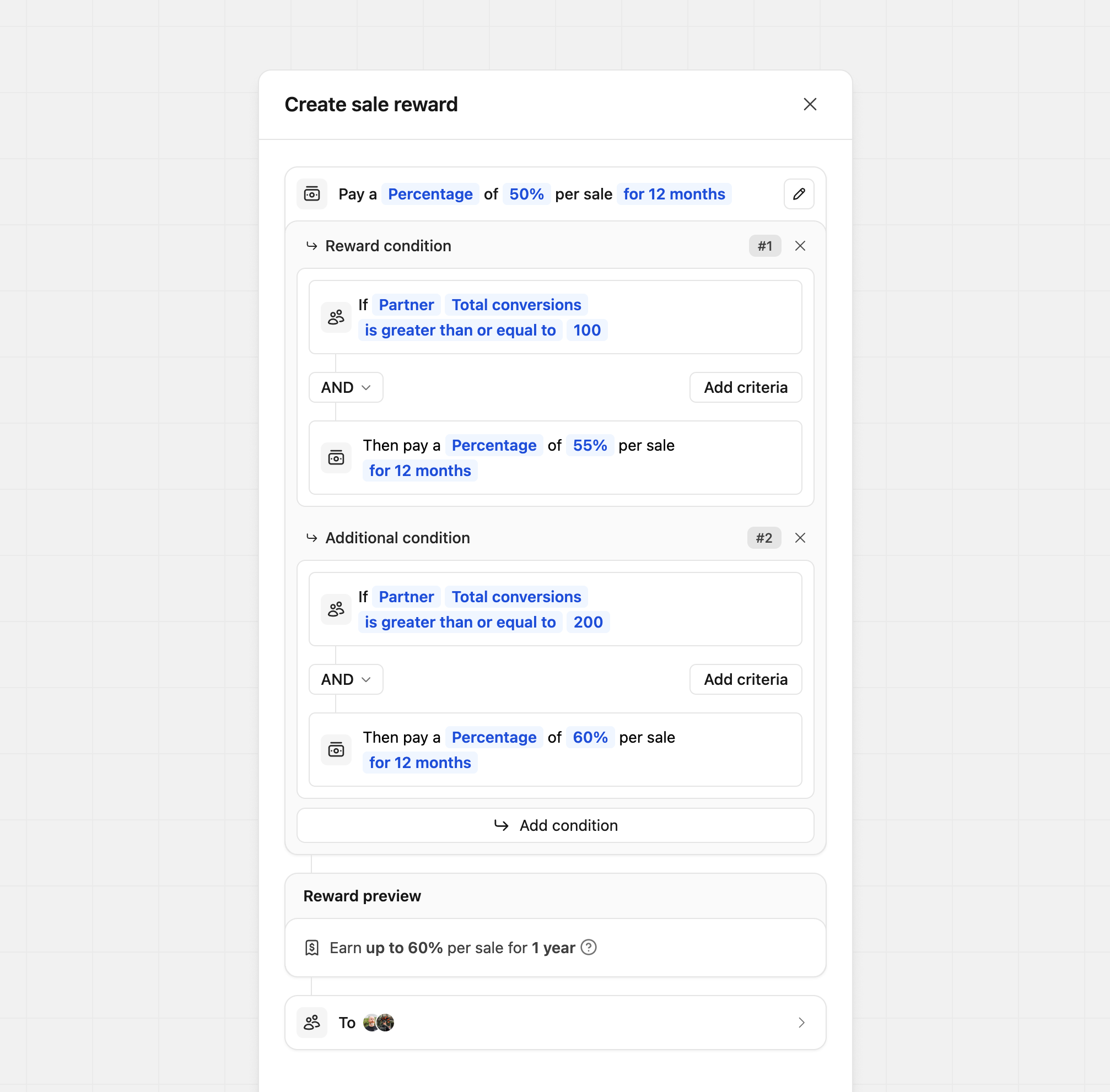
Tailor your reward amount by partner performance. In this example, we offer a 50% base reward and increase it to 60% based on how many conversions the partner has:
| Condition | Reward | Description |
|---|---|---|
If Partner Total conversions is greater than or equal to 200 | Then pay a Percentage of 60% per sale | Higher reward for partners with more than 200 conversions |
If Partner Total revenue is greater than or equal to $10,000 | Then pay a Percentage of 60% per sale | Higher reward for partners with more than $10K in referral revenue |
If Partner Total commissions is greater than or equal to $1,000 | Then pay a Percentage of 60% per sale | Higher reward for partners who have earned more than $1K in commissions |
Want to move partners to a different partner group based on their performance instead? Learn more about group move rules.
Product spotlight#
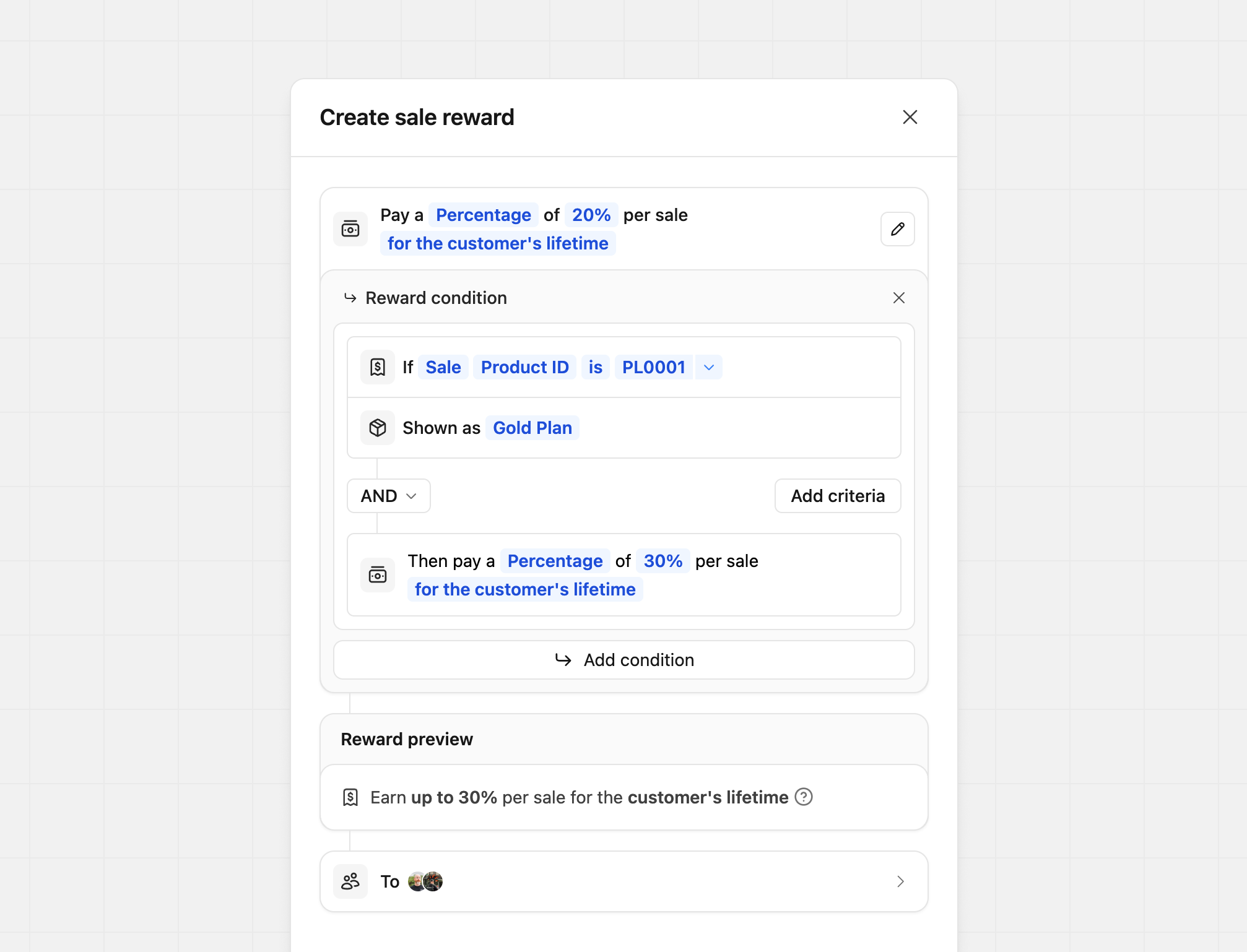
Tailor your reward amount by product. In this example, we're rewarding more when the sale is for the Gold Plan:
| Condition | Reward | Description |
|---|---|---|
If Sale Product ID is prod_xxx | Then pay a Percentage of 40% per sale | Higher reward for prod_xxx sales |
If Sale Product ID is not prod_xxx | Then pay a Percentage of 10% per sale | Lower reward for non-prod_xxx sales |
You can also set what the partner sees as the product name by adding a Shown as field to the reward.
For example, if you want to show the product as "Gold Plan" instead of the
actual product ID, you can set the Shown as to Gold Plan.
Where Your product ID is listed, you'll enter your product ID (the
screenshot uses an example product ID)
If you're manually tracking a sale event via our /track/sale endpoint, you
can pass along the product ID via the metadata
prop
(e.g. metadata.productId = "prod_xxx").
If you're using our Stripe
integration, the product ID will be the Stripe
product ID that the subscription is for (starts with prod_xxx). If a Stripe invoice contains multiple line
items (e.g. a base subscription plus an add-on), Dub
calculate the commission for each line item using the matching reward
rate. See full example here.
Sale amount modifiers#
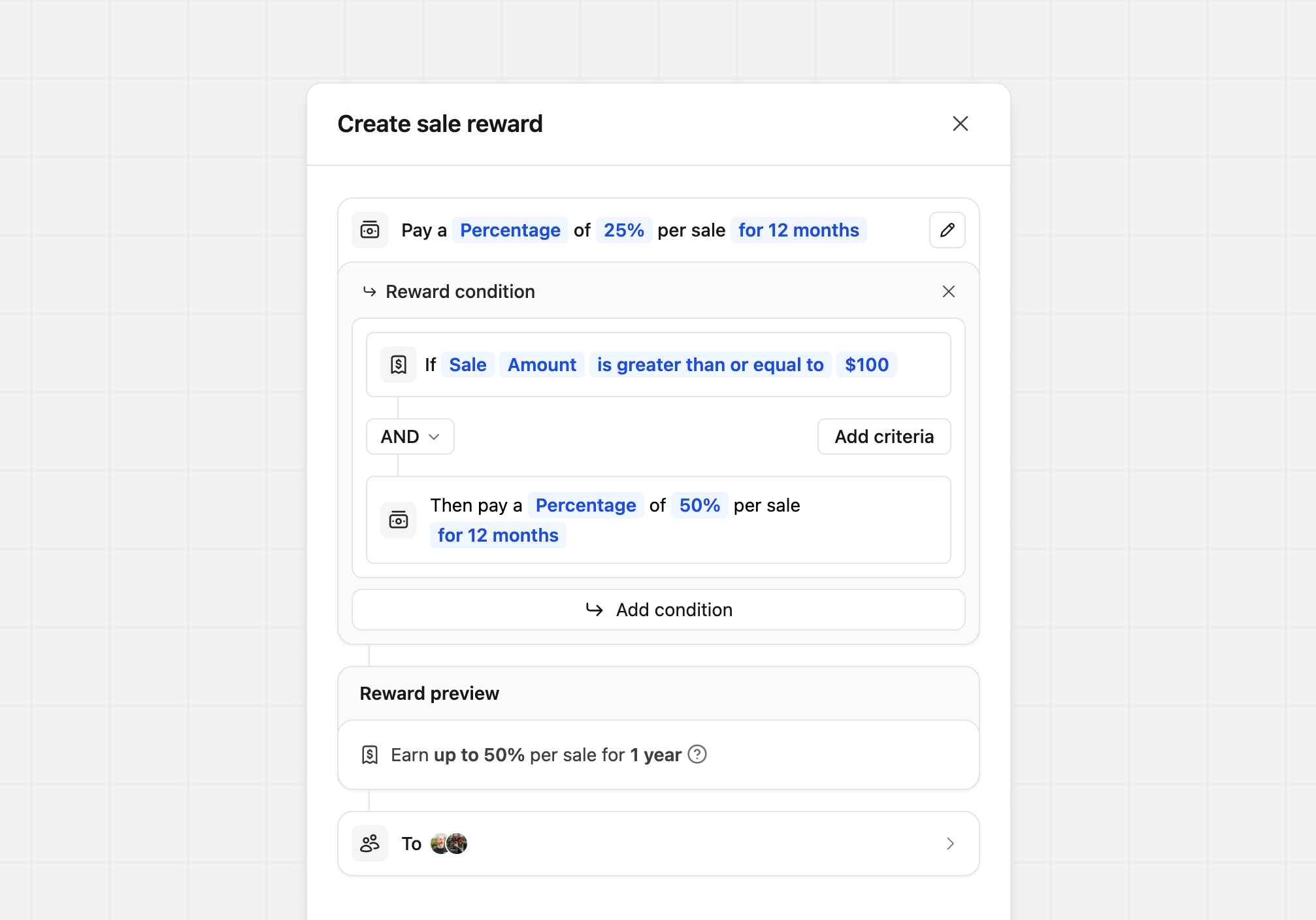
For creating tiered rewards based on the sale amount. In this example, we're giving our partners a higher reward if the sale amount is over a specific dollar amount:
| Condition | Reward | Description |
|---|---|---|
If Sale Amount is greater than or equal to $100 | Then pay a Percentage of 60% per sale | Higher reward for sales over $100 |
If Sale Amount is less than or equal to $100 | Then pay a Percentage of 60% per sale | Lower reward for sales under $100 |
New vs. recurring sales#
Tailor your reward amount based on whether the sale is the customer's first sale or a recurring sale. During reward creation, select Sale as the condition type and then choose Type as the condition field. This will allow you to differentiate between new and recurring sales.
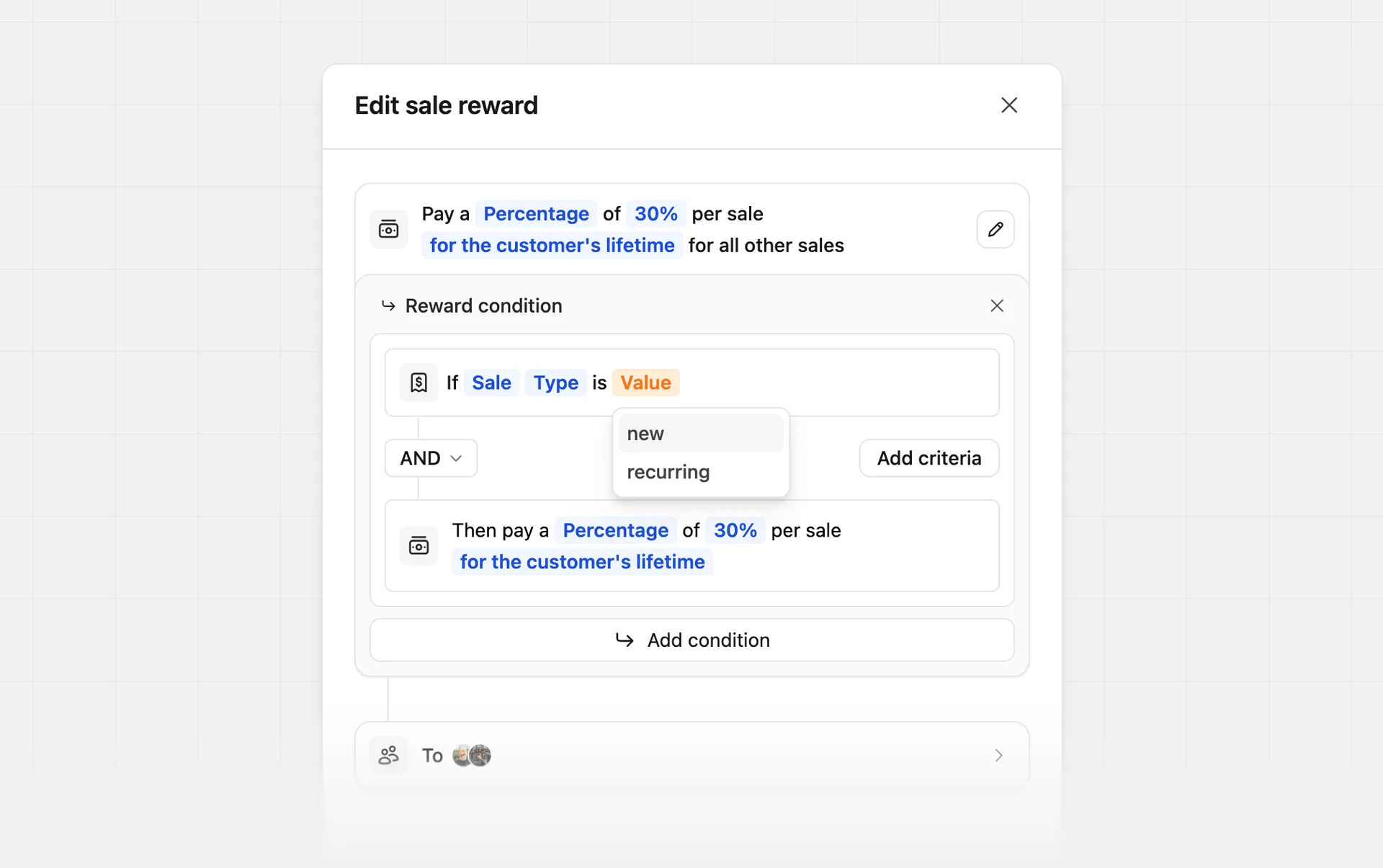
In this example, we're rewarding partners with a 80% reward for the first sale while keeping the standard recurring commission for all other sales:
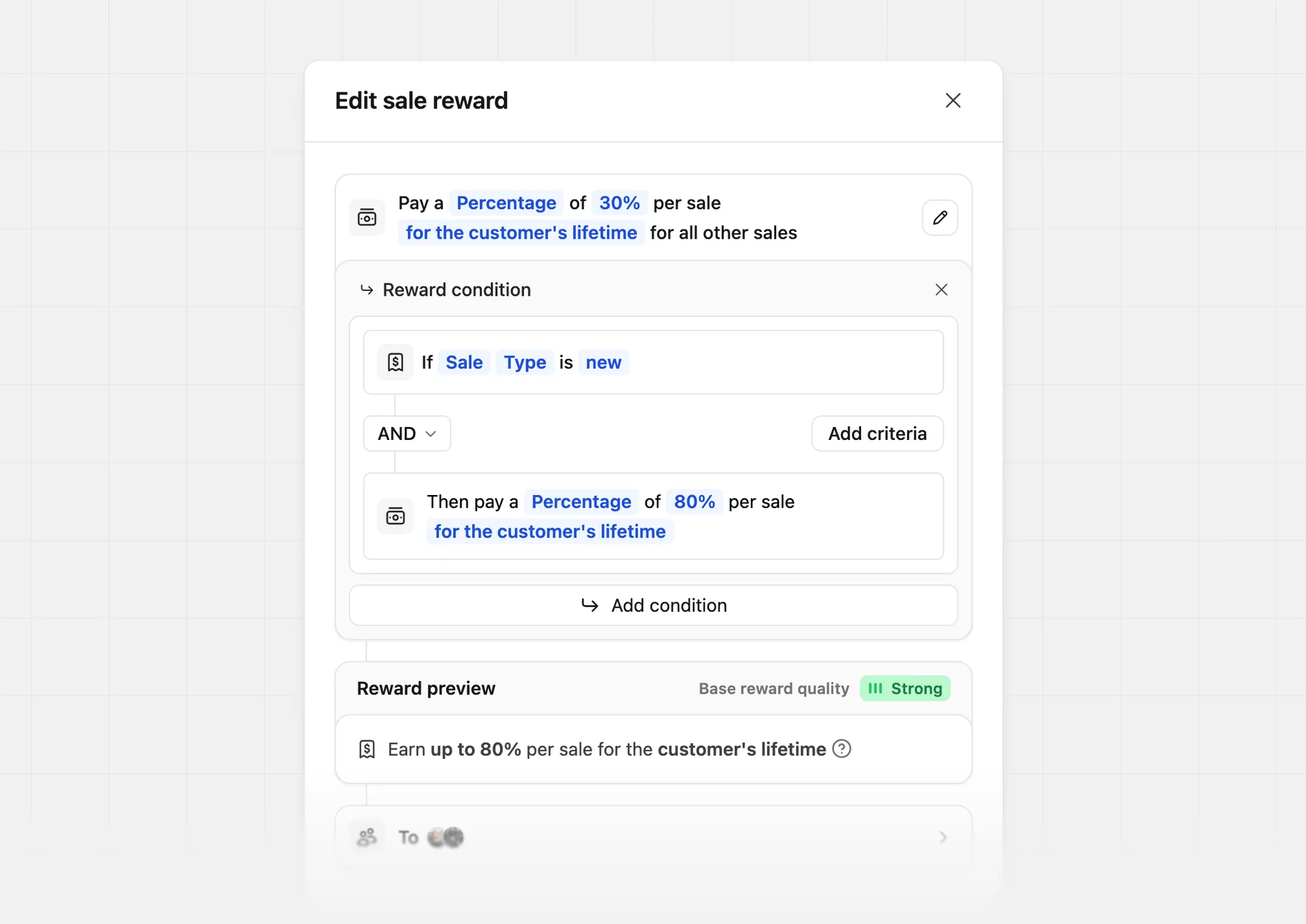
This is especially useful for subscription-based products, where you may want to offer a higher reward for the first sale to incentivize partners to acquire new customers, while offering a lower reward for recurring sales, while combining with other conditions.
| Condition | Reward | Description |
|---|---|---|
If Sale Type is new | Then pay a Percentage of 80% per sale | First-sale bonus for new customers |
If Sale Type is recurring | Then pay a Percentage of 30% per sale | Standard reward for recurring sales |
Company size tiers#
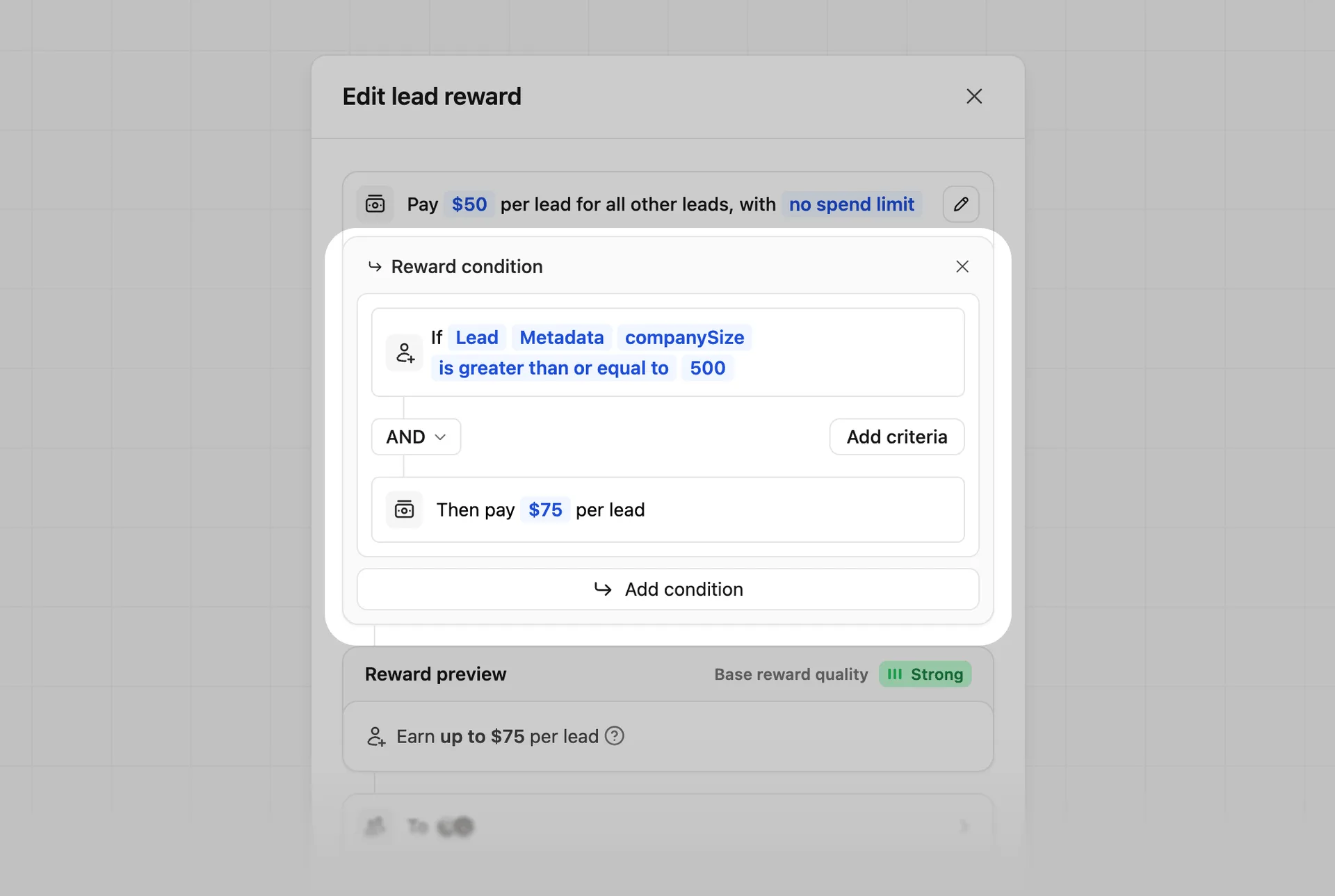
Tailor your pay-per-lead reward based on a metadata condition. In this example, we're passing a companySize field on each lead (via the metadata prop on /track/lead) and rewarding a higher amount for enterprise-sized leads:
| Condition | Reward | Description |
|---|---|---|
If Lead companySize is greater than or equal to 500 | Then pay $75 per lead | Higher reward for enterprise-sized leads |
If Lead companySize is less than 500 | Then pay $15 per lead | Standard reward for smaller leads |
Annual vs. monthly billing#
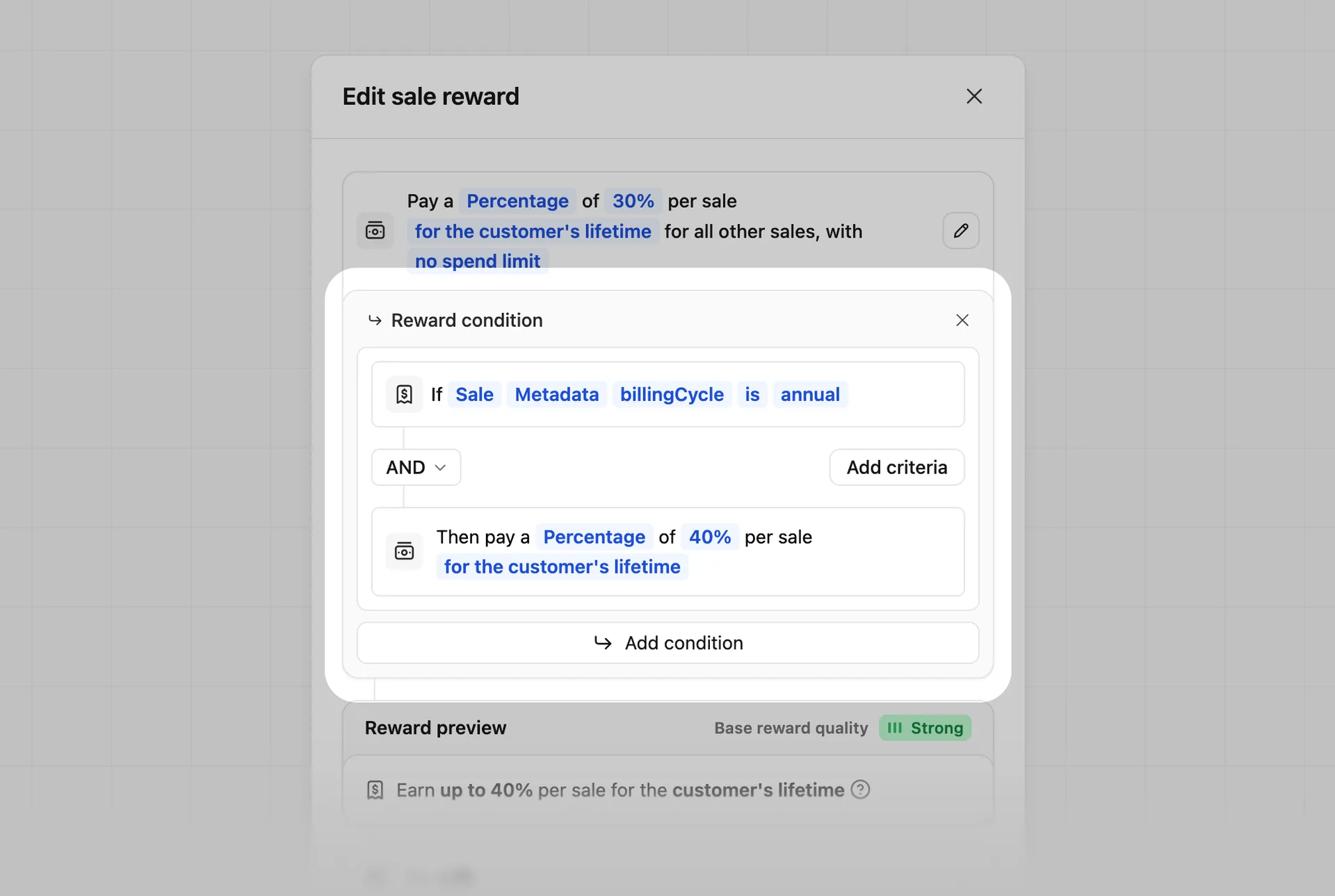
Tailor your reward amount based on a metadata condition. In this example, we're passing a billingCycle field on each sale (via the metadata prop on /track/sale) and rewarding partners more for driving annual plans over monthly plans:
| Condition | Reward | Description |
|---|---|---|
If Sale billingCycle is annual | Then pay a Percentage of 40% per sale | Higher reward for annual plans |
If Sale billingCycle is monthly | Then pay a Percentage of 20% per sale | Standard reward for monthly plans |
Updating a partner group's reward configuration#
You can update a partner group's reward configuration at any time. When this happens, historical commissions won't be updated.
However, the reward configuration for a partner-customer pair will be updated. E.g., if a partner used to be on a one-time reward and was switched to recurring rewards, all subsequent subscription renewals from their previous referrals will be eligible for commission again.
To avoid this, instead of editing a given partner group's reward configuration directly, create separate partner groups for one-time vs recurring rewards. This way, when you move partners from one group to the other, the reward configuration for the partner's previous referrals will be preserved.
When updating a reward, you'll be prompted to confirm your changes, and are able to provide optional notes to your partners in the update email.
Group reward update logs#
For transparency and auditability, we also keep a history of all reward updates for a given group:
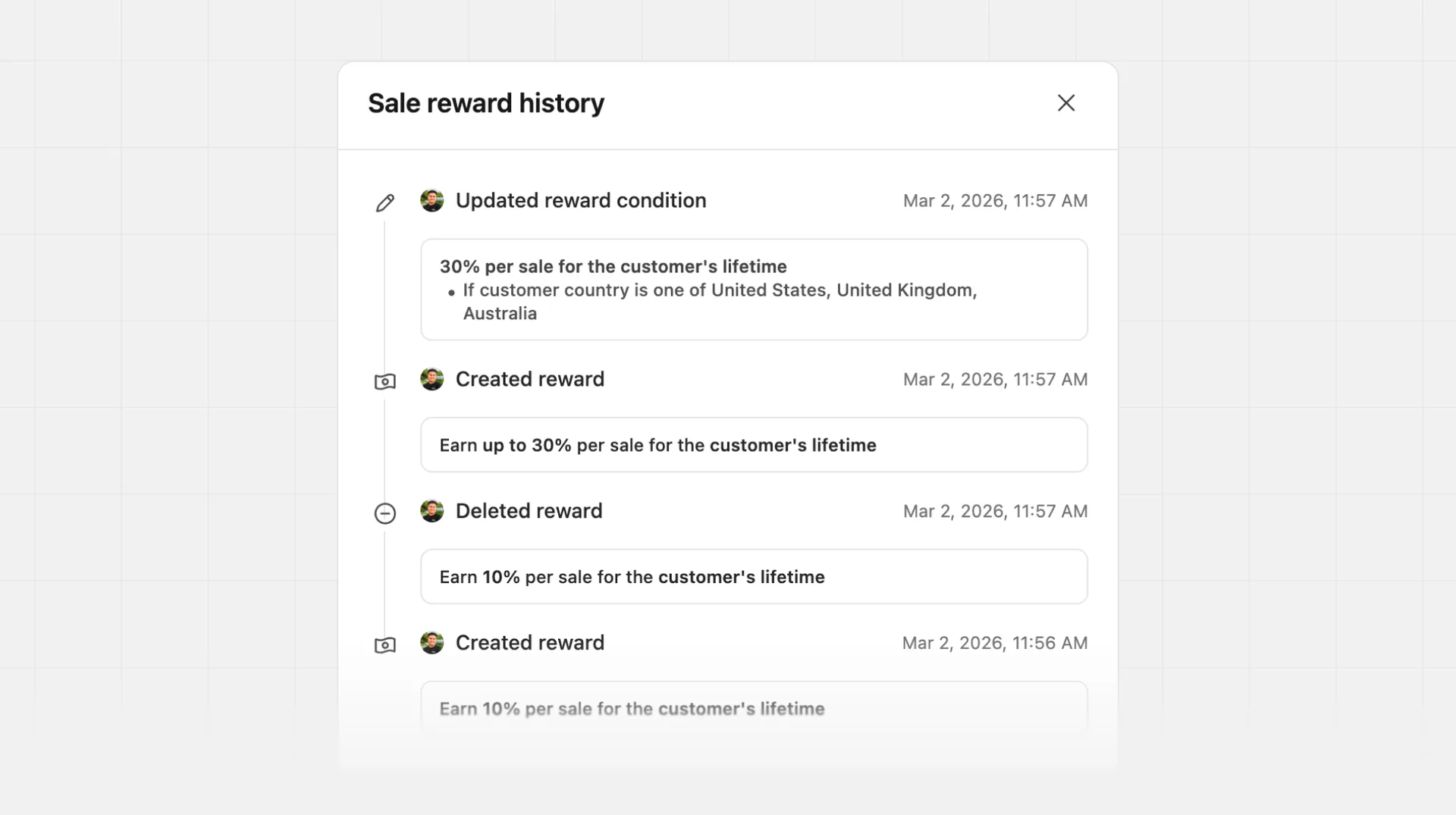
This helps you track changes over time and understand the impact of your reward configurations on the generated partner commissions.